अगर आप Kolkata में school, coaching institute या training centre के लिए interactive display खरीदने की योजना बना रहे हैं, तो केवल screen size और आकर्षक design देखकर निर्णय लेना सही नहीं होगा। Best Samsung Interactive Display in Kolkata चुनने का अर्थ है ऐसा digital teaching solution लेना जो आपके classroom, content और budget के अनुरूप हो। Samsung की अलग-अलग interactive display series में operating system, touch experience और collaboration features बदल सकते हैं।
Is guide mein hum verified Samsung series, important features, suitable screen size, price quotation aur installation ke practical questions cover karenge. Aap brochure ke claims se aage badhkar actual classroom usability check kar sakenge.
Why Choose a Samsung Interactive Display in Kolkata?
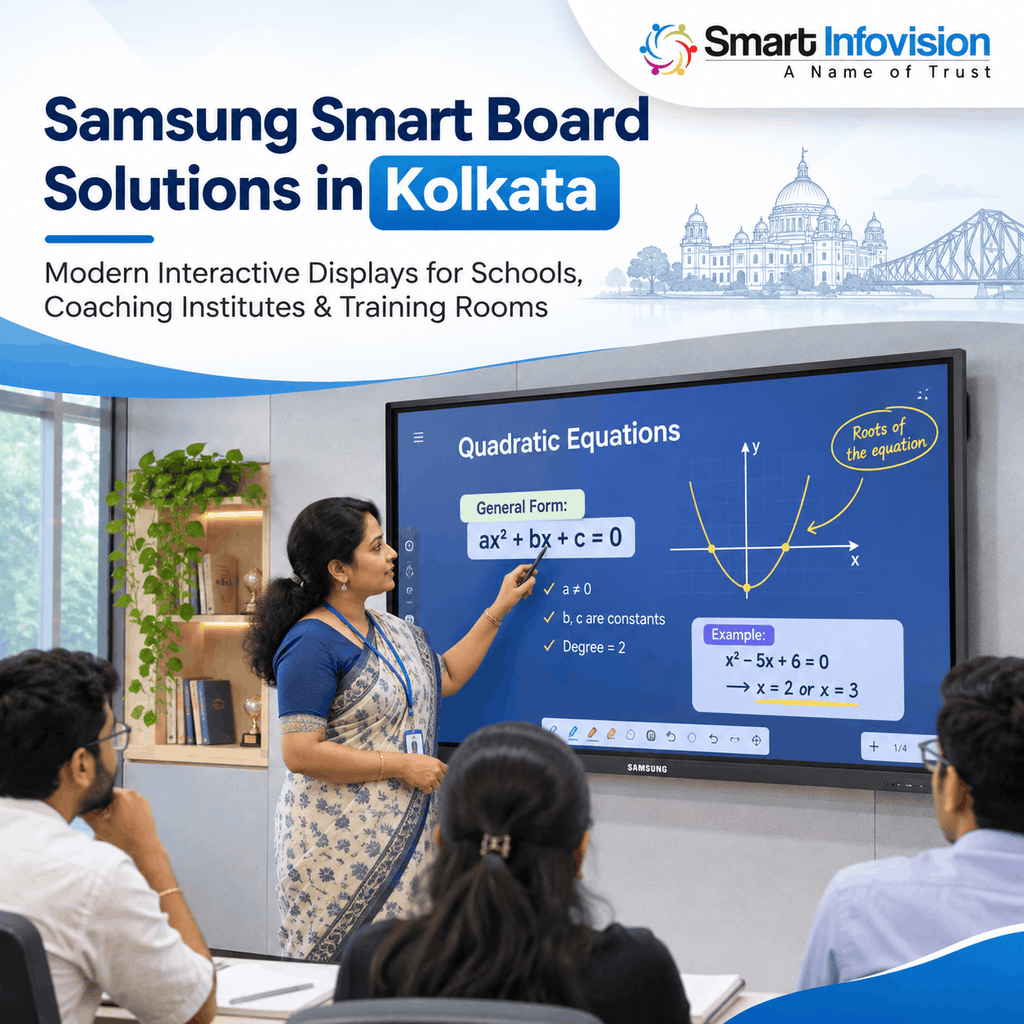
कोलकाता के schools, colleges और coaching centres में एक ही कक्षा के भीतर diagrams, PDFs, videos और handwritten explanations की ज़रूरत पड़ सकती है। Interactive flat panel इन अलग-अलग teaching formats को एक बड़ी touchscreen पर लाने में मदद करता है। शिक्षक lecture के दौरान किसी diagram पर annotation कर सकते हैं और फिर उसी विषय की presentation दिखा सकते हैं। इससे बार-बार device बदलने की परेशानी घटती है।
Online teaching के लिए interactive display मुख्य teaching screen का काम कर सकता है, जबकि recording के लिए microphone और camera की अलग ज़रूरत हो सकती है। Corporate training में भी presentations पर लिखना उपयोगी है। सिर्फ महँगी technology बेहतर learning की गारंटी नहीं देती; शिक्षक की तैयारी ज़रूरी है।
Important Features of Samsung Interactive Displays
4K UHD Clarity and Comfortable Viewing
Samsung की WAF series के आधिकारिक specifications में 3840 × 2160 resolution दिया गया है। यह 4K UHD clarity formulas, graphs, maps और detailed presentations को साफ दिखाने में उपयोगी हो सकती है। लेकिन readability पर classroom lighting, font size और viewing distance का भी असर पड़ता है। पीछे बैठकर sample text पढ़कर देखें।
Multi-Touch Writing and Annotations
Touch response is important when teachers write equations or students solve problems together. Samsung WAF provides Annotation On for writing over displayed content. WAF-P also supports collaborative multi-touch, though supported touch points vary by operating mode. Test writing speed and accuracy during a live demo.
Screen Sharing and Connectivity
Laptop या compatible device से content दिखाना teaching workflow आसान कर सकता है। Samsung models में HDMI, USB-C, Wi-Fi और अन्य connection options अलग-अलग उपलब्ध होते हैं। USB-C से video, touch या charging support की model-wise जाँच करें। Wireless casting आपके network पर भी निर्भर करती है।
Android, Apps and Teaching Software
Samsung WAD uses Android 13 with Google EDLA certification; WAF lists Android 14, while WAF-P lists Android 15. EDLA helps access Google services, but licences and app compatibility still require checking. Compare exact models using the official Samsung WAF-P specifications.
Samsung Interactive Display for Schools and Coaching Institutes
मान लीजिए, Class 10 Science में शिक्षक human heart का diagram समझा रहे हैं। वे image खोलकर अलग-अलग हिस्सों पर लिख सकते हैं, फिर उसी lesson से जुड़ा quiz दिखा सकते हैं। Competitive-exam coaching में Physics numerical को step-by-step solve करना और previous-year questions पर चर्चा करना आसान हो सकता है। ऐसी lessons में interactive writing उपयोगी है।
Hybrid coaching needs more than a display. Camera framing, clear audio, lighting, internet stability and teaching software affect class quality. A properly planned smart classroom and online teaching setup also considers these supporting components, rather than treating the board as a complete recording studio.
Best Samsung Interactive Display in Kolkata: Which Series Fits?
Samsung की WAD, WAF, WAF-P और Flip Pro series अलग-अलग उपयोग के लिए देखी जा सकती हैं। WAD एक Android-based teaching display है और EDLA-supported Google services पर केंद्रित है। WAF में Android 14, annotation और classroom collaboration जैसे features मिलते हैं। WAF-P के भारतीय product page पर Android 15, built-in video-call system तथा AI Write & Search का उल्लेख है; यह उन संस्थानों के लिए विचारणीय हो सकता है जिन्हें integrated communication features चाहिए।
Flip Pro को केवल Android-based WAD या WAF जैसा panel मानना सही नहीं है। यह whiteboarding और collaborative presentations पर केंद्रित अलग series है। यदि रोज़ handwritten explanations अधिक होते हैं, तो writing feel की तुलना करें। Apps और video meetings के लिए Android-based विकल्पों को देखें।
How to Select the Right Display Size
छोटे tuition room और बड़े lecture hall की ज़रूरतें समान नहीं होतीं। Samsung की कई education-focused series में 65-inch, 75-inch और 86-inch विकल्प मिलते हैं, लेकिन हर model तथा market में availability की पुष्टि ज़रूरी है। स्क्रीन चुनते समय विद्यार्थियों की बैठने की अंतिम पंक्ति, board की ऊँचाई, दीवार की मजबूती और शिक्षक के लिखने की सुविधा देखें। बड़ा panel हमेशा बेहतर नहीं होता।
During a demo, open a detailed PDF, spreadsheet and handwritten equation. Test legibility from the last row, writing near screen corners and glare in daylight. Compare models through your website’s interactive flat panel display range before requesting a final quotation.
Samsung Interactive Display Price in Kolkata
कोलकाता में Samsung digital board की कीमत पूछते समय केवल एक advertised figure पर भरोसा नहीं करना चाहिए। Final quotation panel के exact model, size, accessories, mounting hardware, delivery, installation, taxes और warranty terms के अनुसार बदल सकता है। Online listings कभी-कभी पुराने model या अस्पष्ट configuration के साथ दिखाई देती हैं। इसलिए किसी एक price को पूरे market की दर न मानें।
Ask for an itemised quotation listing the exact model code, GST, mounting, OPS computer if required, transport and installation. Confirm whether staff training, software setup and post-installation help are included. Compare total ownership costs rather than a headline discount.
What to Check Before Buying in Kolkata
खरीद का निर्णय लेने से पहले seller से original product details, serial-number verification process और official warranty coverage की जानकारी लें। यह भी स्पष्ट करें कि service request कौन दर्ज करेगा, installation के बाद support किससे मिलेगा और replacement या repair conditions क्या होंगी। यदि कोई dealer खुद को authorised partner बताता है, तो उसके दावे की independent verification करें। Demo में अपनी रोज़ की teaching apps चलाएँ।
कोलकाता में delivery से पहले lift की capacity, सीढ़ियों के मोड़, classroom entry और mounting wall की स्थिति जाँचें। बड़ा panel कमरे तक पहुँचाना भी installation planning का हिस्सा है। एक से अधिक classrooms के लिए खरीद रहे हैं तो standard configuration तय करें और पहले teachers की training कराएँ।
Installation and Technical Support in Kolkata
सही installation में केवल panel को दीवार पर लगा देना पर्याप्त नहीं है। Display की height, सुरक्षित electrical connection, cable management, reliable internet और comfortable viewing angle पर ध्यान देना चाहिए। Teacher के movement के लिए पर्याप्त जगह रखें और touch calibration या connectivity checks उसी समय पूरे करें। IT staff को basic troubleshooting सिखाएँ।
Digital board शिक्षक की भूमिका का विकल्प नहीं है। शिक्षा में technology के उचित इस्तेमाल पर UNESCO की guidance भी local context और लंबे समय के खर्च पर ध्यान देती है। इसलिए hardware के साथ teacher training, maintenance और साफ teaching plan ज़रूरी हैं।
Frequently Asked Questions
Is a Samsung interactive display suitable for online teaching?
हाँ, interactive display पर digital writing, PDFs और presentations इस्तेमाल किए जा सकते हैं। लेकिन professional online classes के लिए camera, microphone, lighting, recording software और stable internet की अलग योजना भी बनानी पड़ सकती है। Exact connectivity को selected model पर test करें।
Which Samsung series should a coaching centre consider?
Apps और annotations के लिए WAD तथा WAF की तुलना करें। अगर integrated video calling ज़रूरी है, तो WAF-P भी देखें। सही विकल्प आपकी teaching requirements, budget और exact model specifications पर निर्भर करता है।
Is a 65-inch or 75-inch interactive board better?
यह room size और seating arrangement पर निर्भर करता है। छोटे teaching rooms में 65-inch practical हो सकता है, जबकि अधिक दूरी वाली seating के लिए 75-inch या उससे बड़ा panel जाँचना चाहिए। अंतिम निर्णय वास्तविक classroom demo से लें।
Can I use Google Classroom on a Samsung interactive display?
Samsung की EDLA-certified WAD, WAF और WAF-P series में Google services का support दर्ज है। फिर भी आपका institution account, app policy, internet connection और specific software requirements compatibility को प्रभावित कर सकते हैं। Purchase से पहले sign-in और workflow test कराएँ।
Does the display price include installation and warranty?
हर seller के quotation में समान inclusions नहीं होते। Installation, accessories, transportation और warranty conditions को written quotation में अलग-अलग confirm करना चाहिए। Verbal assurances पर निर्भर रहने के बजाय product-specific documentation रखें।
Conclusion
Best Samsung Interactive Display in Kolkata वही होगा जो आपके classroom की वास्तविक ज़रूरतें पूरी करे, न कि केवल सबसे अधिक advertised features वाला model। Resolution और touchscreen के साथ software compatibility, viewing distance, installation quality तथा after-sales arrangements का मूल्यांकन करें। सही चयन teaching workflow को व्यवस्थित बना सकता है।
Order देने से पहले दो suitable Samsung models shortlist करें, live demonstration लें और verified supplier से detailed written quotation माँगें। इससे price, features और after-sales support की वास्तविक तुलना करना आसान होगा और संस्थान की ज़रूरत के हिसाब से सही digital classroom solution चुन सकेंगे।