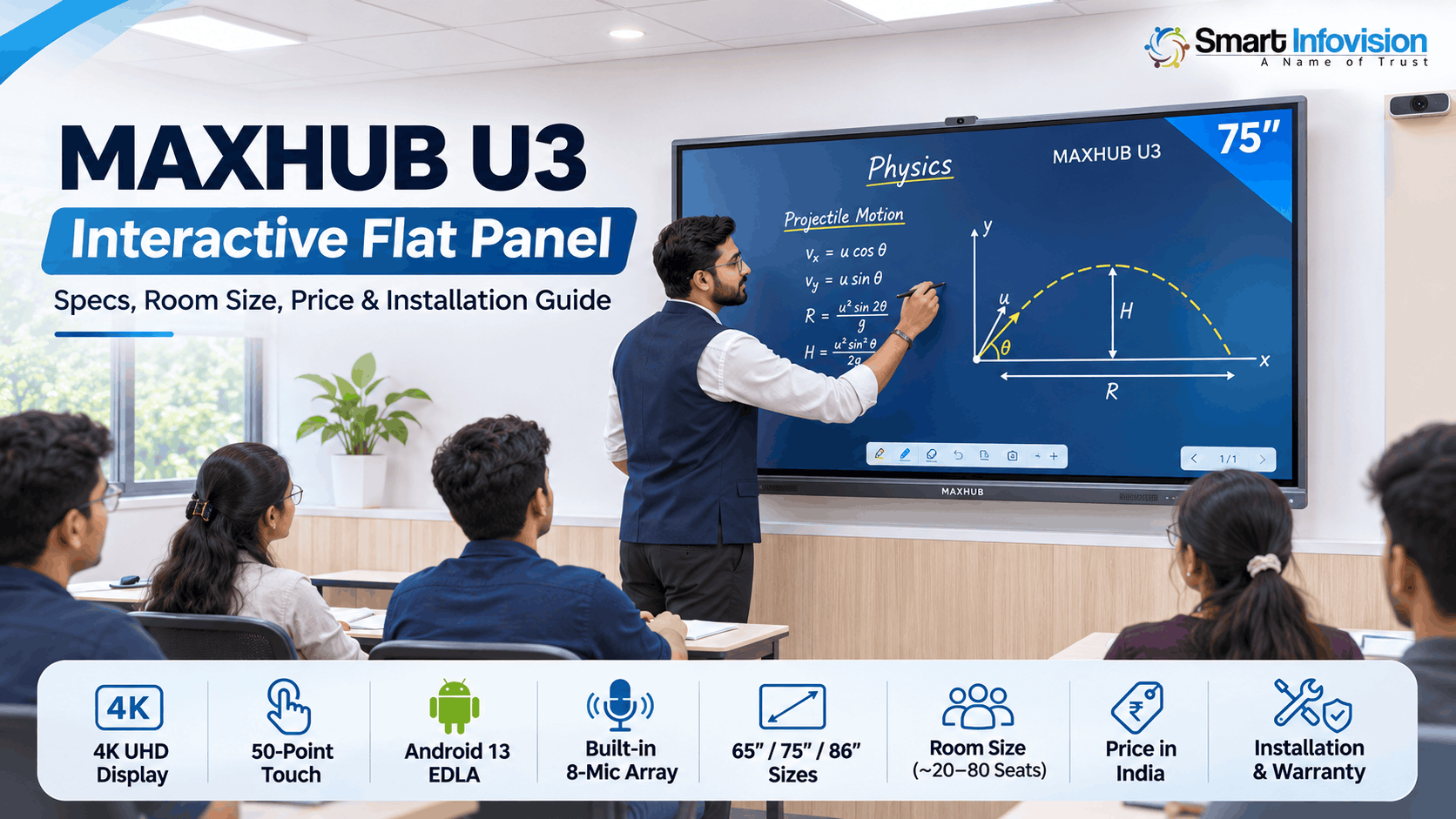
MAXHUB interactive flat panel एक 4K touch display है, जिस पर teacher सीधे लिख सकता है, apps चला सकता है और laptop या phone की screen share कर सकता है। Coaching institutes, schools और corporate training rooms में ये whiteboard और projector दोनों का काम एक ही screen पर करता है।
लेकिन MAXHUB की range में education panels और meeting-room panels दोनों आते हैं, और 75-inch size पर भी price ₹1.5 लाख से ऊपर जाता है। Same size के दो MAXHUB panels में operating system, touch points, built-in microphone और warranty terms का clear difference हो सकता है। ये guide MAXHUB की education flagship U3 series को specs, room size, price और installation के basis पर explain करती है, ताकि model और configuration का decision एक बार में सही हो।
[IMAGE: MAXHUB U3 75 inch panel coaching classroom ki front wall par mounted, teacher stylus se physics diagram draw karte hue]
Alt text: MAXHUB U3 75 inch interactive flat panel par teacher stylus se physics diagram likhte hue, coaching classroom ki front wall par mounted
[TABLE OF CONTENTS]
MAXHUB Interactive Flat Panel Kya Hai?
MAXHUB interactive flat panel एक large-format 4K LCD display है, जिसमें touch sensor, Android computer, speakers और microphones एक ही unit में integrated होते हैं। Market में इसे Digital Board, Smart Board, IFP, Interactive Display या Digital Classroom Screen भी कहा जाता है। नाम अलग हैं, लेकिन product category same है: एक physical touch screen, कोई online classroom software नहीं।
U3 का touch infrared technology पर काम करता है। Panel के edges पर लगे infrared sensors screen के ऊपर एक invisible light grid बनाते हैं, और pen या उंगली जहाँ ये grid तोड़ती है, panel उस point को touch की तरह read करता है। इसी वजह से U3 पर stylus और उंगली दोनों से लिखा जा सकता है।
Built-in Android system होने से whiteboard, browser और teaching apps चलाने के लिए अलग computer ज़रूरी नहीं है। Projector के comparison में room की lights बंद करने की requirement भी नहीं रहती, क्योंकि screen खुद light emit करती है।
Education Aur Meeting Room Panels Mein Difference
MAXHUB के interactive panels दो families में आते हैं: education series teaching के लिए बनी है, जबकि meeting-room series video conferencing के लिए। U3, E3 और E2 education series के models हैं, और U3 इस range का flagship model है।
Meeting-room models, जैसे XBoard और Classic V-series, generally built-in camera और conference software के साथ आते हैं, क्योंकि उनका main use remote meetings है। Education series का focus writing, whiteboard software और classroom audio पर होता है, इसलिए U3 के specifications में built-in camera listed नहीं है। Coaching और school buyers के लिए education series सही starting point है; meeting-room panel तभी consider करें जब room का main use daily video calls हो।
MAXHUB U3 Specifications
MAXHUB U3 तीन sizes में आता है: U6530 (65 inch), U7530 (75 inch) और U8630 (86 inch)। Display और hardware specs तीनों models में same हैं, सिर्फ size और brightness अलग है। Touch, operating system और audio की details नीचे अपने sections में explain की गई हैं।
| Specification | MAXHUB U3 | Classroom में मतलब |
|---|---|---|
| Resolution | 4K UHD (3840 x 2160) | 86 inch पर भी छोटी handwriting और formulas sharp रहते हैं |
| Panel type | VA | High contrast की वजह से white background पर black text crisp दिखता है |
| Brightness | 450 nits (65″), 500 nits (75″, 86″) | Normal tube-light और window light वाले classroom के लिए generally sufficient |
| Color | 10-bit, 72% NTSC, ΔE ≤ 1.5 | Maps, diagrams और videos के colours original के close दिखते हैं |
| Response time | 6.5 ms | Video और animations में motion blur usually noticeable नहीं होता |
| Glass | Antibacterial glass (SGS, SIAA ISO 22196 certified) | दिन भर अलग-अलग लोग screen touch करते हैं, इसलिए shared surface पर hygiene में help करता है |
| Ports | Type-C (100W charging तक), HDMI, LAN, Bluetooth | Type-C supported laptop एक ही cable से connect और charge दोनों हो सकता है |
| Eye care | TÜV Flicker Free, TÜV Low Blue Light | लंबे teaching hours में eye strain कम करने में help करता है |
ये eye care certifications TÜV Rheinland की eye comfort testing से आते हैं, जो display के blue light emission और flicker को independently test करती है। जो teacher दिन में कई घंटे panel के सामने खड़ा रहता है, उसके लिए ये एक checkable certification है, सिर्फ brochure का claim नहीं।
50-Point Touch Aur Writing Experience
MAXHUB U3 एक साथ 50 touch points detect करता है, इसलिए दो-तीन students board पर एक ही time पर लिख या question solve कर सकते हैं। Single-teacher lecture में इतने points use नहीं होते, लेकिन group activity, quiz और doubt-solving session में ये directly काम आता है।
Writing के लिए palm rejection ज़्यादा important feature है। लिखते वक्त हाथ का side screen पर टिक जाए तो U3 उसे touch नहीं मानता, वरना लंबी derivation के बीच random dots और lines बन सकती हैं जो बार-बार erase करनी पड़ती हैं। Stylus pressure-sensitive है, यानी हल्के pressure पर thin line और ज़्यादा pressure पर thick line बनती है, जिससे board पर handwriting notebook जैसी natural दिखती है।
Demo के time stylus से एक fast diagonal line खींचकर देखें कि digital ink pen tip के साथ चलती है या पीछे रह जाती है। Writing latency check करने का ये सबसे direct तरीका है।
[YOUTUBE: MAXHUB U3 par stylus se fast diagonal line aur palm screen par rakh kar likhna, ink pen tip ke saath chalti hui dikhe]
Android 13 EDLA Ya OPS Module?
ज़्यादातर coaching और school classrooms के लिए built-in Android 13 sufficient है; OPS module तभी लें जब teaching या admin software सिर्फ Windows पर चलता हो। OPS अलग से add होता है और total cost बढ़ाता है, इसलिए ये decision size choose करने से पहले fix करना better रहेगा।
Built-in Android 13 (Google EDLA)
U3 का Android 13 Google EDLA certified है, जिसका मतलब है कि Play Store और Google apps panel पर officially चलते हैं, किसी unofficial installation के बिना। EDLA certification Google Mobile Services को large-screen devices तक लाता है, यानी वही apps और services जो certified Android phones पर मिलती हैं। Teacher Google Classroom, YouTube, Chrome और Play Store के teaching apps सीधे panel पर खोल सकता है, और octa-core processor normal whiteboard, browser और video use को smoothly handle कर लेता है।
OPS Windows Module
OPS (Open Pluggable Specification) एक slot-in Windows computer है जो panel के slot में लगता है, और इसके through U3 पर Windows 11 चल सकता है। इसकी requirement तब बनती है जब full PowerPoint animations, Windows-only test software या institute का कोई desktop software रोज़ चलाना हो। OPS का processor, RAM और SSD configuration अलग से choose होता है, इसलिए quote में उसका model और price line item की तरह confirm करें।
जब Windows software सिर्फ कभी-कभी चाहिए, तब laptop को HDMI या Type-C से connect करना OPS का budget option है।
Online Class Ke Liye Mic Aur Camera
MAXHUB U3 में 8-microphone array built-in है जो 10 metre तक की आवाज़ pick करता है, इसलिए hybrid class में teacher की आवाज़ online students तक अलग lapel mic के बिना पहुँच सकती है। ये range एक normal coaching room की length cover कर लेती है, जबकि उससे बड़े hall में dedicated mic better रहेगा।
Recorded YouTube lectures का case अलग है। वहाँ audio quality ही product है, इसलिए dedicated lapel या podcast mic अब भी better choice है। U3 के 2.2-channel speakers (2×8W + 2×18W) normal classroom में video और online class का audio usually external speakers के बिना handle कर लेते हैं।
Built-in camera U3 के specifications में listed नहीं है, इसलिए online class के लिए camera अलग से plan करें। Type-C port पर webcam connect हो जाता है, और पूरे board के साथ teacher को frame में रखने के लिए Benchmark 4K PTZ Camera जैसा PTZ camera consider किया जा सकता है।
Room Ke Hisaab Se Size
U3 का size room की length से decide करें, students की count से नहीं। Last row से screen जितनी दूर होगी, board पर लिखा text पढ़ने के लिए उतना बड़ा panel चाहिए।
| Room Length (Screen से Last Row) | Recommended U3 | Typical Room |
|---|---|---|
| 15 feet तक | 65 inch (U6530) | Tuition room, small batch |
| 15 से 22 feet | 75 inch (U7530) | Coaching classroom, school classroom |
| 22 feet से ज़्यादा | 86 inch (U8630) | Large coaching hall, seminar room |
Practical example: अगर last row 20 feet पर है, तो 65 inch पर छोटी handwriting पिछली rows के लिए पढ़ना difficult हो सकता है; 75 inch से start करना better रहेगा।
[IMAGE: Ek hi classroom wall par 65, 75 aur 86 inch panel ke size outlines, last row ki seat se dekha gaya view]
Alt text: 65, 75 aur 86 inch interactive flat panel ka size comparison ek classroom wall par, last row ki seat se dekha gaya
MAXHUB U3 Price in India (2026)
MAXHUB U3 का price India में लगभग ₹1.3 लाख से ₹2.5 लाख के बीच है, और size बढ़ने पर price एक सीधी line में नहीं बढ़ता। नीचे दिए prices indicative हैं, और offers, stock और configuration के साथ change होते हैं।
| Size | Model | Indicative Price | पिछले Size से Increment |
|---|---|---|---|
| 65 inch | U6530 | ₹1,30,000 – ₹1,60,000 | Base |
| 75 inch | U7530 | ₹1,55,000 – ₹1,85,000 | लगभग ₹25,000 |
| 86 inch | U8630 | लगभग ₹2,50,000 | लगभग ₹95,000 |
65 से 75 inch का step छोटा है, जबकि 86 inch पर price curve तेज़ी से ऊपर जाता है। इसी वजह से 22 feet से छोटे room में 86 inch के बजाय 75 inch ज़्यादा balanced value देता है।
Final quote में तीन चीज़ें price move करती हैं:
- OPS module: Windows requirement होने पर module का cost panel price के ऊपर add होता है।
- Trolley stand: Wall mount के बजाय mobile trolley stand चाहिए तो वो अलग line item होता है।
- Installation location: City और site access के according installation scope quote में confirm करें।
75 inch U3 का current price और stock MAXHUB U3 Interactive Flat Panel product page पर check किया जा सकता है।
Room length और Android या OPS requirement share करके अपनी exact configuration का quote लेने के लिए Smart Infovision sales team से +91-8527926648 पर बात करें।
MAXHUB U3 Vs E3
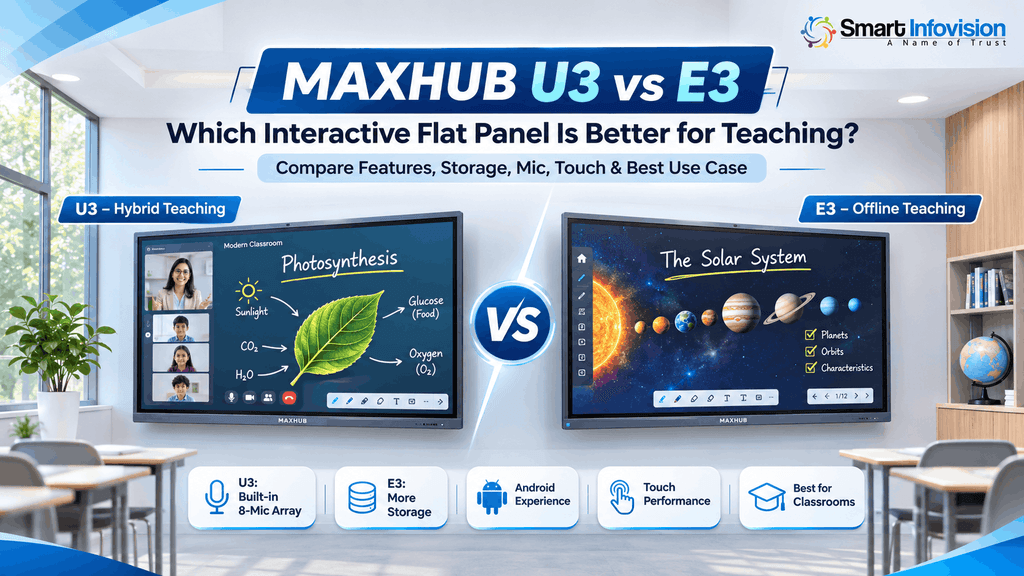
U3 और E3 के बीच deciding variable built-in microphone है: online या hybrid batches के लिए U3, और सिर्फ offline classroom के लिए E3 भी suitable है। दोनों का 75 inch price close range में है, इसलिए choice budget से ज़्यादा features पर होती है।
| Feature | MAXHUB U3 | MAXHUB E3 |
|---|---|---|
| Operating system | Android 13, Google EDLA | Android 14, Google EDLA |
| RAM / Storage | 8 GB / 64 GB | 8 GB / 128 GB |
| Touch points | 50 | 40 |
| Built-in microphone | 8-mic array | Listed नहीं |
E3 में storage ज़्यादा और Android version newer है, इसलिए सिर्फ offline classes और ज़्यादा saved content वाले institute के लिए E3 practical option है। Online या hybrid batches में U3 का mic array external mic का setup और उसका cost बचा सकता है। E3 का current stock order से पहले confirm करें।
MAXHUB को दूसरे brand के साथ compare करना हो, तो BenQ vs Maxhub interactive flat panel comparison दोनों brands का price, software और service coverage side-by-side दिखाता है।
Installation, Warranty Aur Service
MAXHUB U3 के box में panel के साथ wall mount kit, दो stylus pens, power cable, remote control और user manual आता है, लेकिन mounting professional installation team से करवाना better रहेगा। 75 और 86 inch panels भारी होते हैं, इसलिए mounting से पहले wall type check करना ज़रूरी है, और screen की height teacher की writing reach के according set होनी चाहिए।
Smart Infovision shop पर U3 के साथ 3 साल की warranty listed है। Order से पहले confirm करें कि ये warranty on-site है या carry-in, क्योंकि 75 inch panel को service center तक ले जाना practically difficult होता है। Installation के बाद technical support के लिए Smart Infovision service line +91-7090022211 है।
[IMAGE: MAXHUB U3 75 inch ka wall mount installation, bracket aur cable routing dikhte hue]
Alt text: Classroom wall par MAXHUB U3 75 inch interactive flat panel ka wall mount installation, mounting bracket aur concealed cable routing ke saath
MAXHUB U3 Kiske Liye Sahi Hai?
MAXHUB U3 उन institutes के लिए सही choice है जो offline और online दोनों तरह पढ़ाते हैं और एक ही panel में built-in mic चाहते हैं। नीचे situation के according recommended setup दिया गया है।
| Buyer | Recommended Setup | Confirm करें |
|---|---|---|
| Coaching institute, offline + online batches | U3 75 inch, built-in Android | Warranty on-site है या carry-in |
| School classroom | U3 65 या 75 inch, room length के according | Wall type और mounting height |
| Windows-only software वाला institute | U3 + OPS module | OPS का processor, RAM, SSD और price |
| Seminar hall या large coaching hall | U3 86 inch + dedicated mic | Hall की length और mic coverage |
| सिर्फ offline teaching, ज़्यादा storage चाहिए | MAXHUB E3 | Current stock |
MAXHUB interactive flat panel select करने से पहले तीन चीज़ें fix करें: room length, online class की requirement और Windows software पर dependency। Room length size decide करती है, online class U3 और E3 के बीच choice decide करती है, और Windows dependency बताती है कि OPS module लेना है या नहीं।
Frequently Asked Questions
MAXHUB U3 Panel Kitne Saal Chalta Hai?
MAXHUB U3 के backlight की typical rated life 50,000 hours है, जो रोज़ 8 घंटे use पर लगभग 17 साल बनती है। Actual life usage pattern, ventilation और power quality पर भी depend करती है, इसलिए panel को stabilizer या UPS के साथ चलाना better रहेगा।
Kya MAXHUB U3 Internet Ke Bina Kaam Karta Hai?
हाँ। Whiteboard पर लिखना, HDMI से laptop connect करना और USB drive से files खोलना internet के बिना काम करता है। Google Classroom, YouTube, Play Store downloads और online class के लिए internet connection चाहिए, जो LAN cable से दिया जा सकता है।
Kya U3 Ko Trolley Stand Par Laga Sakte Hain?
हाँ, U3 mobile trolley stand पर भी install होता है, और Smart Infovision ने Palghar, Maharashtra में 75 inch U3 trolley stand के साथ install किया है। Trolley तब useful रहता है जब एक panel दो classrooms में share करना हो या building में wall drilling allowed न हो।
U3 Mein Software Updates Kaise Milte Hain?
Google EDLA certification की वजह से U3 पर installed apps Play Store के through update होते हैं, बिल्कुल phone की तरह। Android version का upgrade MAXHUB release करता है, इसलिए किसी नए Android version को order के time guaranteed मानकर decision न लें।
MAXHUB U3 Ka Demo Kahan Dekh Sakte Hain?
Smart Infovision के experience centers पर MAXHUB U3 और दूसरे interactive panels live देखे जा सकते हैं। Visit से पहले +91-8527926648 पर call करके confirm करें कि nearest center पर U3 display पर है, ताकि writing और audio खुद test किया जा सके।