Education ka digital transformation har sheher me fast pace se ho raha hai — aur Barabanki bhi peeche nahi hai!
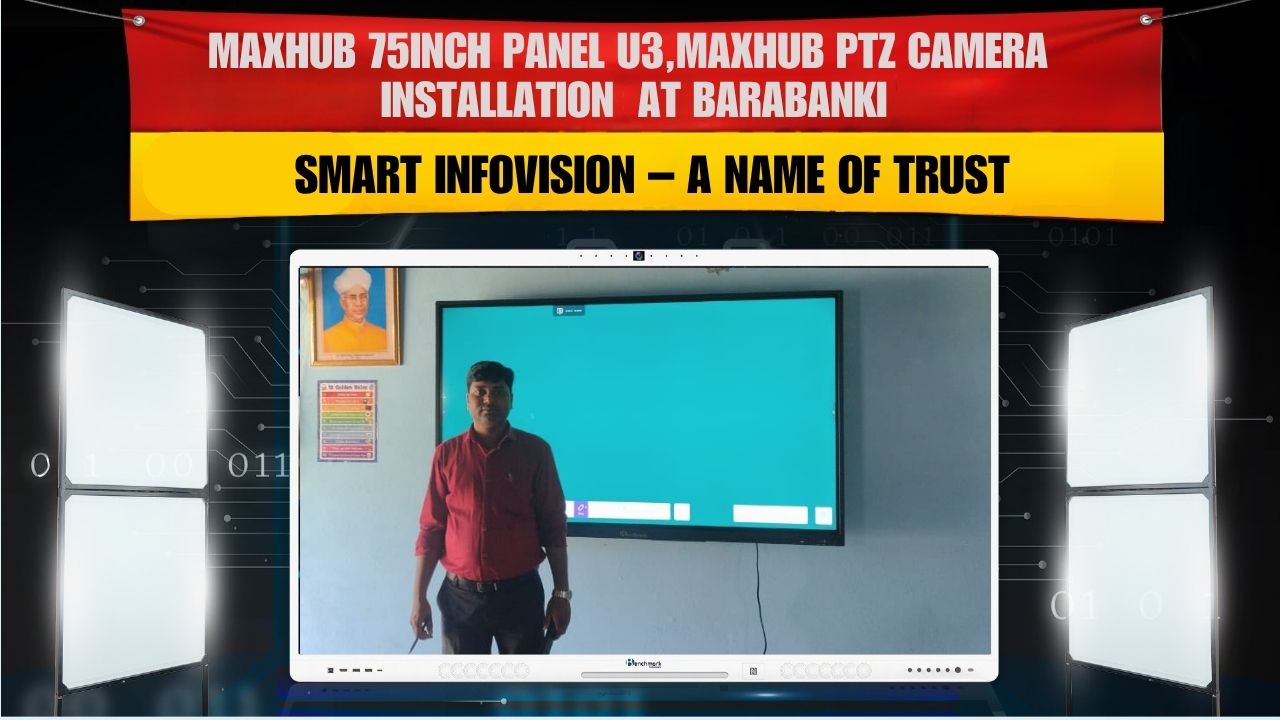
Smart Infovision ne ek aur successful project complete kiya — Maxhub 75” U3 Interactive Panel Installation, saath me Maxhub PTZ Camera, Benchmark i5 Server, 24-inch Monitor, aur Benchmark Mic ka complete professional setup.
Is project ke client the Mr. Abhishek Kumar, jinka vision tha apne institute me ek fully digital and interactive classroom create karna — jahan learning sirf padayi nahi, ek engaging experience ho.
Client Overview
| Details | Information |
|---|---|
| Client Name | Abhishek Kumar |
| Location | Barabanki, Uttar Pradesh |
| Product Installed | Maxhub U3 75” Panel, Maxhub PTZ Camera, Benchmark i5 Server, 24” Monitor, Benchmark Mic |
| Installation Partner | Smart Infovision |
| Purpose | Smart Classroom & Digital Teaching Setup |
Project Overview
Mr. Abhishek Kumar wanted a smart classroom setup jisme latest display, AI-enabled camera aur high-performance system integrated ho.
Smart Infovision ki expert team ne complete digital infrastructure design kiya — jahan sab devices ek ecosystem me synchronized hain.
Yeh setup teacher aur students dono ke liye ek modern aur efficient learning experience provide karta hai.
Products Installed – Full Breakdown
1. Maxhub U3 75-Inch Interactive Panel
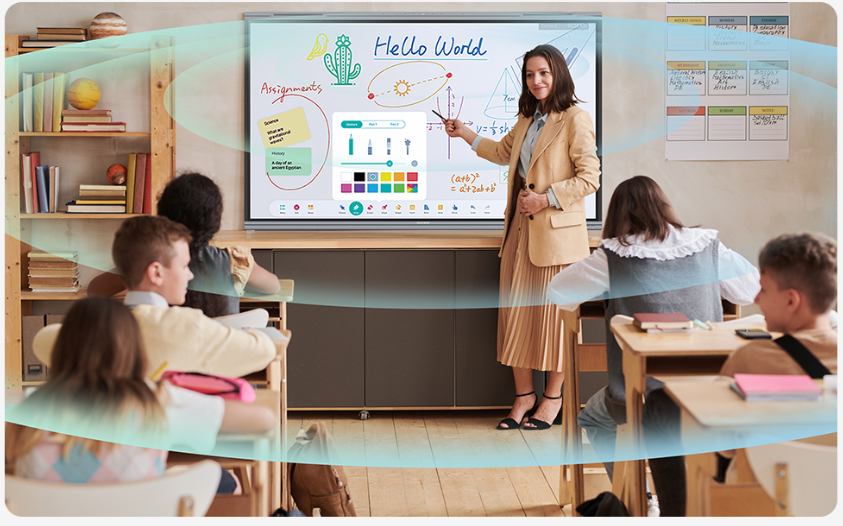
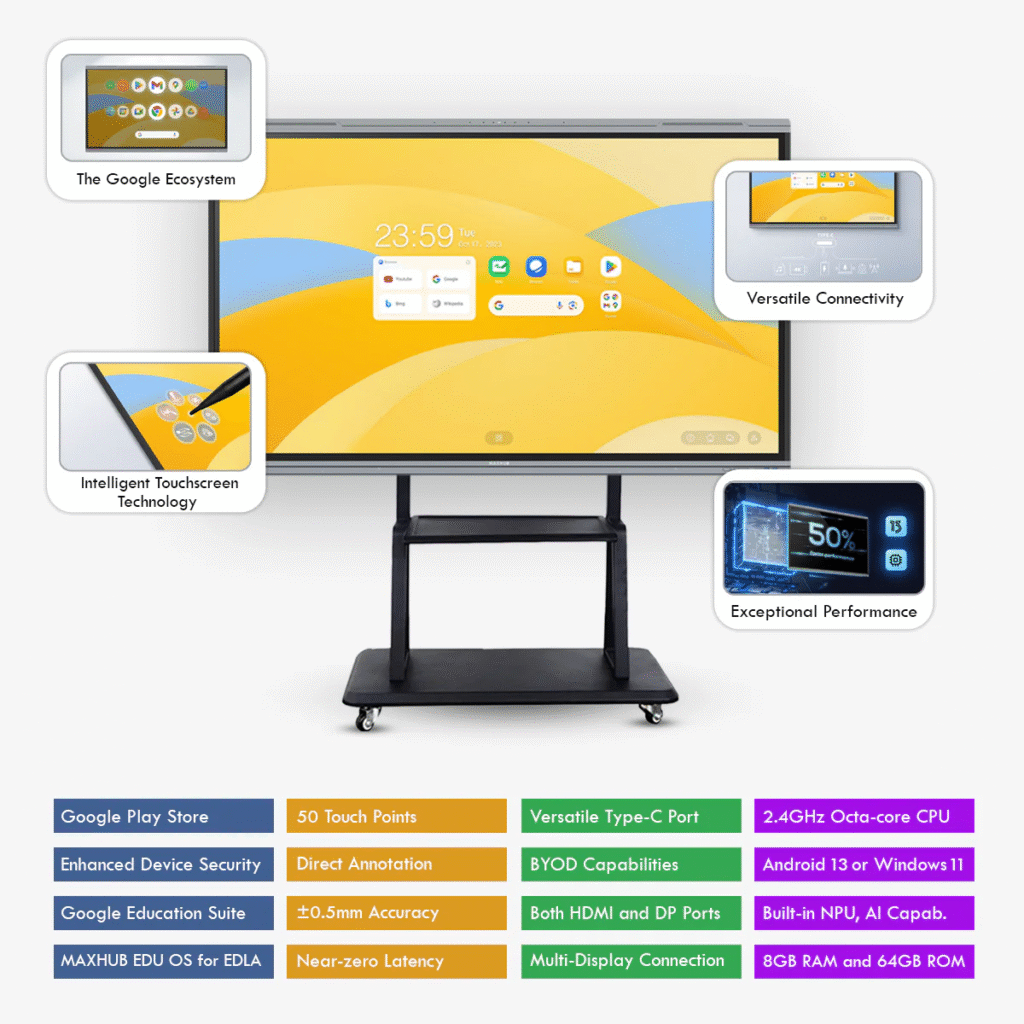
Maxhub U3 ek premium interactive display hai jo education, training aur business collaboration ke liye design kiya gaya hai.
Iska 4K resolution aur 20-point multi-touch system teachers ko seamless writing aur multimedia presentation experience deta hai.
Key Specifications:
- Display: 75” 4K UHD (3840×2160)
- Touch System: 20-point multi-touch
- RAM/Storage: 8GB / 128GB
- OS: Android 13 + Windows Dual System
- Ports: HDMI, USB-C, LAN, Wi-Fi, Bluetooth
- Screen: Anti-glare tempered glass
- Audio: Dual 20W speakers with deep bass
- Smart Tools: Whiteboard, Screen Recording, Split-Screen Sharing
Highlight Feature:
AI-enhanced color correction aur auto-brightness control classroom environment ke according light adjust karta hai — perfect for long sessions.
2. Maxhub PTZ Camera
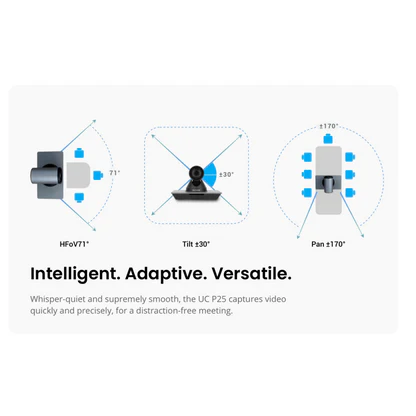
Smart classroom me visual clarity aur student-teacher interaction ke liye Maxhub PTZ Camera ek essential part hai.
Key Features:
- Full HD 1080p resolution with 4K sensor support
- Auto-tracking feature (teacher follow mode)
- 12x Optical Zoom + 16x Digital Zoom
- 360° pan & 120° tilt range
- Plug & Play USB connection
- Low-light correction for clear visuals
Why It Matters:
Camera automatically instructor ke movement track karta hai, jisse recording aur online classes dono professional quality ke ban jate hain.
3. Benchmark i5 Server
Benchmark i5 server ek high-speed computing backbone provide karta hai jisse heavy multimedia files, software aur recordings smoothly run hoti hain.
Key Specs:
- Processor: Intel i5 (10th Gen)
- RAM: 16GB DDR4
- Storage: 512GB SSD
- OS: Windows 11 Pro
- Cooling System: Dual fan setup for 24/7 performance
Advantage:
Fast data processing aur multitasking capability make sure karta hai ki system kabhi lag na kare during classes or recording.
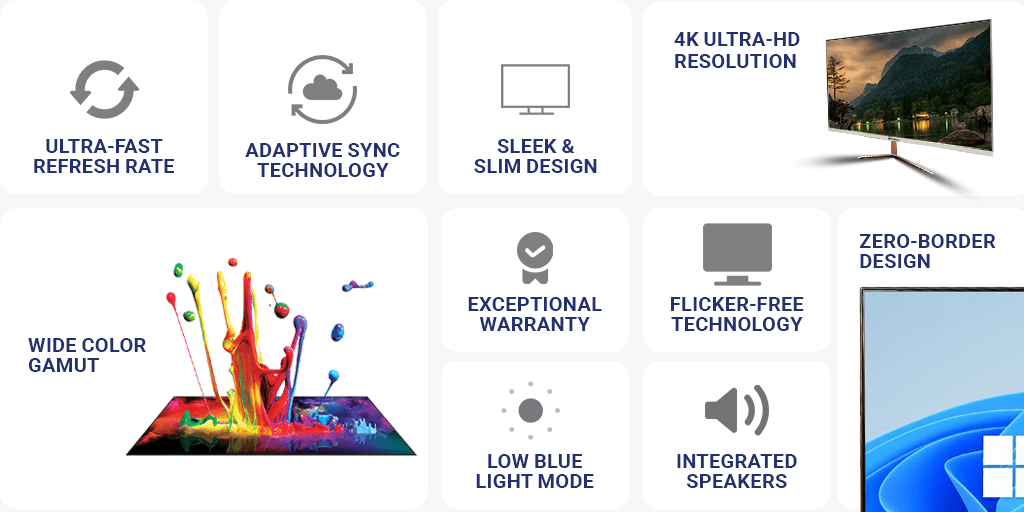
4. Benchmark 24-Inch Monitor
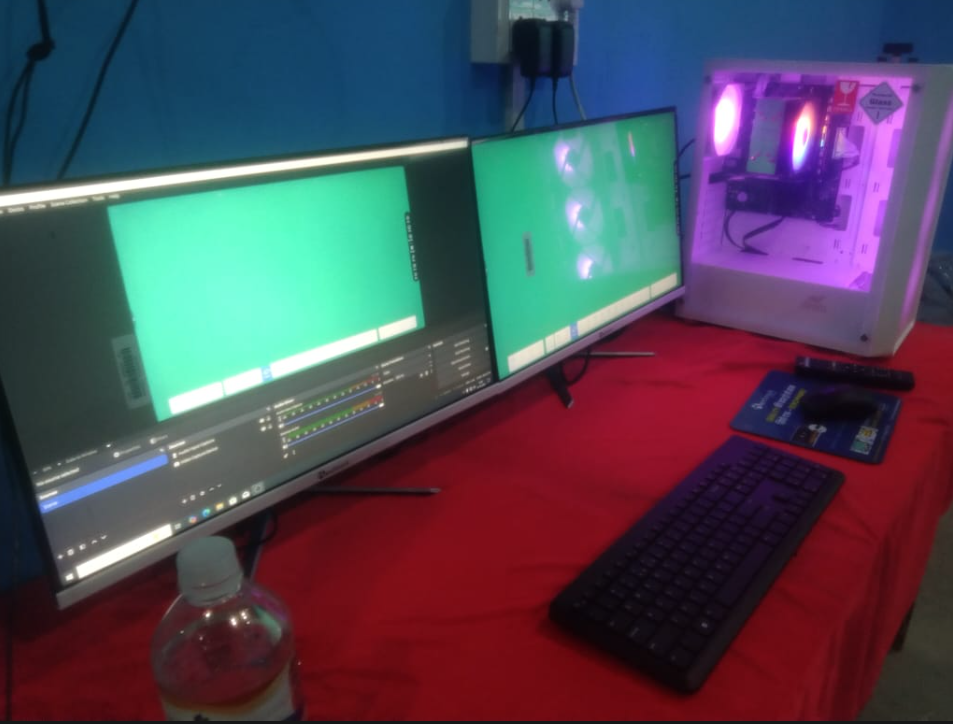
Dual monitor setup se teachers ko multitasking me help milti hai — ek screen for presentation, aur dusra for notes, data, or student monitoring.
Key Specs:
- Full HD 1080p resolution
- Anti-flicker display
- IPS technology for wide viewing angles
- Slim design, low power consumption
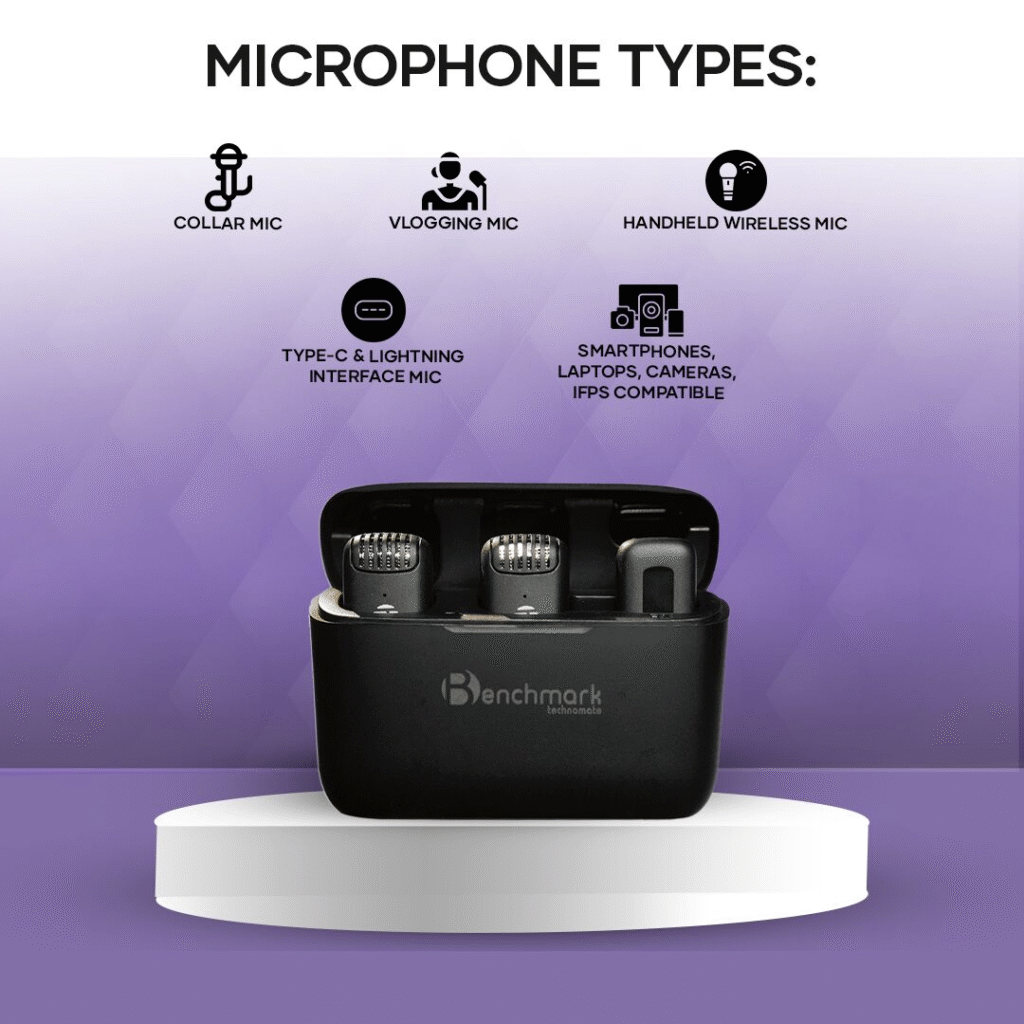
5. Benchmark Mic (Blogging / Wireless Type)
Benchmark Mic crystal clear audio ensure karta hai — bina background noise ke.
Ideal for classrooms, YouTube teaching, aur webinars.
Key Features:
- Wireless UHF connectivity
- Range: Up to 100 meters
- High-gain noise reduction
- Long battery backup (up to 8 hours)
Installation Process by Smart Infovision
Smart Infovision ne project ko step-by-step professional tarike se execute kiya:
Step 1 – On-Site Survey
Team ne classroom size, lighting aur acoustics analyze kiya to decide the perfect wall placement aur cabling layout.
Step 2 – Panel Installation
Maxhub U3 75” panel ko securely wall-mount kiya gaya with premium steel brackets aur hidden wiring ke sath.
Step 3 – Camera & Mic Setup
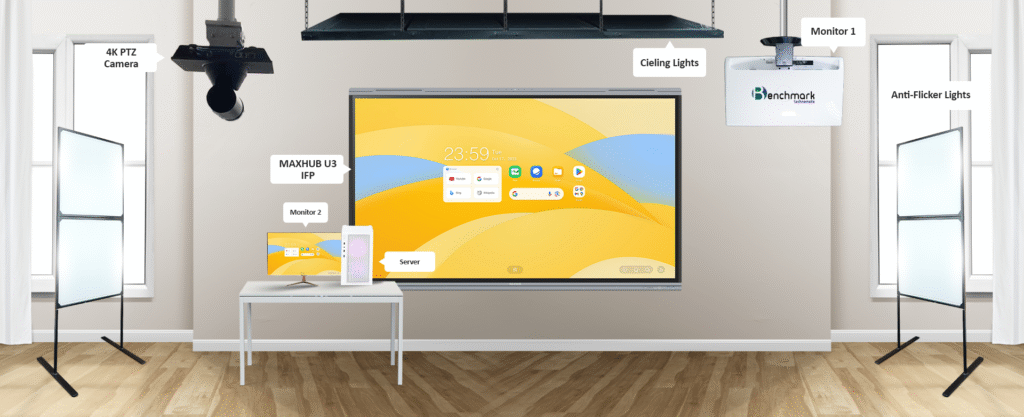
Maxhub PTZ camera ko ceiling pe install kiya gaya, aur Benchmark Mic ko teacher desk ke near mount kiya gaya for best pickup range.
Step 4 – Server & Monitor Integration
Benchmark i5 server aur dual monitors ko LAN network ke sath connect kiya gaya for smooth streaming and control.
Step 5 – Testing & Demo
System check ke baad Smart Infovision team ne full demo aur user training conduct ki — teacher aur staff ko hands-on guide diya.
Before & After Installation
| Category | Before | After |
|---|---|---|
| Teaching Setup | Whiteboard/Markers | Smart interactive board |
| Audio/Video Quality | Low | 4K visuals & crisp sound |
| Student Engagement | Average | 2x better with visuals |
| Technology Use | Minimal | AI-driven ecosystem |
| Efficiency | Manual | Fully automated setup |
How This Setup Transformed Learning
- Smart Digital Classes: Teachers ab smartboard ke sath animated visuals aur video lessons use karte hain.
- High-Quality Online Sessions: PTZ camera aur mic setup se live sessions professional-level ke ho gaye hain.
- AI-Powered Interaction: Sigma AI panel ke AI tools se lecture recording aur gesture-based navigation possible hai.
- Efficient Management: Server + monitor setup ne multitasking aur data management easy kar diya.
- Enhanced Engagement: Students ka attention span aur concept clarity dono improved hai.
Client Feedback
“Smart Infovision ne ekdum professional setup install kiya. Maxhub Panel aur Benchmark devices ke combination ne hamare institute ko ek digital hub bana diya.
Audio, video aur clarity sab top-notch hai!”
— Abhishek Kumar, Barabanki (U.P.)
Why Choose Smart Infovision
Smart Infovision ek India’s leading digital installation brand hai jo educational aur corporate sectors me 1000+ projects complete kar chuka hai.
Key Highlights:
- Authorized Benchmark & Maxhub Partner
- Experienced installation engineers
- PAN India service support
- Customized smart setup plans
- Affordable AMC options
Smart Infovision ka main goal hai – “Transforming India’s Learning Experience.”
Key Benefits of Maxhub U3 75” Interactive Panel
- AI-enhanced smart writing
- Multi-device wireless sharing
- Lag-free annotation
- Screen recording and broadcasting
- Eye-friendly anti-glare protection
- Seamless hybrid learning setup
Impact in Barabanki
Is installation ke baad Abhishek Kumar ke institute me har class ek digital experience ban gayi hai.
Teachers 3D visuals ke sath tough subjects samjhate hain, aur PTZ camera se sab sessions record bhi ho rahe hain.
Benchmark mic aur speaker system ne audio clarity ko crystal clear bana diya.
Students aur parents dono ne feedback diya ki ab learning much more engaging aur effective ho gayi hai.
10 FAQs (Frequently Asked Questions)
Q1. Maxhub U3 Panel kis size me available hai?
65”, 75”, aur 86” variants me.
Q2. Kya panel hybrid class ke liye use ho sakta hai?
Haan, PTZ camera aur mic integration ke sath fully compatible hai.
Q3. Kya Smart Infovision demo provide karta hai?
Yes, free on-site or online demo available hai.
Q4. Maxhub U3 me OS kya hai?
Android 13 + Windows dual system support.
Q5. Warranty period kitna hai?
3 Years comprehensive warranty.
Q6. PTZ camera ka range kya hai?
12x optical zoom aur 360° rotation.
Q7. Kya mic wireless hai?
Haan, Benchmark Mic UHF wireless system pe work karta hai.
Q8. Server specification kya hai?
Intel i5, 16GB RAM, 512GB SSD — high-speed performance ke liye.
Q9. Kya Smart Infovision installation aur training deta hai?
Yes, full installation + user training included hai.
Q10. Contact kaise karein setup ke liye?
Mail karein sales@smartinfovision.com ya visit karein www.smartinfovision.com
Conclusion
Maxhub 75 Inch U3 Interactive Panel Installation in Barabanki, Uttar Pradesh ek aur proud project hai Smart Infovision ke liye.
Yeh setup ek perfect blend hai AI technology, smart interaction aur powerful computing ka.
Mr. Abhishek Kumar ke institute ne ab smart learning ka naya era start kar diya hai — jahan har class ek engaging, efficient aur digital journey ban gayi hai.
Smart Infovision har installation ke sath ek message deta hai —
“Smart Technology Se Smart India.”
Contact Smart Infovision
Email: sales@smartinfovision.com
Website: www.smartinfovision.com
Service Area: PAN India Installation & Support
Read More:
Check out our recent project — Benchmark Maxpro Ultra 14 Installation in Warisaliganj, Bihar!