Table of Contents
- Introduction
- Who is Sagar Sinha Sir?
- Inside the SMART Infovision Studio
- Studio Setup & Equipment Overview
- The Vision Behind SMART Infovision
- Key Takeaways for Content Creators
- Watch the Full Studio Tour
Introduction
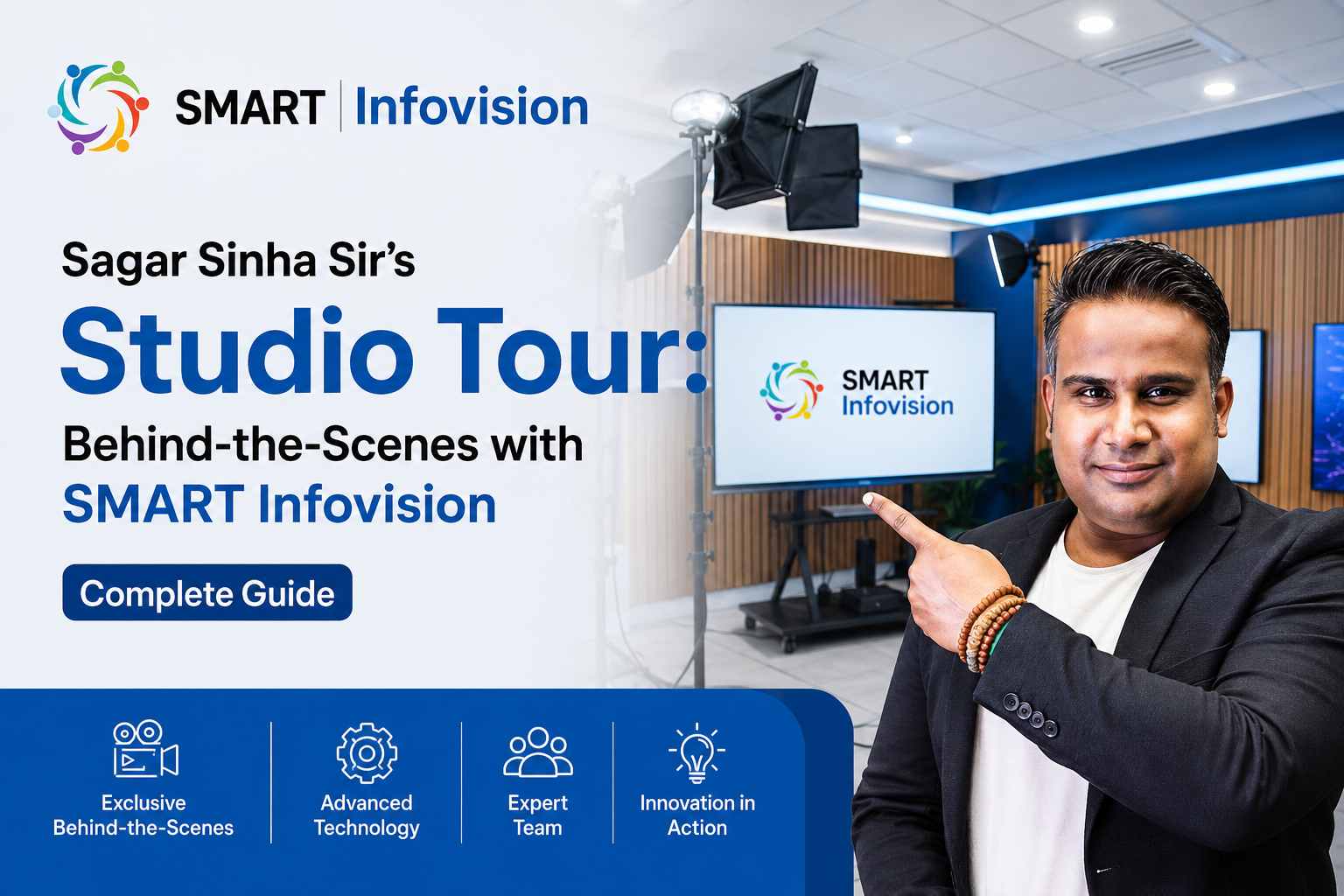
Have you ever wondered what goes behind creating high-quality educational content? What does a professional creator’s workspace really look like? In this exclusive studio tour video, Sagar Sinha Sir gives us a peek into his creative workspace at SMART Infovision, one of the leading educational content platforms in the digital learning space.
Whether you’re an aspiring content creator, educator, or simply curious about the setup that powers quality educational videos, this behind-the-scenes tour offers valuable insights into modern content creation infrastructure.
Who is Sagar Sinha Sir?
Sagar Sinha is a prominent educational content creator and founder associated with SMART Infovision, a platform dedicated to delivering high-quality educational content. With a focus on practical knowledge, engaging teaching methods, and student-centric approaches, Sagar Sinha Sir has built a substantial following across multiple digital platforms.
His expertise spans various educational domains, and his commitment to quality education has made him a trusted name among students and educators alike.
Why This Studio Tour Matters
Understanding how content creators work isn’t just about curiosity—it’s about learning the standards and practices that go into producing engaging, effective educational material. This studio tour is significant because it:
- Showcases Professional Standards: Reveals what a properly equipped educational content studio looks like
- Demystifies Content Creation: Helps aspiring creators understand the investment required for quality output
- Inspires Innovation: Demonstrates how proper infrastructure supports consistent, high-quality content delivery
Who is Sagar Sinha Sir?
Inside the SMART Infovision Studio
Studio Setup & Equipment Overview
The Vision Behind SMART Infovision
Key Takeaways for Content Creators
Watch the Full Studio Tour
Inside the SMART Infovision Studio
The Studio Environment
The SMART Infovision studio is designed with a clear purpose: to create professional-grade educational content that engages students effectively. The studio tour highlights a workspace optimized for:
- Video Recording & Production: Professional-grade equipment setup for shooting high-definition educational videos
- Audio Quality: Dedicated sound equipment to ensure crystal-clear audio—a critical component of educational content
- Lighting Setup: Professional lighting arrangements that enhance video clarity and viewer engagement
- Creative Workspace: An organized environment that fosters creative thinking and content ideation
Studio Design Philosophy
The studio’s layout reflects a thoughtful approach to content creation:
- Functionality First: Every element serves a purpose in the content production workflow
- Student-Centric: Design choices consider the viewer experience—optimal camera angles, clear presentation areas, and professional aesthetics
- Scalability: The setup allows for producing diverse content types, from lectures to demonstrations
Studio Setup & Equipment Overview
While the complete equipment list varies, a professional educational content studio typically includes:
Essential Equipment Categories
Video Production:
- Professional video camera or cinema equipment
- High-quality tripods and stabilizers
- Green screen or backdrop systems
Audio Equipment:
- Studio microphones (often shotgun or condenser mics)
- Audio mixing boards
- Soundproofing materials
Lighting Solutions:
- Key lights
- Fill lights
- Ambient lighting for natural-looking videos
Editing & Processing:
- High-performance computers
- Professional editing software
- Storage solutions
Workspace Elements:
- Organized storage systems
- Reference materials and props
- Comfortable work stations
The Vision Behind SMART Infovision
SMART Infovision represents a vision for educational content that bridges the gap between traditional learning and digital innovation. The studio tour indirectly communicates several important values:
Commitment to Quality
The investment in proper studio infrastructure demonstrates a commitment to producing content that meets professional standards. This isn’t casual content creation—it’s education delivered with precision.
Accessibility Through Technology
By investing in technology and infrastructure, SMART Infovision ensures that quality education reaches students regardless of geographical or socioeconomic barriers.
Continuous Evolution
A well-equipped studio enables creators to experiment with new teaching methods, formats, and technologies, keeping educational content fresh and engaging.
Key Takeaways for Content Creators
Whether you’re interested in educational content creation or general video production, Sagar Sinha Sir’s studio tour offers several valuable lessons:
1. Quality is an Investment
Professional-grade content requires investment in proper equipment and infrastructure. There are no shortcuts to consistency and quality.
2. Ergonomics Matter
A well-organized workspace reduces fatigue, increases productivity, and leads to better creative output.
3. Audio is Often Overlooked but Critical
Many creators focus on video quality while neglecting audio. This studio prioritizes both equally—as it should.
4. Dedicated Space Creates Dedicated Mindset
Having a dedicated studio space (as opposed to shooting from home casually) contributes to a professional mindset and consistent output quality.
5. Scalability Should Be Built In
From day one, thinking about scalability—the ability to handle different content types and volumes—sets up successful content operations for growth.
6. Organization is Efficiency
A well-organized studio means less time wasted looking for equipment or materials, and more time focusing on content creation.
Why SMART Infovision Stands Out
In the crowded educational content space, SMART Infovision distinguishes itself through:
- Professional Production Value: The studio tour showcases production standards that rival institutional educational platforms
- Educator Focus: Content created with educators in mind—both as creators and viewers
- Consistent Delivery: The infrastructure supports reliable, consistent content schedules
- Innovation-Ready: The setup is designed to incorporate new technologies and teaching methodologies
Watch the Full Studio Tour
Want to see Sagar Sinha Sir’s studio in action? Watch the exclusive studio tour video:
Video Title: Sagar Sinha Sir का Studio Tour | SMART Infovision
Platform: YouTube Shorts
Duration: 1 minute
Channel: SMART Infovision <div style=”text-align: center; margin: 30px 0;”> <a href=”https://www.youtube.com/shorts/cyr84BcHoGs” target=”_blank” style=”background-color: #FF0000; color: white; padding: 12px 30px; text-decoration: none; border-radius: 4px; display: inline-block; font-weight: bold;”> ► Watch the Studio Tour Now </a> </div>
Subscribe to SMART Infovision
Stay updated with more behind-the-scenes content, educational resources, and quality tutorials from Sagar Sinha Sir and the SMART Infovision team.
Subscribe to SMART Infovision →
FAQs About Educational Content Creation Studios
How much does a professional studio setup cost?
Professional studio setups vary widely based on equipment quality and scope, typically ranging from $5,000 to $50,000+ depending on specific needs.
What’s more important: video quality or audio quality?
Both are critical. Statistics show viewers are more forgiving of video quality issues than audio problems. Many experts argue audio is more important for educational content.
Can I start content creation from home?
Yes! Many successful creators start with basic equipment from home. As you grow and generate revenue, you can upgrade gradually.
What software do professional studios use?
Common choices include Adobe Premiere Pro, Final Cut Pro, DaVinci Resolve, and specialized educational platform software.
Final Thoughts
Sagar Sinha Sir’s studio tour offers an inspiring look at what professional educational content creation can look like. It’s not just about the equipment—it’s about the commitment to quality, the organization, and the vision behind consistent, engaging educational content.
Whether you’re an aspiring content creator or an educator looking to transition to digital platforms, this studio exemplifies how the right infrastructure and mindset can elevate your educational impact.
Want to create quality educational content? Start with these fundamentals: invest in proper audio equipment first, organize your workspace thoughtfully, and maintain a consistent production schedule.
About SMART Infovision
SMART Infovision is a premier educational content platform committed to delivering high-quality, engaging educational material to students worldwide. Through professional production standards and experienced educators, SMART Infovision makes quality education accessible to all.
Connect with SMART Infovision:
- YouTube: @smartinfovision
- Focus: Educational Excellence, Content Quality, Student Success