कल्पना कीजिए: आप digital board पर Physics का numerical समझा रहे हैं, लेकिन recorded lecture में formulas धुंधले हैं। कभी teacher frame से बाहर निकल जाता है, तो कभी camera adjust करने के लिए class रोकनी पड़ती है। ऐसे में Best Camera for Online Teaching का चुनाव सिर्फ resolution नहीं, पूरी teaching workflow को बेहतर बनाने का सवाल है।
Smart Infovision की video demonstration में 4K PTZ camera की unboxing, remote framing, digital board coverage, laptop connectivity और tracking options समझाए गए हैं। इन्हीं practical examples से जानिए PTZ और DSLR में क्या चुनें।
Online Teaching Ke Liye Sahi Camera Kyun Zaroori Hai?
ऑनलाइन छात्रों का classroom experience camera के जरिए बनता है। अगर equations readable नहीं या teacher ठीक से frame में नहीं है, तो समझाना मुश्किल होता है। Resolution के साथ lighting, framing, audio और connectivity भी जाँचें।
For example, एक coaching institute रोज कई batches रिकॉर्ड करता है और YouTube Live भी चलाता है। वहाँ बार-बार camera reposition करना inconvenient होगा। Desk पर बैठकर पढ़ाने वाले educator को शायद simple webcam या DSLR ही पर्याप्त लगे। चुनाव आपकी teaching style से शुरू होता है।
4K PTZ Camera Kya Hai Aur Kaise Kaam Karta Hai?
PTZ का अर्थ Pan, Tilt और Zoom है। Pan से camera left-right घूमता है, tilt से ऊपर-नीचे angle बदलता है और zoom से subject करीब दिखता है। Motorised camera को supported remote से control करने पर शिक्षक अपनी जगह से framing बदल सकता है।
वीडियो में presenter ने live preview देखते हुए remote से zoom और camera framing बदली। लेकिन हर PTZ model की movement range और controls अलग हो सकते हैं। Camera की basic working समझने के लिए What Is a PTZ Camera? guide देखें।
Unboxing Mein Kya Dikhaya Gaya?
Demonstration package में camera, protective lens cap, manual, wall mount, USB cable, power cable और remote-related accessories दिखाए गए। Presenter बताते हैं कि 10×10 या 10×12 फुट के studio में camera digital board की opposite wall पर लगाया जा सकता है। सही height और distance board size तथा lens पर depend करते हैं। दूसरे models का box content अलग हो सकता है।
4K PTZ Camera Ke Important Features
1. 4K Video Recording Aur 1080p Ka Difference
Video में presenter बताते हैं कि demonstration 1080p में record हुई, जबकि camera 4K recording का विकल्प देता है। Full HD सामान्य classes के लिए पर्याप्त हो सकता है; 4K fine details और editing crop में flexibility देता है। लेकिन focus, lens, lighting और exposure भी text clarity तय करते हैं।
4K output चाहिए तो laptop processing, storage, camera output और software settings verify करें। पुराना PC high-resolution capture smoothly संभालेगा, यह जरूरी नहीं।
2. Remote-Controlled Framing
मान लीजिए teacher को पहले पूरा board और फिर graph का close-up दिखाना है। वीडियो में remote से zoom और framing control करके दिखाया गया। इससे solo educators routine shot changes खुद manage कर सकते हैं; complex production में operator की जरूरत फिर भी पड़ सकती है।
3. Laptop Aur PC Connectivity
Video setup में camera USB से computer और दूसरी cable से power supply में जुड़ता है। Supported software से video computer पर save हो सकती है। OBS Studio की Video Capture Sources documentation बताती है कि compatible video devices कैसे add करें। Exact drivers और supported resolutions पहले जाँचें।
4. Long-Duration Recording Aur Storage
वीडियो external power और PC-based storage पर जोर देता है। दिखाए गए setup में बार-बार battery charge या memory card से transfer नहीं करना पड़ता। फिर भी marathon recording की guarantee नहीं है। Power supply, cooling, disk space, laptop performance और software stability जाँचकर extended test recording करें।
5. Digital Board Content Ki Readability
Digital Board Camera में teacher का चेहरा ही नहीं, छोटे numbers, chemical symbols और handwritten notes भी साफ होने चाहिए। वीडियो में इसी readability पर जोर दिया गया। Board पर छोटा text लिखकर sample recording बनाएँ; उसे mobile पर देखें। जरूरत हो तो glare, focus, exposure और lighting सुधारें।
Auto Tracking vs Non-Tracking PTZ Camera
Auto tracking वाला supported PTZ model presenter की movement detect करके framing बदलता है। Non-tracking camera में remote से angle सेट किया जाता है। वीडियो में दोनों विकल्प समझाए गए हैं और recording के लिए non-tracking unit इस्तेमाल होने की बात कही गई है। इसलिए हर movement को automatic न मानें।
छोटे 10×10 studio में fixed frame पर्याप्त हो सकता है। Hybrid class में teacher board पर लिखकर किनारे हटता है ताकि students notes देखें। यदि camera उसे follow करने लगे, online students का board view कट सकता है। ऐसे में tracking बंद करके board-focused frame रखना बेहतर है।
बड़े stage पर चलते presenter को tracking मदद दे सकती है। लेकिन detection accuracy और off-control model-specific हैं। Auto Tracking PTZ Camera की working समझें और अपने classroom में demo लें।
4K PTZ Camera vs DSLR – Online Teaching Ke Liye Kaunsa Better Hai?
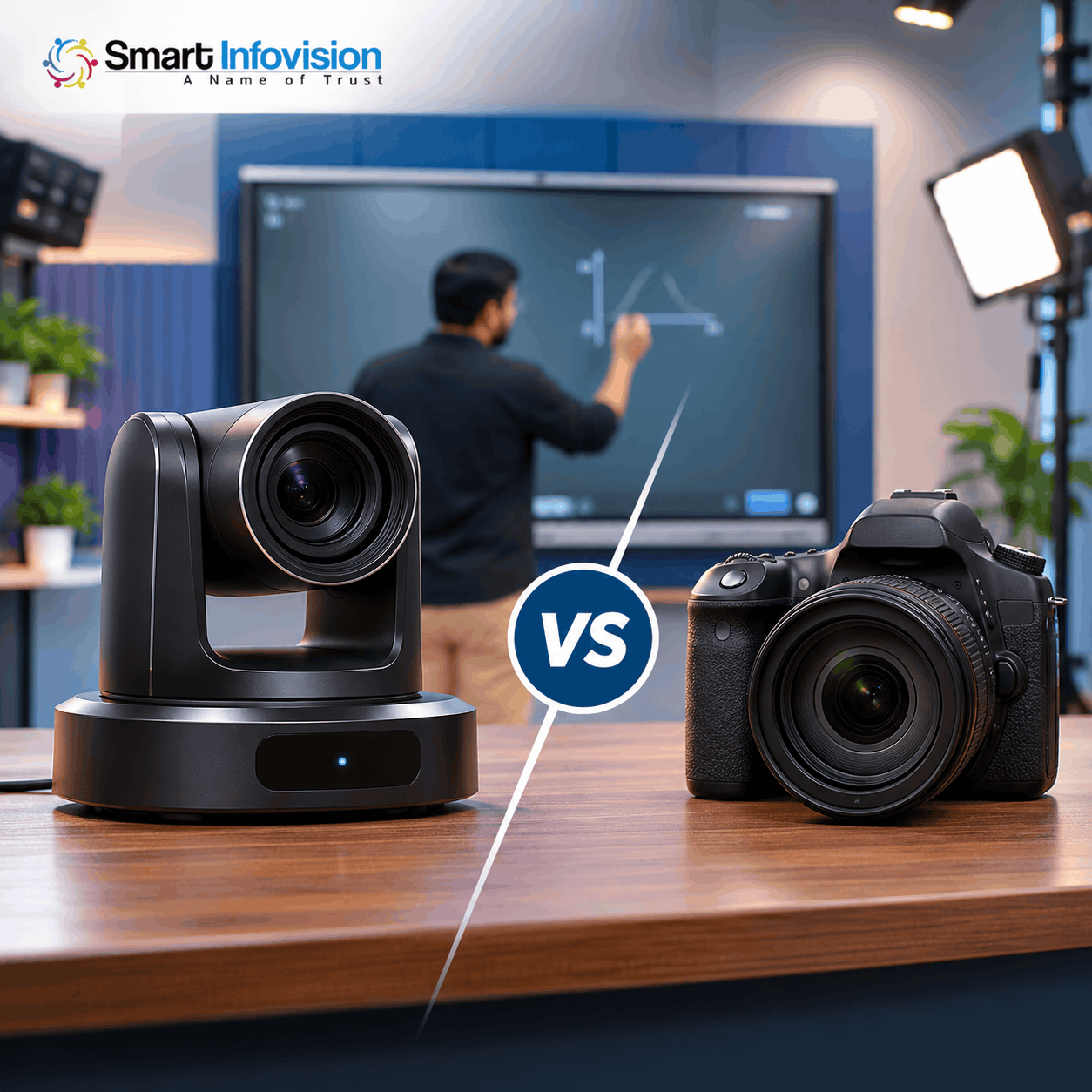
PTZ Camera vs DSLR का निर्णय केवल एक sharp video देखकर नहीं लेना चाहिए। DSLR/mirrorless में portable shooting और creative lenses का advantage है। PTZ installed classroom में remote-controlled coverage देता है। Image quality और final खर्च दोनों में model तथा accessories का असर पड़ता है।
| Comparison Point | 4K PTZ Camera | DSLR / Mirrorless |
|---|---|---|
| Recording clarity | Model, lens और settings पर निर्भर | Sensor, lens और settings पर निर्भर |
| Remote control | Motorised pan/tilt; supported remote options | Model-specific remote features; framing अक्सर manual |
| Classroom suitability | Fixed board और teacher coverage में उपयोगी | Fixed-angle या creative shoots में अच्छा |
| Continuous operation | Power, cooling और PC workflow पर निर्भर | Power, cooling और recording limits पर निर्भर |
| Power and storage | Demo में external power और PC storage | Battery/dummy power और card/PC options model-specific |
| Portability | Installed use के लिए अधिक अनुकूल | Outdoor और mobile shoots में flexible |
| Live streaming workflow | Compatible output से PC integration | Compatible clean output या webcam mode आवश्यक |
| Cost considerations | Camera, mount, cabling और setup जोड़ें | Body, lens, tripod, power और capture gear जोड़ें |
Fixed digital board studio में PTZ practical हो सकता है। Outdoor content और cinematic interviews के लिए DSLR/mirrorless भी shortlist करें।
Digital Board Aur Live Classes Ke Liye Camera Setup
Online Teaching Studio Setup में camera के साथ mounting, lighting और audio जरूरी हैं। Board के opposite wall पर ऐसी height चुनें कि teacher और writing दोनों frame में रहें। बहुत अधिक दूरी से छोटे symbols पढ़ना कठिन हो सकता है। Secure mount और cable route पहले plan करें।
Live class से पहले camera preview खोलें, resolution चुनें, board brightness और exposure balance करें, microphone test करें और sample video रिकॉर्ड करें। Bright panel के सामने teacher का चेहरा dark लगे तो room lighting सुधारें।
YouTube Live के लिए compatible camera feed को encoder से stream किया जा सकता है। Official YouTube encoder live-streaming instructions external video/audio hardware और setup समझाती हैं। Google Meet या Zoom में भी camera permissions, audio synchronization और output जाँचें। Broadcast से पहले private test करें।
Smart Infovision Se 4K PTZ Camera Demo Kaise Le?
Smart Infovision digital boards, 4K PTZ cameras और teaching-studio solutions उपलब्ध कराता है। Video के अंत में presenter nearby experience centre में offline demonstration और दूर के educators के लिए scheduled online demo का विकल्प बताते हैं। Location और appointment की पुष्टि पहले करें।
Demo में अपना teaching scenario बताकर board text, zoom, tracking-off control, PC connection और recorded sample दिखाने को कहें। छोटे studio या hybrid classroom के लिए वही framing test करें जो आप रोज उपयोग करेंगे।
Conclusion: Aapke Liye Best Camera for Online Teaching Kaunsa Hai?
हर शिक्षक के लिए एक camera winner नहीं है। Fixed digital board studio और remote framing महत्वपूर्ण हों तो PTZ model देखें। Mobile shoots और creative lens control चाहिए तो DSLR/mirrorless बेहतर बैठ सकता है। Purchase से पहले real classroom footage, compatibility और recording stability जाँचें।
Apne online teaching studio, digital board ya hybrid classroom ke liye suitable 4K PTZ camera explore karna chahte hain? Smart Infovision se consultation ya camera demonstration ke liye contact karein.
Frequently Asked Questions
1. Online teaching ke liye 4K camera zaroori hai?
नहीं। Clear 1080p कई classes के लिए पर्याप्त है। 4K fine details और editing crop में useful हो सकता है, यदि setup support करे।
2. Kya har PTZ camera auto tracking karta hai?
नहीं। कुछ models केवल remote-controlled pan, tilt और zoom देते हैं। Tracking की availability और on/off setting जाँचें।
3. Kya PTZ camera laptop se recording kar sakta hai?
हाँ, compatible output और software के साथ। Video में USB connection दिखाया गया है। Computer में पर्याप्त storage रखें।
4. Hybrid classroom ke liye tracking camera better hai?
हर बार नहीं। Tracking board को frame से हटा सकती है। Disable option या fixed board framing जाँचें।
5. Live classes ke liye DSLR ya PTZ choose karein?
Fixed board teaching में PTZ सुविधाजनक है; portable shooting में DSLR/mirrorless flexible है। Streaming support और sample