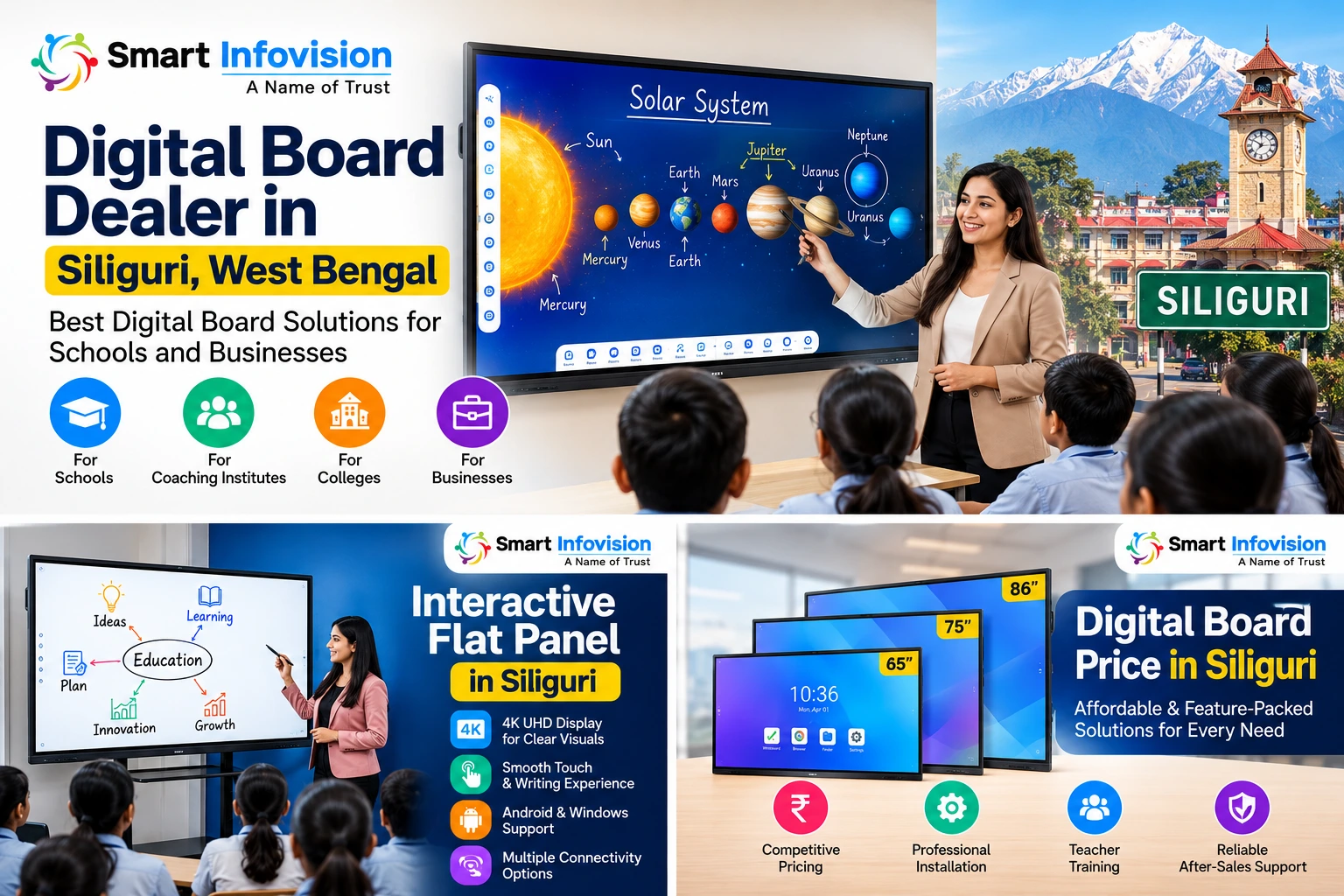
क्या आप Siliguri, West Bengal में अपने स्कूल, कोचिंग इंस्टीट्यूट या कॉलेज के लिए Digital Board खरीदना चाहते हैं? सही digital board dealer in Siliguri, West Bengal चुनना केवल एक स्क्रीन खरीदने का फैसला नहीं है। यह इस बात का फैसला है कि शिक्षक पढ़ाने के लिए तकनीक का कितना आसानी से इस्तेमाल कर पाएंगे, विद्यार्थी concepts को कितनी स्पष्टता से समझ पाएंगे और संस्थान को installation, training तथा technical support कितना अच्छा मिलेगा।
आज के समय में स्कूलों और coaching institutes को ऐसी teaching technology की जरूरत हो सकती है जो traditional classroom teaching को अधिक visual, interactive और flexible बनाए। Interactive Flat Panel, Smart Board और Digital Board जैसे विकल्प शिक्षकों को presentations, diagrams, digital notes और multimedia content के माध्यम से पढ़ाने में मदद कर सकते हैं।
लेकिन बाजार में कई brands, screen sizes, operating systems और configurations उपलब्ध होने के कारण सही विकल्प चुनना आसान नहीं है। कुछ संस्थानों को केवल classroom teaching के लिए board चाहिए, जबकि दूसरे institutions को online classes, lecture recording और hybrid teaching के लिए complete setup की जरूरत हो सकती है।
इस गाइड में हम समझेंगे कि digital board कैसे चुनें, खरीदने से पहले किन features की जांच करें, कीमत किन बातों पर निर्भर करती है और Siliguri में अपने संस्थान के लिए सही solution कैसे तलाशें।
इस लेख में Smart Infovision के उपलब्ध product और local-service information का उपयोग करते हुए, खरीदारी से जुड़े practical सवालों के जवाब दिए गए हैं।
Digital Board क्या है और यह Classroom Teaching में कैसे मदद करता है?
Digital Board एक electronic display solution है जिसका इस्तेमाल classroom में digital content दिखाने, presentations समझाने और, interactive models में, स्क्रीन पर सीधे लिखने या content को control करने के लिए किया जाता है।
कई आधुनिक digital boards, जिन्हें Interactive Flat Panels (IFPs) भी कहा जाता है, touchscreen technology के साथ आते हैं। इनका इस्तेमाल digital whiteboard, presentation display और compatible software के साथ teaching activities के लिए किया जा सकता है।
उदाहरण के लिए, एक mathematics teacher किसी geometry problem को स्क्रीन पर दिखा सकता है, उस पर annotations कर सकता है और विद्यार्थियों को अलग-अलग steps समझा सकता है। Science teacher diagrams, animations या educational videos का इस्तेमाल करके कठिन concepts को अधिक visual तरीके से समझा सकता है।
हालांकि, हर digital board में समान features नहीं होते। कुछ models में built-in operating system और applications होती हैं, जबकि कुछ setups में external computer या अलग software की आवश्यकता हो सकती है।
इसलिए product चुनते समय केवल screen size या price नहीं, बल्कि उसके actual features और अपने teaching requirements को भी देखना चाहिए।
Digital Board, Smart Board और Interactive Flat Panel में क्या अंतर है?
इन terms का इस्तेमाल बाजार में कई बार एक-दूसरे के स्थान पर किया जाता है, लेकिन product configuration अलग हो सकती है।
| Solution | मुख्य उपयोग | खरीदने से पहले क्या देखें? |
|---|---|---|
| Digital Board | Digital content और teaching material प्रदर्शित करना | Display quality, connectivity और उपलब्ध features |
| Smart Board | Interactive teaching और compatible smart features | Touch support, software और operating system |
| Interactive Flat Panel | Touchscreen पर लिखना, annotate करना और content control करना | Touch points, screen size, compatibility और warranty |
| Projector-based interactive setup | बड़ी projected image पर teaching या interaction | Projector brightness, room lighting, calibration और maintenance |
किसी product का नाम देखकर यह मान लेना सही नहीं है कि उसमें सभी advanced features मौजूद होंगे। खरीदने से पहले manufacturer की specifications और live demonstration से पुष्टि करें।
Siliguri में Digital Board की मांग के लिए सही solution कैसे चुनें?
Siliguri में अलग-अलग प्रकार के educational institutions की जरूरतें अलग हो सकती हैं। किसी छोटे coaching centre को एक classroom के लिए interactive panel चाहिए, जबकि किसी बड़े school को कई classrooms के लिए standardized digital teaching solutions की आवश्यकता हो सकती है।
इसलिए सबसे पहले अपनी जरूरत स्पष्ट करें।
1. Schools के लिए Digital Board
School में digital board का उपयोग classroom presentations, diagrams, maps, educational videos, revision material और interactive explanations के लिए किया जा सकता है।
खरीदने से पहले इन बातों पर ध्यान दें:
- Screen size: क्या पीछे बैठने वाले विद्यार्थियों को content साफ दिखाई देगा?
- Display clarity: Text, diagrams और images स्पष्ट दिखाई देते हैं या नहीं?
- Writing experience: Teacher स्क्रीन पर आसानी से लिख और annotate कर सकता है?
- Educational content: क्या आवश्यक textbooks, PDFs और teaching resources आसानी से इस्तेमाल किए जा सकते हैं?
- Teacher training: क्या शिक्षकों को basic operation और troubleshooting समझाने की व्यवस्था है?
- Installation: क्या wall mounting, power supply और connectivity की व्यवस्था classroom के अनुकूल है?
हर school को सबसे महंगा panel खरीदने की आवश्यकता नहीं होती। सही selection classroom size, student strength, teaching method और budget के आधार पर होना चाहिए।
2. Coaching Institutes के लिए Digital Board
Coaching institutes में teaching speed, clear explanations और revision महत्वपूर्ण होते हैं। Digital board teachers को diagrams, equations, charts और previous-year question solutions समझाने में सहायता कर सकता है।
यदि institute recorded lectures भी बनाता है, तो केवल digital board पर ध्यान देना पर्याप्त नहीं होगा। Camera positioning, microphone quality, lighting और recording workflow की जरूरतों का भी आकलन करना चाहिए।
उदाहरण के लिए, यदि teacher को एक ही समय में classroom में पढ़ाना और lecture record करना है, तो interactive panel के साथ compatible camera और audio system पर विचार किया जा सकता है।
3. Colleges और Universities के लिए Interactive Flat Panel
Higher education में presentations, seminars, research discussions और collaborative activities के लिए interactive displays उपयोगी हो सकते हैं।
इन संस्थानों को खरीदारी के दौरान विशेष रूप से जांचना चाहिए:
- Laptop और computer compatibility
- HDMI, USB तथा अन्य उपलब्ध connections
- Wireless screen sharing की उपलब्धता
- Multi-user interaction की आवश्यकता
- Software और operating system compatibility
- IT department के लिए configuration और support
- अलग-अलग departments के लिए standardization
यदि कई departments में panels लगाए जाने हैं, तो purchase से पहले common specifications और support requirements तय करना उपयोगी होगा।
4. Businesses और Training Centres के लिए Digital Board
Digital boards केवल schools के लिए नहीं हैं। Businesses भी इनका उपयोग meetings, staff training, planning sessions, presentations और collaborative discussions के लिए कर सकते हैं।
Corporate use के लिए screen visibility, connectivity, conferencing compatibility और meeting-room layout पर ध्यान देना चाहिए।
सही solution वही है जो वास्तविक workflow को आसान बनाए, न कि केवल अधिक features की सूची प्रस्तुत करे।
Digital Board Dealer in Siliguri, West Bengal चुनते समय 8 जरूरी बातें
जब आप digital board dealer in Siliguri, West Bengal की तलाश कर रहे हों, तो केवल product price की तुलना करने के बजाय supplier की पूरी offering का मूल्यांकन करें।
1. Product specifications की स्पष्ट जानकारी
Supplier से पूछें कि panel का exact model क्या है, screen size कितना है, कौन-सा operating system उपलब्ध है और कौन-से features standard configuration में शामिल हैं।
यदि किसी feature के लिए external computer, licence या subscription चाहिए, तो उसकी जानकारी भी पहले लें।
2. Live demonstration की सुविधा
Digital board खरीदने से पहले practical demonstration उपयोगी हो सकती है। इसमें केवल screen चालू करके दिखाना पर्याप्त नहीं है।
अपने वास्तविक teaching tasks आजमाएं:
- PDF खोलें।
- किसी document पर लिखें।
- Presentation चलाएं।
- Laptop connect करें।
- Touch responsiveness जांचें।
- Video और audio चलाकर देखें।
- उपलब्ध annotation और screen-sharing features को test करें।
इससे यह समझने में मदद मिलती है कि product आपके teachers और classroom के लिए कितना उपयुक्त है।
3. Installation और configuration
एक अच्छा product भी सही तरीके से install न होने पर परेशानी पैदा कर सकता है।
खरीदने से पहले पूछें कि quotation में wall mounting या trolley, cabling, installation, initial configuration और user training शामिल हैं या नहीं।
साथ ही, यह भी स्पष्ट करें कि installation से पहले classroom में किन electrical या networking arrangements की जरूरत होगी।
4. Warranty और after-sales support
Warranty के बारे में केवल अवधि न पूछें। उसकी terms भी समझें।
- Warranty किस component पर लागू होती है?
- On-site service उपलब्ध है या product भेजना होगा?
- Service request दर्ज करने का तरीका क्या है?
- Physical damage और software issues के नियम क्या हैं?
- Warranty समाप्त होने के बाद repair या maintenance कैसे होगा?
इन सवालों के जवाब लिखित quotation या warranty documentation में लेना बेहतर है।
5. Teacher training
Digital board का लाभ तभी मिलता है जब teachers उसे आसानी से इस्तेमाल कर सकें।
Training में basic operations, writing tools, content opening, screen sharing, saving notes और सामान्य troubleshooting शामिल हो सकते हैं। वास्तविक training coverage supplier से confirm करें।
6. Future compatibility
संस्थान की जरूरतें समय के साथ बदल सकती हैं। इसलिए यह जांचना जरूरी है कि product आपके laptops, software, network और आवश्यक applications के साथ compatible है या नहीं।
किसी specific application या operating system version की जरूरत हो, तो purchase से पहले compatibility की पुष्टि करें।
7. Transparent quotation
एक detailed quotation में product model, screen size, accessories, installation, taxes, warranty और अतिरिक्त software या services की लागत स्पष्ट होनी चाहिए।
सिर्फ कम शुरुआती कीमत के आधार पर फैसला करने से बचें। दो products की तुलना तभी उपयोगी होती है जब उनकी configuration और included services भी समान हों।
8. Local service coverage
Siliguri में खरीदारी करते समय supplier से पूछें कि आपके स्थान पर installation और बाद की service किस प्रकार उपलब्ध होगी।
यदि संस्थान Siliguri के आसपास किसी अन्य शहर या क्षेत्र में है, तो अपने exact installation address के लिए service availability पहले confirm करें।
Smart Infovision: Siliguri में Digital Board और Teaching Studio Solutions
Smart Infovision digital boards, interactive flat panels, camera systems और teaching studio setups से संबंधित solutions प्रदान करता है। इसकी Siliguri-specific location page पर digital board, interactive flat panel, PTZ camera, online teaching studio, installation और training से जुड़ी जानकारी उपलब्ध है।
Siliguri में अपनी requirements के अनुसार options समझने के लिए Smart Infovision की Siliguri location page देखें।
यहां inquiry करने से पहले अपने institution की आवश्यकताएं स्पष्ट रखना उपयोगी होगा, जैसे:
- कितने classrooms में boards लगाने हैं?
- प्रत्येक classroom में कितने विद्यार्थी बैठते हैं?
- कौन-सा screen size उपयुक्त हो सकता है?
- क्या केवल teaching display चाहिए या interactive features भी?
- क्या online lecture recording की आवश्यकता है?
- Installation और training की क्या जरूरतें हैं?
- कुल budget कितना है?
इन सवालों के आधार पर product comparison और quotation अधिक उपयोगी बन सकते हैं।
Digital Board के साथ Complete Teaching Setup कब चुनें?
हर संस्थान को complete studio setup की आवश्यकता नहीं होती। यदि उद्देश्य केवल classroom में digital content दिखाना और उस पर लिखना है, तो एक उपयुक्त interactive panel पर्याप्त हो सकता है।
लेकिन यदि institute नियमित रूप से online classes, recorded lectures या live teaching sessions करता है, तो अतिरिक्त equipment पर विचार करना उपयोगी हो सकता है।
एक complete setup में जरूरत के अनुसार निम्न components शामिल हो सकते हैं:
Interactive Flat Panel
Digital lessons, annotations, presentations और visual explanations के लिए।
Camera या PTZ Camera
Recorded lectures और live sessions के लिए, आवश्यक framing और compatibility के अनुसार।
Microphone और Audio
Teacher की आवाज को स्पष्ट रूप से record या transmit करने के लिए।
Studio Lighting
Online teaching और recording में subject की visibility बेहतर बनाने के लिए।
इन सभी components की जरूरत हर classroom में नहीं होती। Product selection room size, lighting conditions, teaching style और recording requirements के अनुसार करें।
Digital Board Price in Siliguri: कीमत किन बातों पर निर्भर करती है?
Digital board price in Siliguri किसी एक fixed amount से निर्धारित नहीं होती। कीमत screen size, display technology, operating system, touch capabilities, software, accessories, warranty और installation requirements के अनुसार बदल सकती है।
Smart Infovision की Siliguri location page पर Interactive Flat Panel के लिए शुरुआती कीमत ₹85,000 दिखाई गई है। यह एक प्रकाशित starting price है, हर model या complete classroom setup की final price नहीं। खरीदने से पहले वर्तमान price, GST, configuration और included services की पुष्टि करें।
Digital Board की कीमत को प्रभावित करने वाले factors
| Factor | कीमत पर संभावित प्रभाव |
|---|---|
| Screen size | बड़े display का cost छोटे display से अधिक हो सकता है |
| Display resolution और quality | Panel specifications के अनुसार कीमत बदल सकती है |
| Touch technology | Touch performance और supported features महत्वपूर्ण हैं |
| Operating system | Built-in software और hardware configuration का प्रभाव पड़ सकता है |
| Accessories | Trolley, wall mount, computer और अतिरिक्त peripherals लागत बढ़ा सकते हैं |
| Installation | Mounting, cabling और site requirements पर खर्च निर्भर कर सकता है |
| Warranty और support | Service coverage और support terms को total cost में शामिल करें |
| Studio equipment | Camera, microphone, lighting और recording equipment अतिरिक्त लागत जोड़ सकते हैं |
क्या सस्ता Digital Board खरीदना सही है?
जरूरी नहीं कि सबसे सस्ता विकल्प सबसे खराब हो या सबसे महंगा विकल्प सबसे अच्छा। सही निर्णय इस बात पर निर्भर करता है कि product आपकी जरूरतों को कितनी अच्छी तरह पूरा करता है।
उदाहरण के लिए, यदि किसी coaching institute को केवल teaching और annotation की जरूरत है, तो उसे advanced recording studio पर खर्च करने की आवश्यकता नहीं हो सकती। दूसरी ओर, नियमित recorded lectures बनाने वाले institute को camera और audio equipment में अतिरिक्त निवेश उपयोगी लग सकता है।
Practical tip: कम से कम दो या तीन comparable quotations लें। सभी quotations में model, screen size, installation, warranty और taxes को समान आधार पर compare करें।
Interactive Flat Panel खरीदने से पहले कौन-से Features जांचें?
Interactive flat panel का चयन केवल उसकी screen देखकर नहीं करना चाहिए। नीचे दिए गए features को अपनी requirements के अनुसार जांचें।
Display size और visibility
Screen size चुनते समय classroom की लंबाई, चौड़ाई, seating arrangement और विद्यार्थियों की संख्या देखें। यदि classroom लंबा है, तो छोटी screen पर लिखे छोटे text को पीछे बैठे विद्यार्थियों के लिए पढ़ना मुश्किल हो सकता है।
Supplier से अपने वास्तविक classroom की conditions के अनुसार demonstration मांगें।
Touch responsiveness और writing tools
यदि teacher को स्क्रीन पर नियमित रूप से लिखना है, diagrams बनाने हैं या equations solve करनी हैं, तो writing experience महत्वपूर्ण है।
Demo में अलग-अलग writing tools इस्तेमाल करके देखें। यह भी जांचें कि touch interaction कितने users के लिए supported है और उस feature के लिए कोई software limitation तो नहीं है।
Connectivity और compatibility
अपने मौजूदा devices की सूची बनाएं। इसमें laptops, computers, tablets और जरूरी teaching applications शामिल हो सकते हैं।
फिर जांचें कि panel में आवश्यक ports और supported wireless connectivity मौजूद हैं या नहीं। यदि Windows-based software, external OPS computer या किसी विशेष application की जरूरत है, तो compatibility लिखित रूप में confirm करें।
Software और updates
पूछें कि कौन-सी applications pre-installed हैं, कौन-सी अतिरिक्त licence मांगती हैं और software updates कैसे मिलते हैं।
किसी feature को केवल इसलिए available न मानें क्योंकि वह product demonstration में दिखाया गया था। Confirm करें कि वह आपके खरीदे जाने वाले exact model और configuration में शामिल है।
Warranty और maintenance
Product की expected use frequency, service process और replacement requirements को ध्यान में रखें। School या coaching institute में रोजाना इस्तेमाल होने वाले equipment के लिए service terms समझना विशेष रूप से महत्वपूर्ण है।
Traditional Classroom Teaching और Digital Board को साथ कैसे इस्तेमाल करें?
Digital board का उद्देश्य शिक्षक की भूमिका को replace करना नहीं, बल्कि आवश्यकतानुसार teaching के तरीके को support करना है।
Traditional teaching में teacher-student interaction, discussion, handwritten explanations और direct feedback महत्वपूर्ण रहते हैं। Digital technology इन तरीकों को visual content, annotations, diagrams और multimedia resources के साथ complement कर सकती है।
उदाहरण के लिए:
- Mathematics में teacher पहले concept समझा सकता है और फिर screen पर problem-solving steps दिखा सकता है।
- Science में diagrams या animations से किसी प्रक्रिया को समझाया जा सकता है।
- Geography में maps और visual material का इस्तेमाल किया जा सकता है।
- Language classes में text, audio और presentation material को साथ उपयोग किया जा सकता है।
- Revision sessions में saved notes और prepared slides से concepts दोहराए जा सकते हैं।
इन उदाहरणों से संभावित उपयोग समझ में आता है, लेकिन केवल digital board खरीदने से learning outcomes अपने-आप बेहतर होने की गारंटी नहीं होती। शिक्षक की तैयारी, lesson design, student participation और उपलब्ध content भी महत्वपूर्ण हैं।
भारत में digital learning से जुड़ी सरकारी पहलों और resources के बारे में अधिक जानकारी के लिए Ministry of Education के PM e-VIDYA और DIKSHA resources देखें।pmevidya.education.gov.in
Siliguri में Digital Board Installation की तैयारी कैसे करें?
Product order करने से पहले classroom या studio की site requirements की जांच कर लें। इससे installation के समय अनावश्यक देरी और अतिरिक्त खर्च की संभावना कम हो सकती है।
Installation से पहले की Checklist
- Classroom की दीवार या mounting location का माप लें।
- Screen के लिए उपयुक्त viewing height तय करें।
- Power socket और cable routing की व्यवस्था देखें।
- Network और internet requirements जांचें।
- Existing laptop या computer की compatibility confirm करें।
- Wall mounting और trolley के बीच निर्णय लें।
- Quotation में installation charges की पुष्टि करें।
- Warranty और support terms लिखित रूप में लें।
- Teachers के लिए training schedule तय करें।
- Installation के बाद सभी आवश्यक features test करें।
यदि कई classrooms में installation होना है, तो institution के timetable के अनुसार phased installation plan बनाना उपयोगी हो सकता है।
Smart Infovision से installation-related requirements पर चर्चा करने के लिए उसकी Siliguri location और service information देखें।
Installation के बाद क्या Test करना चाहिए?
Installation पूरा होने पर केवल screen चालू होने की पुष्टि करके काम समाप्त न करें।
यह जांचें कि:
- Display और touch functions ठीक से काम कर रहे हैं।
- सभी आवश्यक ports और connected devices सही काम कर रहे हैं।
- Writing, annotation और presentation features उपलब्ध हैं।
- Network और wireless features, यदि खरीदे गए हैं, काम कर रहे हैं।
- Audio और camera components, यदि setup में शामिल हैं, सही configured हैं।
- Teacher को basic operations समझा दिए गए हैं।
- Warranty और support documents उपलब्ध हैं।
इन checks को installation handover के समय पूरा करना बेहतर है।
Digital Board के लिए सही Supplier चुनने की Practical Checklist
नीचे दी गई checklist का उपयोग आप किसी भी supplier से बात करते समय कर सकते हैं।
Buyer checklist
0 of 8 completedExact model और written specifications प्राप्त करेंLive demonstration में अपने teaching tasks test करेंदो या तीन comparable quotations लेंGST, installation और accessories की लागत confirm करेंWarranty और after-sales support की terms समझेंSiliguri के लिए installation availability confirm करेंTeacher training और handover की जानकारी लेंPurchase से पहले compatibility verify करें Reset Copy checklist
Google Business Profile और Local Contact Information
यदि आप Siliguri में digital board supplier की तलाश कर रहे हैं, तो supplier की official website, location details, contact information और available services को एक साथ verify करना उपयोगी है।
Smart Infovision के लिए उपलब्ध contact details:
- Website: Smart Infovision
- Siliguri page: Smart Infovision Siliguri
- Phone: +91 8527926648
- WhatsApp: Chat with Smart Infovision
- Google Maps: Open Smart Infovision on Google Maps
Google Maps पर जाने के बाद business name, location, directions और उपलब्ध profile details जांचें। Visit करने से पहले appointment या demonstration की उपलब्धता confirm करना अच्छा रहेगा।
Digital Board Dealer in Siliguri से जुड़ी FAQs
1. Siliguri, West Bengal में Digital Board Dealer कैसे चुनें?
ऐसे supplier की तलाश करें जो exact product specifications, demonstration, installation, training और warranty terms स्पष्ट रूप से बताए। अलग-अलग quotations compare करें और अपने classroom की जरूरतों के अनुसार product चुनें। केवल कम price या बड़े feature claims के आधार पर निर्णय न लें।
2. Siliguri में Digital Board की कीमत कितनी है?
कीमत screen size, brand, configuration, software और installation requirements के अनुसार बदलती है। Smart Infovision की Siliguri location page पर interactive flat panels की starting price ₹85,000 दिखाई गई है। यह price सभी models या complete setups पर लागू नहीं होती। वर्तमान quotation, taxes और included services confirm करें।
3. Digital Board और Smart Board में क्या अंतर है?
इन terms का इस्तेमाल कई बार समान अर्थ में किया जाता है, लेकिन हर product की capabilities अलग हो सकती हैं। Interactive Flat Panel में आमतौर पर touchscreen interaction होता है, जबकि किसी अन्य digital display में जरूरी नहीं कि वही features उपलब्ध हों। Exact model specifications देखें।
4. क्या Digital Board coaching institutes के लिए उपयोगी है?
यह उपयोगी हो सकता है, खासकर जब teachers को diagrams, equations, presentations और digital notes के साथ पढ़ाना हो। यदि institute lectures record भी करता है, तो camera और audio requirements का अलग से आकलन करें। खरीदने से पहले demo में वास्तविक teaching workflow test करें।
5. क्या Digital Board के साथ laptop जरूरी है?
यह product पर निर्भर करता है। कुछ interactive panels में built-in operating system और applications होती हैं, जबकि कुछ workflows के लिए laptop, external computer या OPS module की जरूरत हो सकती है। खरीदने से पहले अपने आवश्यक software और connectivity requirements की पुष्टि करें।
6. क्या Digital Board installation और teacher training मिलती है?
यह supplier, product और quotation की शर्तों पर निर्भर करता है। Smart Infovision की Siliguri location page installation और training services का उल्लेख करती है। अपने चुने गए model के लिए training coverage, installation scope और service terms लिखित रूप में confirm करें।
7. Digital Board खरीदने से पहले demonstration क्यों जरूरी है?
Demonstration में आप display clarity, writing experience, touch responsiveness, connectivity और जरूरी applications को test कर सकते हैं। इससे पता चलता है कि product आपके classroom और teachers की जरूरतों के लिए उपयुक्त है या नहीं।
8. क्या Digital Board छोटे classrooms के लिए उपयुक्त है?
छोटे classroom में भी interactive display उपयोगी हो सकता है, लेकिन screen size और mounting position का चयन room dimensions, seating और viewing distance के आधार पर होना चाहिए। केवल बड़ी screen चुनने के बजाय वास्तविक classroom conditions में visibility जांचें।
9. Digital Board के लिए कौन-से maintenance factors महत्वपूर्ण हैं?
Display की उचित सफाई, manufacturer के निर्देशों का पालन, software updates, connectivity checks और warranty documentation महत्वपूर्ण हैं। किसी technical fault की स्थिति में approved service process का पालन करें। Maintenance requirements model और manufacturer के अनुसार अलग हो सकती हैं।
10. Siliguri में Digital Board की quotation कैसे प्राप्त करें?
अपनी institution type, required screen size, quantity, installation location और additional features की जानकारी तैयार रखें। इसके बाद supplier से detailed quotation मांगें, जिसमें product model, taxes, installation, warranty और training की जानकारी हो।
11. क्या Digital Board के साथ online teaching studio भी बनाया जा सकता है?
हां, compatible equipment के साथ teaching studio बनाया जा सकता है। Requirements के अनुसार interactive panel, camera, microphone, lighting और recording equipment शामिल किए जा सकते हैं। लेकिन प्रत्येक component की compatibility और actual configuration खरीदने से पहले confirm करनी चाहिए।
12. Digital Board के लिए कौन-सा screen size सबसे अच्छा है?
एक ही screen size हर institution के लिए सही नहीं होता। Classroom dimensions, seating arrangement, content type और viewing distance के आधार पर निर्णय लें। Supplier से site-specific recommendation और demonstration मांगें।
Conclusion: Siliguri में सही Digital Board कैसे चुनें?
एक सही digital board आपके teaching workflow को अधिक visual और interactive बनाने में मदद कर सकता है। लेकिन अच्छा परिणाम केवल equipment पर निर्भर नहीं करता। Product selection, teacher training, installation, software compatibility और after-sales support भी महत्वपूर्ण हैं।
यदि आप digital board dealer in Siliguri, West Bengal की तलाश कर रहे हैं, तो खरीदारी से पहले अपनी classroom requirements स्पष्ट करें, product specifications compare करें और practical demonstration के आधार पर फैसला लें।
Smart Infovision के digital boards, interactive flat panels और teaching studio solutions के बारे में अधिक जानने के लिए उसकी official Siliguri location page देखें। आप अपनी requirements साझा करके उपयुक्त configuration और quotation के बारे में पूछ सकते हैं।
अपने स्कूल, coaching institute या business के लिए सही Digital Board चुनने के लिए आज ही Smart Infovision से संपर्क करें।
- Call: +91 8527926648
- WhatsApp: Send an enquiry
- Website: www.smartinfovision.com
- Location: View Smart Infovision on Google Maps