Introduction
Aaj ke digital era me har classroom aur office smart ho raha hai — jahan blackboard aur chalk ki jagah le li hai interactive flat panels ne. Technology ab sirf support system nahi, balki learning aur communication ka main tool ban gayi hai.
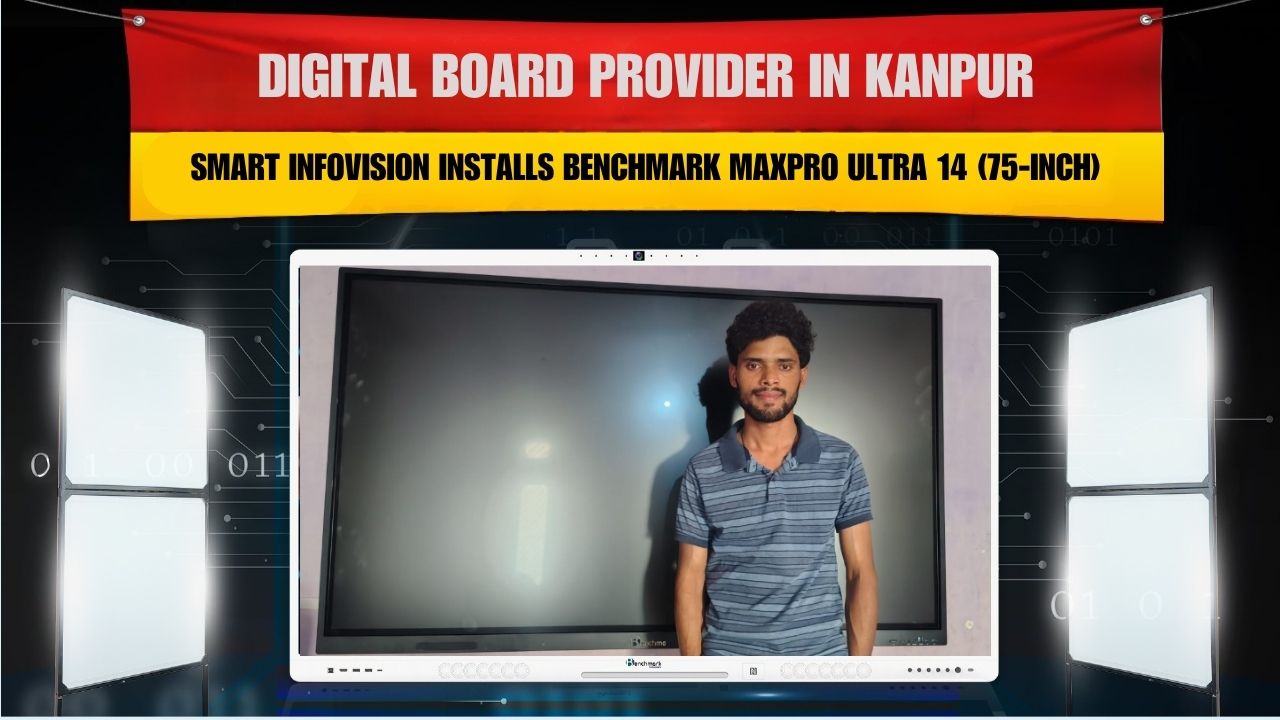
Isi digital revolution ko aage badhate hue, Smart Infovision ne ek aur successful installation complete kiya — Sandeep Yadav, Kanpur (Uttar Pradesh) ke center me Benchmark MaxPro Ultra (75-inch Interactive Flat Panel) install karke.
Yeh installation ek modern digital teaching aur presentation setup ka perfect example hai, jahan clarity, interactivity aur innovation ek saath milte hain.
Client Overview
| Client Name | Sandeep Yadav |
|---|---|
| Location | Kanpur, Uttar Pradesh |
| Product Installed | Benchmark MaxPro Ultra (75″) Interactive Flat Panel |
| Installation Partner | Smart Infovision |
| Use Case | Smart Classroom / Coaching / Office Use |
| Installation Date | October 2025 |
About the Product – Benchmark MaxPro Ultra (75″)
Benchmark MaxPro Ultra ek premium interactive flat panel hai jo specially design hua hai education aur corporate sectors ke liye. Yeh system teaching aur business communication dono ke liye perfect hai — high clarity visuals, fast processing aur smart features ke sath.
Key Features of Benchmark MaxPro Ultra
- 4K Ultra HD Display (3840×2160): Crystal-clear visuals for teaching & presentation.
- Dual OS (Android + Windows): Flexible system for multitasking and connectivity.
- AI-Powered Interface: Smarter handwriting recognition aur voice integration.
- 20-Point Touch Support: Multiple users can write & draw together.
- Smart Whiteboard Tools: Annotation, drawing aur instant saving options.
- Built-in Wi-Fi & Bluetooth: Easy wireless connectivity with other devices.
- Anti-Glare & Blue Light Protection: Safe for students’ and teachers’ eyes.
- Dual 40W Speakers: Clear, loud sound for big classrooms or halls.
- Durable Design: Scratch-resistant toughened glass for long-term usage.
- OPS Slot Ready: Add mini-PC to convert it into full Windows system.
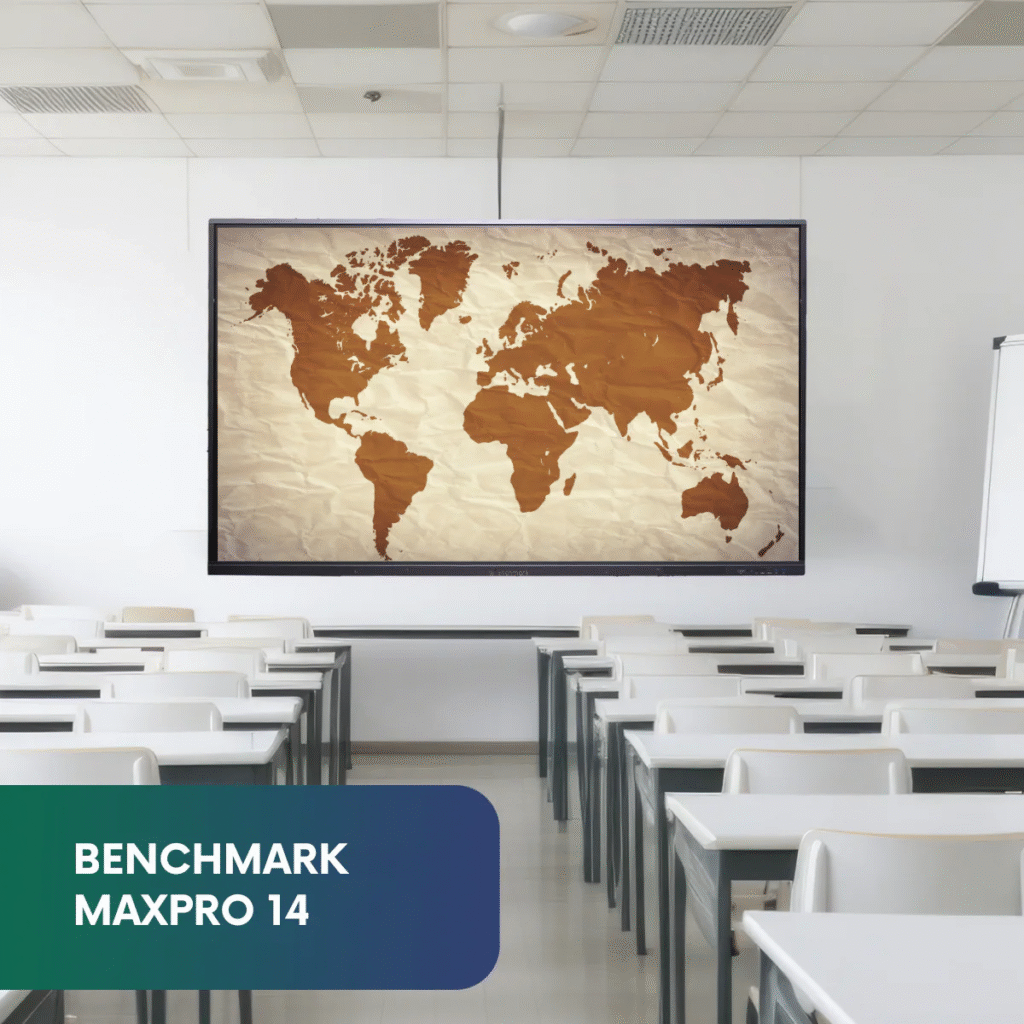
75-inch version ek large classroom aur training setup ke liye perfect hai — har student ko clear visibility milti hai even from the last bench.
Why Sandeep Yadav Chose Benchmark MaxPro Ultra
Kanpur ke educator Sandeep Yadav apne coaching institute ko digital upgrade dena chahte the. Unka goal tha ek aisa solution jisse students ko visual learning ka best experience mil sake aur teacher ki teaching efficiency bhi badhe.
Smart Infovision ki expert team ne unke needs ko samjha aur recommend kiya Benchmark MaxPro Ultra (75-inch) — ek future-ready panel jo teaching ko modern aur interactive dono banata hai.
Selection Factors:
- 4K large display for better visual learning.
- Android + Windows dual OS support.
- Reliable after-sales support by Smart Infovision.
- Affordable pricing and quick installation.
- Ideal for hybrid & online classes.
Installation Process by Smart Infovision
Smart Infovision ka installation process har client ke liye customized hota hai. Kanpur me bhi, team ne poora setup seamlessly complete kiya — from wiring to demo.
Installation Steps:
- Site Inspection & Planning: Power source, wall alignment aur space check.
- Mounting: 75-inch MaxPro Ultra ko perfectly balanced wall mount par fix kiya gaya.
- Cable Management: Hidden wiring system for a clean look.
- System Configuration: Android aur OPS Windows ka setup kiya gaya.
- Testing: Display, sound aur touch response test kiya gaya.
- Training: Sandeep Yadav aur unki team ko panel features ka demo diya gaya.
Team Smart Infovision ne ensure kiya ki product fully operational ho aur day-one se use ke liye ready ho.
Before & After Transformation
| Aspect | Before Installation | After Installation |
|---|---|---|
| Teaching Method | Traditional whiteboard | Interactive 4K panel |
| Visuals | Limited visibility | Full HD & 4K visuals |
| Engagement | Students passive | Highly interactive sessions |
| Notes | Manual | Digital saving & sharing |
| Technology | None | Dual OS smart system |
| Setup | Basic | Modern & attractive |
Smart Infovision ke installation ke baad classroom environment poora transform ho gaya — ab har topic visual aur interactive tools ke through easily samjhaya ja sakta hai.
Benefits of Benchmark MaxPro Ultra Installation in Kanpur
- Boosted Learning Engagement: Interactive visuals se students ka focus bana rehta hai.
- Time Efficiency: Quick annotation aur instant sharing tools save valuable time.
- Dual OS Advantage: Android & Windows dono ke flexibility ek system me.
- Perfect for Hybrid Classes: Online aur offline teaching dono easily handle karta hai.
- Professional Presentation Setup: Business aur education dono sectors ke liye ideal.
- Low Maintenance: High durability aur long-life components.
- Improved Learning Outcomes: Students concepts ko visually grasp karte hain.
- Easy-to-Use Interface: Teachers bina extra training ke operate kar sakte hain.
- Modern Look: Classroom ka poora look professional aur digital ho gaya.
- Lifetime Support: Smart Infovision ki after-sales service hamesha available hai.
About Smart Infovision
Smart Infovision ek leading EdTech & Smart Display Solution Company hai jo India ke schools, colleges aur corporates ko digital learning setup provide karti hai.
Company ka mission hai:
“Har classroom aur workspace ko digitally empowered banana.”
Smart Infovision Provides:
- Benchmark Interactive Flat Panels (All Series)
- Hybrid Studio Setup Solutions
- Smart Lighting & Camera Integration
- Microphone, PTZ Camera & Server Setup
- Installation + Onsite Training + Lifetime Support
Smart Infovision ne ab tak 1000+ installations across India successfully complete kiye hain — including Uttar Pradesh, Bihar, Rajasthan, Maharashtra, aur Karnataka.
Client Feedback
“Benchmark MaxPro Ultra ka display aur touch response ekdum excellent hai. Smart Infovision team ne installation professional tarike se complete kiya. Ab hamare students interactive aur smart way me seekh rahe hain. Very satisfied with product & service.”
— Sandeep Yadav, Kanpur (U.P.)
10 FAQs About Benchmark MaxPro Ultra Installation in Kanpur
Q1: Benchmark MaxPro Ultra kis purpose ke liye best hai?
Ye classrooms, coaching aur corporate meetings ke liye ideal hai.
Q2: Kya isme Android + Windows dono system aata hai?
Haan, dual OS support milta hai for seamless multitasking.
Q3: Touch screen responsive hai kya?
Yes, 20-point multi-touch se smooth aur accurate writing possible hai.
Q4: Kya product me speaker aur mic inbuilt hai?
Powerful dual speakers inbuilt hain; mic optional accessory hai.
Q5: Warranty kitni milti hai?
3-year comprehensive warranty Smart Infovision provide karta hai.
Q6: Kya product online classes ke liye suitable hai?
Bilkul, hybrid setup ke liye perfect hai.
Q7: Power consumption high hai kya?
Nahi, yeh energy-efficient model hai.
Q8: Installation me kitna time lagta hai?
Usually 3–4 hours only.
Q9: Maintenance process kaisa hai?
Low maintenance system with lifetime Smart Infovision support.
Q10: Smart Infovision se contact kaise karein?
Email: sales@smartinfovision.com, Call: +91 85279 26648
Conclusion
The Benchmark MaxPro Ultra Installation in Kanpur by Smart Infovision proves how technology can redefine learning and presentations.
Sandeep Yadav ke coaching center me yeh setup ne ek smart, modern, aur interactive teaching environment create kiya hai — jahan students aur teachers dono technology ka best use kar rahe hain.
Smart Infovision continues to empower Indian educators and professionals with future-ready digital tools that make learning smarter and more engaging.
Smart Infovision – A Name of Trust in Digital Learning Solutions.
Contact Smart Infovision:
🌐 www.smartinfovision.in
📧 sales@smartinfovision.com
📱 +91 85279 26648
🔗 Read More:
Interested in another project? Check our previous blog — Benchmark MaxPro Ultra Installation in Faridabad