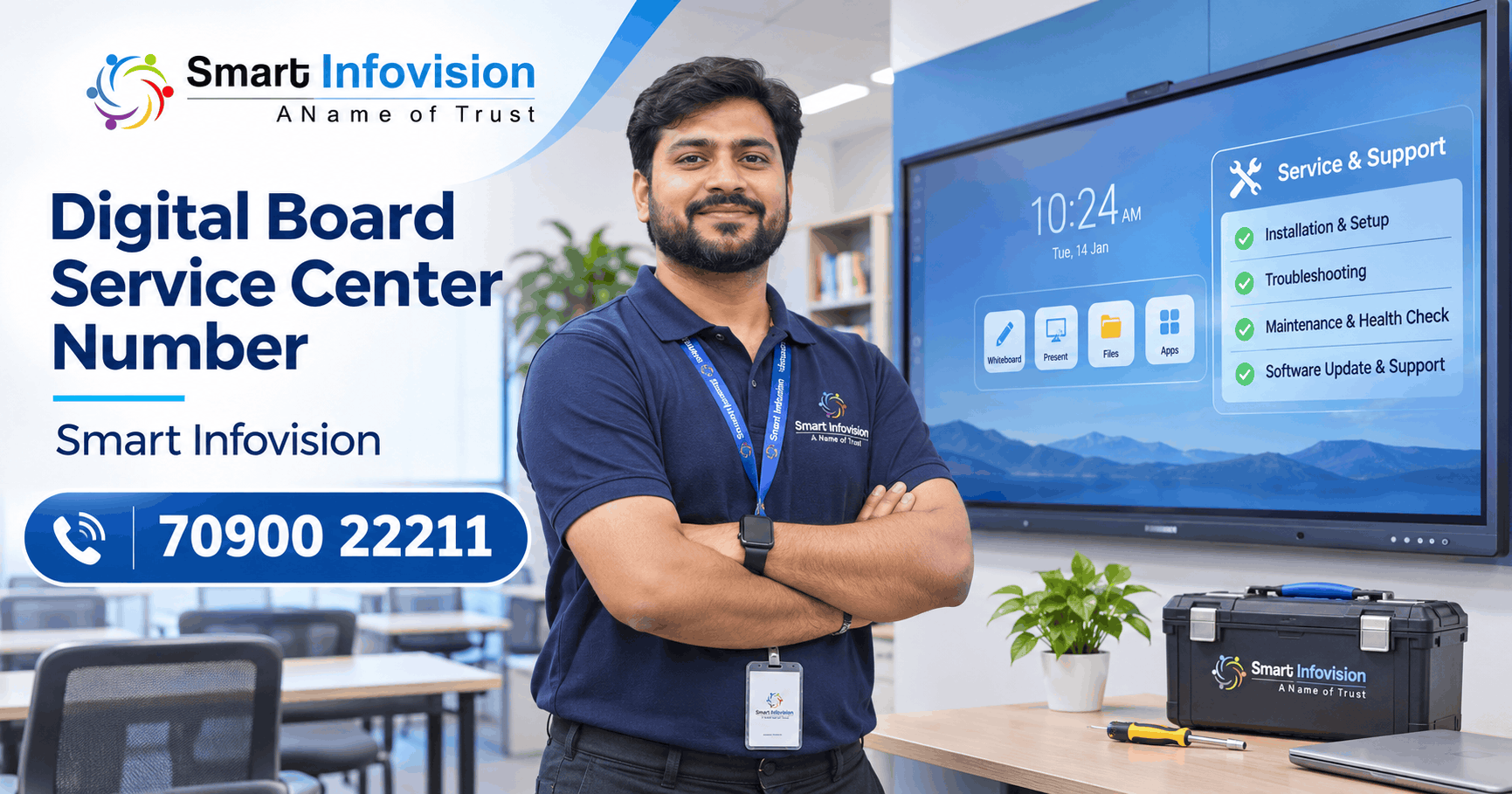
यदि किसी classroom या online teaching studio में Digital Board अचानक काम करना बंद कर दे, तो सबसे जरूरी जानकारी सही Digital Board Service Center Number और शिकायत दर्ज करने की प्रक्रिया होती है। Smart Infovision के official service channels में helpline 70900 22211, service email और online complaint portal शामिल हैं।
Digital Board, जिसे Interactive Flat Panel या smart board भी कहा जाता है, में display, touch interface और computing सुविधाएँ एक साथ मिलती हैं। Schools, colleges, coaching institutes और training spaces में इसका उपयोग interactive teaching, presentation तथा collaboration के लिए किया जाता है। समस्या होने पर उसका सही प्रकार समझना जरूरी है, ताकि उपयुक्त सहायता प्राप्त की जा सके।
Is guide mein service contact, common technical problems, brand-wise support resources, repair cost factors, warranty aur complaint process ko explain kiya gaya hai. इसका उद्देश्य सुरक्षित user-level guidance देना है; किसी specific fault का final diagnosis qualified service professional द्वारा किया जाना चाहिए।
Table of Contents
- Digital Board Service Center Number – Quick Answer
- Digital Board Service Center क्या है?
- Digital Board Service और Maintenance क्यों जरूरी हैं?
- Common Digital Board Technical Problems
- Digital Board Touch Screen Not Working और Ghost Touch
- Digital Board Black Screen, White Screen और Display Repair
- Motherboard, Power Supply और OPS Computer Technical Support
- Android Software Problems और Firmware Update Support
- Wi-Fi, Bluetooth, HDMI, USB और Audio Problems
- Brand-wise Digital Board Service Support
- Digital Board Repairing Cost in India कितना होता है?
- Digital Board Onsite Engineer Service और Warranty Support
- Digital Board Service Complaint कैसे Register करें?
- Digital Board Service Center Near Me कैसे खोजें?
- Schools, Colleges, Coaching Institutes और Teaching Studios के लिए Service
- Digital Board Preventive Maintenance Tips
- Digital Board Repair vs Replacement: क्या चुनें?
- Reliable Digital Board Service Provider कैसे चुनें?
- Read More – Related Resources
- Conclusion
- Frequently Asked Questions (FAQs)
Digital Board Service Center Number – Quick Answer
Smart Infovision का Digital Board Service Center Number 70900 22211 है। इस नंबर पर Interactive Flat Panel, Smart Board, OPS computer, display, touch और software से संबंधित service enquiries दर्ज कराई जा सकती हैं। सहायता का स्वरूप product model, खरीद के विवरण, warranty eligibility और location पर निर्भर करता है।
अगर फोन पर संपर्क नहीं हो पा रहा है, तो service@smartinfovision.com पर समस्या लिखें या online complaint registration portal का उपयोग करें। यह Smart Infovision का अपना support number है, किसी अन्य manufacturer का सार्वभौमिक customer care number नहीं।
Digital Board Service Center क्या है?
Digital Board Service Center ऐसा सहायता केंद्र या support network है जहाँ interactive display की समस्या को समझने, उसके संभावित कारण की पहचान करने और उपयुक्त repair या replacement विकल्प बताने की प्रक्रिया होती है। सामान्य television के मुकाबले digital board में display के साथ touch input, embedded operating system और external computing devices का integration होता है। इसलिए केवल तस्वीर दिखना पूरे system के सही काम करने का प्रमाण नहीं है।
Ek Interactive Flat Panel mein Android system, touch frame, display assembly, audio system aur connectivity ports alag-alag functions perform karte hain. Kuch models mein OPS computer bhi hota hai. Service engineer इन सभी हिस्सों के व्यवहार का मूल्यांकन करता है, ताकि बिना जरूरत अच्छे component को बदलने की नौबत न आए।
Smart Infovision Digital Board Customer Care Number
Smart Infovision ने अपनी official contact page पर technical support के लिए 70900 22211 प्रकाशित किया है। नई खरीद और quotations के लिए अलग sales contact उपलब्ध है। Repairing enquiry भेजते समय service department को ही चुनना अधिक उपयोगी रहता है।
| Contact type | Verified details |
|---|---|
| Service helpline | 70900 22211 |
| Technical support email | service@smartinfovision.com |
| Company website | Smart Infovision |
| Complaint registration | online complaint registration portal |
| Head office | G-128, Sector 63, Noida, Uttar Pradesh – 201301 |
| Sales enquiries | +91-8527926648 |
| Service hours | Call करके पुष्टि करें; निश्चित hours यहाँ घोषित नहीं किए गए हैं। |
Digital Board Service और Maintenance क्यों जरूरी हैं?
विद्यालयों, coaching institutes और online teaching studios में digital board एक साझा teaching resource होता है। एक छोटी खराबी भी timetable, recorded lectures, presentations या assessments को प्रभावित कर सकती है। नियमित maintenance का उद्देश्य केवल screen को साफ रखना नहीं, बल्कि teaching continuity, device reliability और सुरक्षित operating environment बनाए रखना है।
Agar board ka touch kabhi kaam karta hai aur kabhi nahi, toh use ignore karne ki jagah issue ka record banana chahiye. इससे support team को पता चलता है कि समस्या किसी विशेष application, input source या पूरे system में है। समय रहते सहायता लेने से fault identification आसान हो सकती है, हालांकि हर मामले में खर्च कम होगा, इसकी गारंटी नहीं है।
Common Digital Board Technical Problems
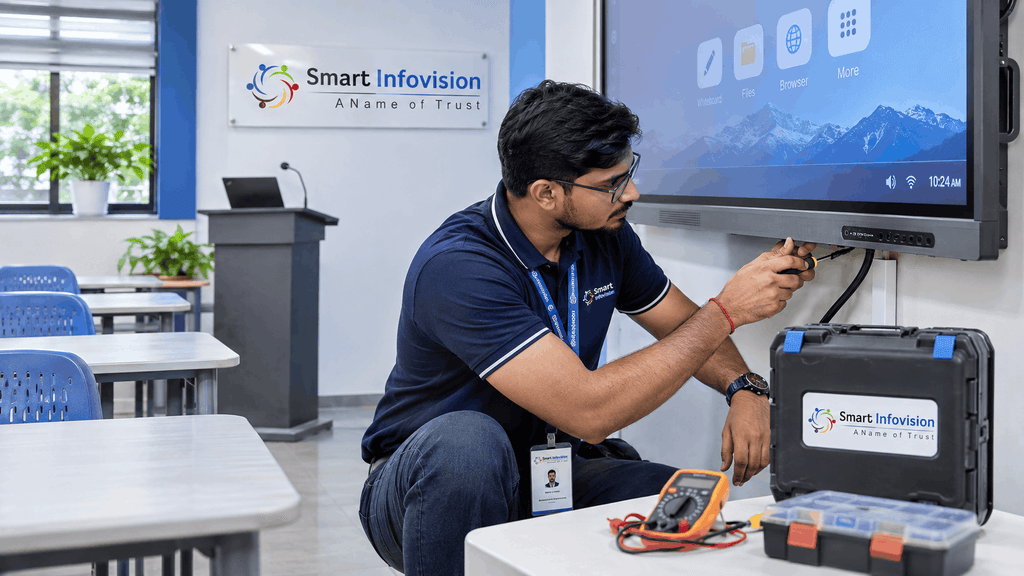
किसी एक symptom के आधार पर खराब component का नाम तय करना उचित नहीं है। उदाहरण के लिए black screen, no signal और device का बिल्कुल शुरू न होना तीन अलग-अलग परिस्थितियाँ हो सकती हैं। नीचे दिए गए कारण संभावनाएँ हैं, definitive diagnosis नहीं। केवल सामान्य user-level observations करें; panel खोलना या internal electrical repair प्रशिक्षित technician का काम है।
| Problem | Possible cause | Recommended action |
|---|---|---|
| Touch not working | Input mapping, app या sensor issue | देखें कि समस्या built-in whiteboard में भी है या नहीं। |
| Ghost touch | Obstruction, touch interference या sensor fault | Screen के आसपास की स्थिति नोट करें। |
| Black screen | Input, standby, display या power fault | Indicator और input source का विवरण support को दें। |
| White screen | Display signal path या system fault | समस्या का फोटो और model साझा करें। |
| Restart loop | Software, storage या hardware issue | Error message दर्ज करें। |
| No HDMI signal | Source, cable या compatibility issue | Selected input और external device की जानकारी दें। |
| No audio | Output routing, mute या audio hardware | Audio output setting देखें। |
| Wi-Fi not connecting | Network configuration या module fault | अन्य devices पर network availability देखें। |
Hardware और Software Fault में अंतर
| Category | Examples | Diagnosis approach |
|---|---|---|
| Hardware | Display assembly, touch sensor, power module, port | Professional inspection और component assessment |
| Software | App freeze, OS error, driver या firmware | Model-specific official guidance |
| Connectivity | HDMI, USB, casting, network | Source और device compatibility की पुष्टि |
| Mixed fault | Restart loop, intermittent touch | Software और hardware दोनों का assessment |
Digital Board Touch Screen Not Working और Ghost Touch
Touch screen response नहीं दे रही है
यदि screen पर content दिख रहा है लेकिन लिखना या किसी icon को select करना संभव नहीं है, तो पहले यह समझना उपयोगी है कि समस्या केवल connected laptop में है या digital board के built-in whiteboard में भी। दोनों स्थितियों की troubleshooting अलग हो सकती है। कुछ interactive displays में laptop का video signal और touch data अलग connections पर निर्भर करते हैं।
Touch response poori screen par missing hai ya sirf ek particular area mein, is difference ko note karein. यदि केवल एक application में परेशानी है, तो application compatibility भी संभावित कारण है। SMART Technologies की SMART Board troubleshooting documentation विभिन्न touch और display symptoms के लिए model-specific guidance देती है।
Ghost Touch क्या होता है?
Ghost touch में screen बिना जानबूझकर touch किए input दर्ज करती हुई दिखाई देती है। उदाहरण के लिए cursor अपने आप चल सकता है, whiteboard में unwanted marks आ सकते हैं या menu खुल सकता है। Touch technology के अनुसार frame obstruction, आसपास का environment, software behaviour अथवा sensor fault इसके पीछे हो सकते हैं।
Agar problem baar-baar repeat ho rahi hai, toh ek short video service team ko bhejna useful hota hai. बिना model-specific guidance के कोई calibration tool या unofficial application install नहीं करना चाहिए। लगातार गलत input होने पर classroom में board का इस्तेमाल रोककर technical support से सलाह लें।
Digital Board Black Screen, White Screen और Display Repair
Black screen problem
Black screen होने पर यह जानकारी महत्वपूर्ण है कि indicator light जल रही है या नहीं, startup logo दिखता है या नहीं और आवाज सुनाई दे रही है या नहीं। यदि board का अपना home interface काम करता है लेकिन external laptop की तस्वीर नहीं आती, तो पूरी display assembly को खराब मानना जल्दबाजी होगी।
Black screen aur no-signal message ek hi fault nahi hote. External source, supported resolution, input selection ya cable connection ka issue bhi ho sakta hai. Service team को बताएं कि समस्या कब शुरू हुई और क्या उससे पहले कोई update या बिजली संबंधी घटना हुई थी।
White screen, lines और flickering
लगातार सफेद screen, vertical lines, रंगों में बदलाव या flickering display signal chain या panel से जुड़ी खराबी का संकेत हो सकते हैं। कभी-कभी external computer की graphics configuration भी समान symptom पैदा कर सकती है। तस्वीर या video record करने से technical assessment में मदद मिलती है।
क्या Digital Board screen बदली जा सकती है?
कुछ models में touch assembly, protective glass या display module अलग serviceable parts हो सकते हैं, जबकि अन्य में integrated assembly बदलने की आवश्यकता होती है। इसकी पुष्टि model number और spare availability के आधार पर होती है। Screen replacement का quotation लेने से पहले पूछें कि किस component की पहचान defective part के रूप में की गई है।
Motherboard, Power Supply और OPS Computer Technical Support
Digital Board motherboard repair
Mainboard या motherboard system के विभिन्न functions को नियंत्रित करता है। Boot failure, repeated freezing या कई ports का एक साथ काम न करना mainboard-related issue की संभावना बता सकता है, लेकिन ऐसे symptoms दूसरे कारणों से भी आ सकते हैं। Qualified engineer ही inspection के बाद repairability और compatible replacement part की पुष्टि कर सकता है।
Power supply problem
यदि board start नहीं होता, अनियमित तरीके से बंद होता है या बिजली संबंधी समस्या के बाद असामान्य व्यवहार करता है, तो device का उपयोग जारी न रखें। जलने की गंध, smoke, असामान्य आवाज या liquid exposure होने पर उपकरण से दूर रहें और जिम्मेदार व्यक्ति या qualified electrical technician को सूचित करें। Internal circuits पर कोई घरेलू repair नहीं करना चाहिए।
Power-related complaint mein site conditions aur recent electrical incidents ki information technician ke liye relevant hoti hai. Smart Infovision की Environmental Usage Product Policy में उचित operating environment, power protection और approved accessories के उपयोग से जुड़ी शर्तें बताई गई हैं।
OPS computer क्या है?
OPS का अर्थ Open Pluggable Specification है। कई interactive panels में compatible computer module की मदद से Windows जैसे desktop operating system का उपयोग संभव होता है। Android interface सही चल रहा हो लेकिन OPS input पर समस्या आए, तो computer-side diagnosis की जरूरत हो सकती है।
Windows login error, startup failure, application crash aur display output issue ko alag note karein. यदि OPS के अंदर teaching material या personal data है, तो authorized service process शुरू होने से पहले सुरक्षित backup की व्यवस्था के बारे में पूछें। OPS को स्वयं निकालने या hardware बदलने की कोशिश न करें।
Android Software Problems और Firmware Update Support
Digital Board में embedded Android या अन्य operating system applications, whiteboard और network functions को संचालित करता है। App crash, धीमी performance, storage warning और startup loop software-related symptoms हो सकते हैं। प्रत्येक model का update cycle तथा supported app version अलग हो सकता है।
Firmware hardware aur operating system ke beech low-level control provide karta hai. Kisi dusre model ke liye banaya gaya firmware compatible ho, yeh assume nahi karna chahiye. Update failure होने पर board का सामान्य startup प्रभावित हो सकता है। इसलिए model number, current version और समस्या की जानकारी देकर manufacturer या supplier से approved update के बारे में पूछें।
Factory reset हमेशा पहला समाधान नहीं है। इससे local notes, accounts, settings या saved files हट सकती हैं। Reset की आवश्यकता होने पर पहले institutional IT administrator और service team से backup तथा recovery options की पुष्टि करें।
Wi-Fi, Bluetooth, HDMI, USB और Audio Problems
Wi-Fi तथा Bluetooth
Network से नहीं जुड़ने का कारण password, access policy, signal quality या device compatibility भी हो सकता है। School में enterprise network settings आम घरेलू router से अलग होती हैं। IT administrator से पूछें कि क्या board को network पर अनुमति दी गई है। Bluetooth accessories में supported profile और pairing status महत्वपूर्ण होते हैं।
HDMI और USB connectivity
HDMI आमतौर पर video और audio signal के लिए होता है। कुछ models में touch के लिए अलग USB data connection चाहिए। USB-C की capabilities port और cable के specification पर निर्भर करती हैं। केवल connector का आकार देखकर सभी features उपलब्ध मानना सही नहीं है।
No signal ya external display issue mein model aur connected laptop ki details record karein. ViewBoard no-signal guidance और Microsoft external display support display compatibility तथा external source की समस्या समझने में उपयोगी references हैं।
Speaker और audio issues
अगर board की screen पर lecture चल रहा है लेकिन आवाज नहीं आ रही, तो mute status, selected audio output और यह बात note करें कि समस्या built-in app में है या external computer में। Online class में audio का output headphones या किसी दूसरे device पर routed हो सकता है। Internal speakers की खराबी का निष्कर्ष professional diagnosis के बाद ही निकालें।
Brand-wise Digital Board Service Support
भारत में विभिन्न manufacturers के interactive flat panels उपलब्ध हैं। एक brand का warranty framework या spare part दूसरे brand पर लागू नहीं होता। Smart Infovision से सहायता पूछते समय purchase source, model और serial number दें। अगर product किसी दूसरे seller से लिया गया है, तो पहले eligibility की पुष्टि आवश्यक है।
| Brand | Support resource | Service consideration |
|---|---|---|
| Benchmark Technomate | Benchmark Technomate Galaxy 14 | Purchase record और exact model साझा करें। |
| MAXHUB | MAXHUB India Support | Manufacturer warranty या seller support की पुष्टि करें। |
| Samsung | Samsung Flip Pro support | Commercial interactive display का model चुनें। |
| Teachmint | Teachmint warranty policy | Applicable hardware warranty देखें। |
| BenQ | BenQ India Support | Product-specific service channel पूछें। |
| ViewSonic | ViewSonic India Support | ViewBoard model और serial number दें। |
Benchmark Technomate Digital Board Service
Benchmark Technomate Galaxy, Classic और अन्य series में hardware तथा software configuration भिन्न हो सकती है। Smart Infovision की Interactive Flat Panel category में model information देखी जा सकती है। Device की exact series पहचानना firmware enquiry और parts assessment के लिए आवश्यक है।
MAXHUB, Samsung और अन्य interactive displays
MAXHUB के लिए MAXHUB U3 with OPS जैसे product references और MAXHUB Service Center Number service guide उपयोगी हैं। Samsung Flip, Teachmint X, BenQ Board और ViewSonic ViewBoard के लिए respective manufacturer की conditions लागू हो सकती हैं। Smart Infovision का support number इन सभी brands का official OEM helpline नहीं है; किसी particular model की service availability या authorization पहले verify करें।
Digital Board Repairing Cost in India कितना होता है?
Digital Board repairing का खर्च बिना diagnosis के निर्धारित नहीं किया जा सकता। साधारण software assistance और complete display assembly replacement में आवश्यक resources अलग होते हैं। Panel size, exact component, model age, warranty तथा service location कुल quotation को प्रभावित कर सकते हैं।
Repair estimate lene se pehle technician se fault assessment aur expected cost breakup maangein. केवल न्यूनतम quoted amount देखकर निर्णय न लें, क्योंकि inspection, logistics, labour और applicable taxes अलग हो सकते हैं। यदि warranty claim eligible है, तो chargeable items की लिखित पुष्टि करें।
| Cost factor | Why it matters |
|---|---|
| Panel size and model | Compatible part और handling requirements बदलती हैं। |
| Fault category | Software और hardware service का scope अलग है। |
| Spare part availability | पुराने models में replacement विकल्प सीमित हो सकते हैं। |
| Warranty eligibility | Approved claim से covered work प्रभावित होता है। |
| Location | Travel या transportation charges लागू हो सकते हैं। |
| Labour and testing | Repair scope और final functional checks पर निर्भर। |
Digital Board Onsite Engineer Service और Warranty Support
Onsite service का अर्थ technician का installed location पर जाकर assessment या eligible repair करना है। बड़े और wall-mounted panels के लिए यह उपयोगी हो सकता है, लेकिन हर fault onsite ठीक हो, ऐसा जरूरी नहीं है। 70900 22211 पर location, PIN code और model बताकर onsite visit की availability, charges और expected process पूछें।
Company की Smart Infovision warranty policy के अनुसार purchase proof जरूरी है और service team तय कर सकती है कि काम site पर होगा या service center में। Inspection या location-related expenses लागू हो सकते हैं। Warranty model-specific होती है; accidental damage, unauthorized modification और unsuitable conditions coverage को प्रभावित कर सकते हैं।
| Aspect | Warranty support | Out-of-warranty support |
|---|---|---|
| Eligibility | Purchase proof और applicable terms | Diagnosis और service acceptance |
| Charges | Covered work तथा exclusions पर निर्भर | Approved paid estimate |
| Parts | Policy और availability के अनुसार | Compatible spare availability |
| Onsite visit | Service decision और applicable conditions | Location तथा quotation पर निर्भर |
| Timeline | Assessment और parts पर निर्भर | Approval, parts और scheduling पर निर्भर |
Warranty khatam hone ka matlab yeh nahi ki device repair nahi ho sakta. Older panels ke liye bhi service enquiry ki ja sakti hai, lekin parts aur technical feasibility confirm karna zaroori hai. Warranty और paid service दोनों में written job scope तथा completion report मांगना उपयोगी है।
Digital Board Service Complaint कैसे Register करें?
Smart Infovision के online complaint registration portal पर service request submit करने की सुविधा उपलब्ध है। Form में contact details, address, product type, model और complaint description मांगे जाते हैं। Portal के अनुसार complaint दर्ज होने पर WhatsApp confirmation भेजा जाता है।
- Official complaint portal खोलें।
- नाम, संपर्क और installation location की जानकारी भरें।
- Product type में Smart Board (IFP) या संबंधित विकल्प चुनें।
- Model और समस्या का स्पष्ट description दें।
- जानकारी verify करके complaint submit करें।
- Confirmation को सुरक्षित रखें और follow-up में उसका reference दें।
Complaint description mein sirf “board kharab hai” likhne ke bajay actual symptom batayein. उदाहरण: built-in whiteboard काम करता है लेकिन laptop input पर touch नहीं चलता। निजी passwords, OTP या unrelated student data complaint में शामिल न करें। जरूरी हो तो अलग से photos या logs देने के लिए official support से निर्देश लें।
| Service information | Purpose |
|---|---|
| Invoice / purchase proof | Warranty और purchase verification |
| Model / serial number | Exact product identification |
| Contact and PIN code | Communication और service location |
| Fault description | Initial technical assessment |
| Photo / video, if requested | Visible symptoms का record |
| Previous service reference | Repeated complaint की continuity |
Digital Board Service Center Near Me कैसे खोजें?
Nearby service center खोजते समय केवल distance नहीं, product compatibility और applicable warranty भी देखें। सामान्य TV repair shop और interactive display specialist की technical capabilities अलग हो सकती हैं। Brand की official support website या seller के service channel से address की पुष्टि करें।
Smart Infovision की Experience Center directory में company के listed showrooms और experience centers देखे जा सकते हैं। Experience center को अपने आप repair workshop न मानें। Visit करने से पहले 70900 22211 पर पूछें कि संबंधित location पर inspection या repair facility उपलब्ध है या service request किसी दूसरे center को भेजी जाएगी।
Schools, Colleges, Coaching Institutes और Teaching Studios के लिए Service
Schools and colleges
शैक्षणिक संस्थानों में कई classrooms में अलग-अलग models के panels लगे हो सकते हैं। IT या administration team को asset register में purchase date, classroom number, serial number, warranty record और service history रखना चाहिए। इससे complaint भेजते समय सही device की पहचान और teaching timetable में बदलाव की योजना बनाना आसान होता है।
Coaching institutes
Coaching centres mein lecture schedule aur batch continuity important hoti hai. Agar kisi board mein recurring issue hai, toh affected batches ke liye alternate classroom ya teaching arrangement plan kiya ja sakta hai. Service visit का समय classroom availability के अनुसार coordinate करें और fault ठीक होने के बाद writing, presentation तथा audio जैसे आवश्यक functions का test करवाएं।
Online teaching studios
Studio setup में digital board के साथ PTZ camera, microphone, recording computer और streaming application भी होते हैं। Recorded video में आवाज या picture की परेशानी हमेशा board की खराबी नहीं होती। Technical support को complete setup और प्रभावित workflow बताएं, ताकि अलग-अलग devices की भूमिका समझी जा सके।
Digital Board Preventive Maintenance Tips
Preventive maintenance में सुरक्षित cleaning, ventilation, responsible handling और software management शामिल हैं। इसका उद्देश्य avoidable faults की संभावना कम करना है, न कि हर hardware failure रोकने की guarantee देना। Smart Infovision की operating policy और आपके model का manual प्राथमिक reference होना चाहिए।
| Maintenance area | Recommended practice |
|---|---|
| Screen | Approved dry microfiber cloth और model instructions का पालन। |
| Ventilation | Vents को unobstructed रखें; damp location से बचें। |
| Electrical environment | Qualified electrician से suitable supply और protection सुनिश्चित कराएं। |
| Software | Only official, model-compatible updates। |
| Data | Teaching files का नियमित सुरक्षित backup। |
| Mounting | Authorized personnel से stability assessment। |
| Service history | Issues, dates और job reports का record। |
Detailed routine care के लिए Digital Whiteboard Maintenance Guide और company की published usage policy पढ़ें। Sharp objects, excessive pressure तथा screen पर सीधे liquid spray करने से बचें। बड़े display को बिना उचित trained assistance के स्थानांतरित न करें।
Digital Board Repair vs Replacement: क्या चुनें?
किसी पुराने panel को बदलना या repair करवाना एक technical और financial decision है। Device की उम्र अकेले निर्णय का आधार नहीं होनी चाहिए। Current functionality, spare availability, remaining warranty, software support और future classroom requirements का संयुक्त मूल्यांकन करें।
| Decision factor | Repair may be suitable | Replacement may be suitable |
|---|---|---|
| Fault | Isolated, serviceable defect | Multiple major faults या unavailable parts |
| Cost | Reasonable verified estimate | Repair expense near comparable replacement cost |
| Software | Required applications supported | Essential features no longer supported |
| Downtime | Acceptable repair timeline | Repair delays disrupt essential operations |
| Safety | Technician confirms safe restoration | Device cannot be safely restored |
Repair ya replacement select karne se pehle written estimate, spare details aur expected usability compare karein. यदि diagnosis स्पष्ट नहीं है, तो authorized second assessment लेना उपयोगी हो सकता है। केवल नए model की marketing या पुराने device की purchase price के आधार पर निर्णय न करें।
Reliable Digital Board Service Provider कैसे चुनें?
विश्वसनीय service provider की पहचान verified contact information, स्पष्ट complaint process, product expertise और transparent charges से की जा सकती है। यदि कोई provider manufacturer authorization का दावा करता है, तो संबंधित model और warranty के लिए उसका प्रमाण पूछना उचित है।
Service ke baad written job report, replaced part details aur applicable repair warranty ki information maangein. Technician को unnecessary personal account access न दें। Institutional boards में IT administrator service process supervise कर सकता है।
About Smart Infovision
Smart Infovision digital boards, interactive flat panels, studio setups और related education technology products के लिए sales तथा technical support contact प्रकाशित करता है। कंपनी की official website पर product listings, contact information, complaint portal और operating policy उपलब्ध हैं। इन channels के जरिए खरीदार अपनी requirements के अनुसार सहायता की जानकारी प्राप्त कर सकते हैं।
Why consider Smart Infovision for technical support?
कंपनी के अलग service helpline, service email और online complaint portal होने से customers के पास enquiry दर्ज करने के कई विकल्प हैं। 70900 22211 पर संपर्क करके fault category, warranty eligibility, engineer availability और service charges की जानकारी लें। कोई service commitment केवल assessment और कंपनी की पुष्टि के बाद ही मानें।
Read More – Related Resources
- Smart Board Repairing Number
- MAXHUB Service Center Number
- Digital Whiteboard Maintenance Guide
- Interactive Flat Panel category
- Smart Infovision warranty policy
- Environmental Usage Product Policy
- Experience Center directory
Conclusion
यदि आप Digital Board Service Center Number, Digital Board Customer Care Number या Interactive Flat Panel Repair Service खोज रहे हैं, तो Smart Infovision का verified service contact 70900 22211 है। Complaint portal और service@smartinfovision.com के जरिए भी सहायता की enquiry भेजी जा सकती है।
सही model details, purchase proof और समस्या का स्पष्ट description service assessment में मदद करते हैं। Brand-specific warranty, location और parts availability के आधार पर onsite support, paid repair या replacement का फैसला किया जाना चाहिए। नियमित maintenance तथा official service guidance का पालन teaching equipment को जिम्मेदारी से संचालित करने का व्यावहारिक तरीका है।
Frequently Asked Questions (FAQs)
1. Digital Board Service Center Number क्या है?
Smart Infovision का प्रकाशित Digital Board Service Center Number 70900 22211 है। यह कंपनी का service contact है।
2. Smart Infovision customer care number क्या है?
Technical support और service enquiries के लिए 70900 22211 तथा sales enquiries के लिए 85279 26648 प्रकाशित हैं।
3. Digital Board complaint कैसे register करें?
Smart Infovision के official complaint portal पर contact, location, model और fault description देकर request submit करें।
4. Digital Board repairing cost कितना है?
Repair cost model, fault, spare part, labour, warranty और location पर निर्भर करती है। Diagnosis के बाद written estimate लें।
5. Digital Board touch screen क्यों काम नहीं कर रही है?
Possible reasons में input configuration, application issue, touch sensor या controller fault शामिल हैं। Built-in और external input पर symptom का अंतर support को बताएं।
6. क्या Digital Board की screen replace हो सकती है?
कुछ models में compatible display या touch assembly replace की जा सकती है। उपलब्ध parts और professional assessment पर निर्णय निर्भर करता है।
7. क्या onsite Digital Board service उपलब्ध है?
Onsite assessment या repair की availability location, model और fault पर निर्भर है। Service team से visit और charges confirm करें।
8. Digital Board service center near me कैसे खोजें?
Official manufacturer support या seller directory देखें। किसी center पर जाने से पहले पूछें कि वहाँ आपके model की repair facility उपलब्ध है या नहीं।
9. Digital Board warranty claim कैसे करें?
Invoice, model, serial number और fault description तैयार रखें तथा official support पर complaint register करें। Warranty conditions की पुष्टि कराएं।
10. क्या पुराने Interactive Flat Panels repair हो सकते हैं?
हाँ, यदि compatible parts, safe repair और technical feasibility उपलब्ध हों। पुराने models की service eligibility अलग हो सकती है।
11. Digital Board black screen क्यों दिखाता है?
Standby, external input, software, power या display fault संभावित कारण हैं। Indicator, sound और startup behaviour का विवरण दें।
12. Digital Board white screen का क्या कारण है?
Display signal path, system या panel fault संभावित कारण हो सकते हैं। Exact diagnosis trained technician से कराएं।
13. Ghost touch क्या होता है?
जब board बिना intentional touch के input दर्ज करता है तो उसे ghost touch कहा जाता है। कारण touch interference, software या sensor fault हो सकता है।
14. Digital Board Wi-Fi से connect क्यों नहीं हो रहा है?
Network permissions, credentials, signal या module compatibility संभावित कारण हैं। Institutional IT team से network policy verify करें।
15. क्या Digital Board Android software update हो सकता है?
यह model और manufacturer के official update availability पर निर्भर है। केवल approved, model-compatible updates उपयोग करें।
16. Digital Board firmware update कहाँ से मिलेगा?
Manufacturer के official support channel या supplier से exact model के लिए approved update पूछें। Unofficial firmware उपयोग न करें।
17. Digital Board repairing में कितना समय लगता है?
समय fault diagnosis, spare availability, location और repair scheduling पर निर्भर है। कोई निश्चित turnaround सभी cases पर लागू नहीं होता।
18. Smart Infovision service email क्या है?
Technical service enquiries के लिए service@smartinfovision.com प्रकाशित है।
19. क्या HDMI से touch भी काम करता है?
HDMI आम तौर पर audio और video के लिए है। कुछ models में touch data के लिए अलग USB connection जरूरी होता है।
20. OPS computer क्या होता है?
OPS एक standardized pluggable computer format है जो compatible interactive displays में desktop computing उपलब्ध करा सकता है।
21. क्या warranty में हर repair free होता है?
नहीं। Covered defects, exclusions, inspection और location charges की शर्तें संबंधित warranty policy में देखनी चाहिए।
22. क्या दूसरे seller से खरीदे गए board की service मिलेगी?
यह brand, purchase channel, model और service provider की eligibility policy पर निर्भर है। पहले acceptance confirm करें।
23. क्या Smart Infovision सभी brands का authorized service center है?
सभी brands के लिए ऐसा authorization verify नहीं किया गया है। प्रत्येक manufacturer और model की eligibility अलग से पूछें।
24. Digital Board में audio नहीं आने पर क्या करें?
Mute status और selected audio output की जानकारी check करें। यदि समस्या बनी रहे तो service team को affected app और source बताएं।
25. Digital Board maintenance कितनी बार करनी चाहिए?
Cleaning और inspection की frequency उपयोग, environment तथा manufacturer recommendations पर निर्भर है। संस्थान नियमित maintenance schedule बना सकते हैं।
26. Repair से पहले data backup जरूरी है क्या?
यदि board या OPS में local teaching files और accounts हैं, तो authorized reset या repair से पहले सुरक्षित backup की व्यवस्था करें।
27. क्या complaint submit करने पर confirmation मिलता है?
Smart Infovision के complaint portal के अनुसार submission के बाद WhatsApp confirmation भेजा जाता है।
28. Smart Infovision का head office कहाँ है?
Official contact page के अनुसार G-128, Sector 63, Noida, Uttar Pradesh – 201301 है।