Smart classroom technology ko samajhne ke liye sirf product brochure padhna kaafi nahi hota. Teachers aur institute owners ko yeh dekhna hota hai ki digital board real classroom mein kaise kaam karta hai: screen par likhna kitna aasaan hai, content kitna clear dikhta hai aur roz ki teaching mein technology ko kaise use kiya ja sakta hai.
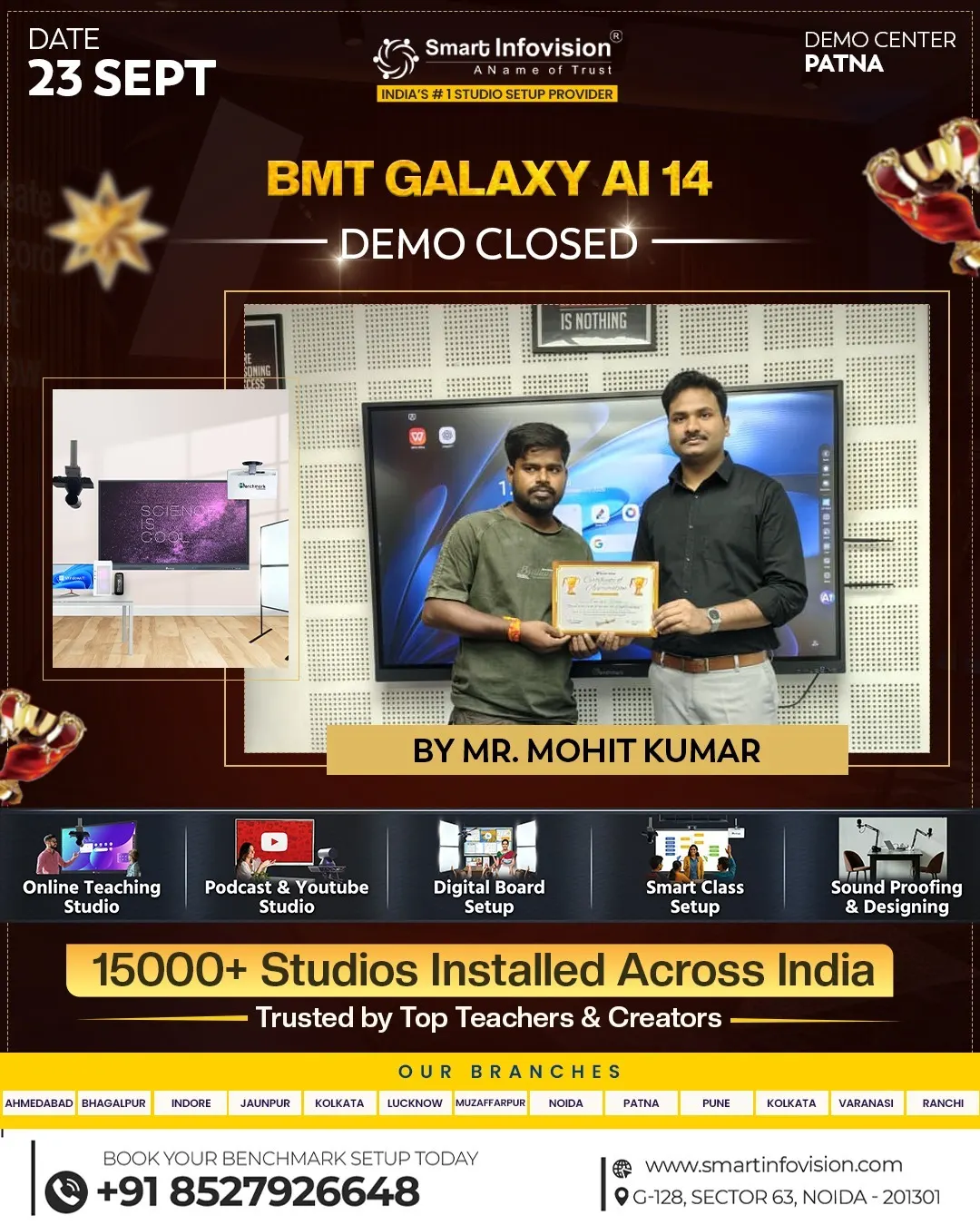
Patna Demo Center mein BMT Galaxy AI 14 ka demo isi practical understanding ka mauka deta hai. Yahan visitors interactive flat panel ko saamne se dekh sakte hain aur samajh sakte hain ki digital board unke classroom, coaching institute ya training space ki needs ke saath kaise fit ho sakta hai.
Smart classroom demo dekhna kyun zaroori hai?
Digital board ek long-term classroom investment hota hai. Isliye decision lene se pehle screen size, writing experience, connectivity aur available features ko practically dekhna helpful rehta hai. Demo ke dauran teacher apne use case ke baare mein sawal pooch sakte hain aur product ka workflow samajh sakte hain.
Patna Demo Center mein BMT Galaxy AI 14 ko dekhte waqt focus sirf display par nahi, balki is baat par bhi ho sakta hai ki board class ke routine mein kaise use hoga. Jaise lesson explain karna, diagrams banana, presentation dikhana ya students ke saath screen par interact karna.
BMT Galaxy AI 14 ka display aur classroom visibility
Benchmark Galaxy 14 ke published product details mein 75-inch 4K UHD display diya gaya hai. Badi screen par text, charts aur diagrams ko classroom mein dikhana aasaan ho sakta hai, khaaskar jab students board se kuch door baithe hon. Product page par anti-glare tempered glass aur 178-degree viewing angle bhi listed hain, jo classroom placement aur visibility evaluate karte waqt dekhne layak points hain.
Demo ke dauran teachers apna regular teaching content dekhkar screen ki readability judge kar sakte hain. Chhote text, subject diagrams aur video content ko test karne se unhe apne classroom ke liye display suitability ka behtar andaaza milta hai.
Touch writing ka practical experience
Interactive panel ka ek important part uska touch response hota hai. BMT Galaxy 14 product details ke mutabik, panel Android par 20 touch points aur Windows par 32 touch points support karta hai. Iske saath dual stylus pens diye gaye hain, jinke through board par writing aur annotation ki ja sakti hai.
Demo ke samay teacher kuch lines likhkar, shapes bana kar aur notes mark karke writing experience check kar sakte hain. Yeh practical check batata hai ki board unke lesson style ke saath kitna comfortable hai. Agar institute mein multiple users ek saath screen par kaam karte hain, to touch support ke baare mein bhi sawal poochna useful rahega.
Android 14 aur daily teaching workflow
Published specifications mein Galaxy 14 ke liye Android 14, 8GB RAM aur 128GB storage listed hai. Is configuration ko dekhte hue demo mein interface, available apps aur teaching resources access karne ka process samajhna chahiye.
Har institute ka teaching workflow alag hota hai. Koi PDF notes use karta hai, koi presentations, aur koi online ya hybrid classes chalata hai. Demo center par apne regular resources ke baare mein poochne se yeh clear ho sakta hai ki board unke existing setup ke saath kaise kaam karega. Specific apps ya AI tools ki availability ko purchase se pehle confirm karna chahiye, kyunki yeh model configuration aur software setup ke hisaab se badal sakti hai.
Connectivity aur classroom setup
Aaj ke smart classroom mein sirf board nahi, balki laptop, internet connection aur kabhi-kabhi camera ya audio equipment bhi kaam aate hain. Galaxy 14 ke listed ports mein USB, HDMI, Type-C aur RJ45 shamil hain. Isliye demo ke dauran institute apne devices connect karne aur unke compatibility requirements ke baare mein pooch sakta hai.
Kharidne se pehle yeh bhi samajhna useful hai ki board wall mount hoga ya trolley par, room mein power aur network points kahan honge, aur installation ke liye kaun-si cheezein pehle se arrange karni hongi. Aise sawal practical planning ko aasaan banate hain.
Kin educators aur institutes ke liye demo useful hai?
BMT Galaxy AI 14 ka demo un schools, colleges, coaching institutes aur educators ke liye relevant ho sakta hai jo apni classes mein digital teaching tools add karna chahte hain. Training rooms aur collaborative spaces ke liye bhi interactive panel ka use explore kiya ja sakta hai.
Demo visit ke dauran institute apni class size, room layout, teaching subjects aur online class requirements share kar sakta hai. Isse product selection ke saath-saath installation aur supporting equipment par bhi zyada specific discussion ho sakti hai.
Patna Demo Center visit se pehle kya taiyar rakhein?
Demo ko useful banane ke liye apne regular teaching material ka ek sample saath rakhna achha rahega—jaise PDF, PPT ya subject diagram. Apne room ka approximate size, students ki sankhya aur existing devices ki list bhi taiyar rakhein.
Aap yeh sawal pooch sakte hain: kaun-se screen sizes available hain, installation mein kya shamil hai, warranty aur after-sales support kaise milti hai, aur aapke existing laptop ya teaching tools ke saath compatibility kya hogi. Agar “Galaxy AI 14” ke naam se kisi particular AI feature ka zikr ho, to us feature ka live demonstration aur model-specific confirmation zaroor maangein.
Smart classroom ke liye informed decision
Patna Demo Center mein BMT Galaxy AI 14 ka practical demo educators ko product ko apni teaching needs ke nazariye se evaluate karne ka mauka deta hai. Display, touch writing, operating system aur connectivity ko khud dekhne se product ke baare mein zyada clear discussion ho sakti hai.
Smart classroom upgrade karte waqt sahi choice wahi hoti hai jo institute ke daily workflow, room setup aur budget ke saath fit ho. Demo ke baad product configuration, installation details, warranty aur support ko confirm karke institute apna decision confidence ke saath le sakta hai.