Online classes, recorded lectures aur live streaming ke liye video quality ek important role play karti hai. Camera ka angle fixed ho, board clearly na dikhe ya teacher frame se bahar ho jaye, toh achha lesson bhi screen par professional nahi lagta. Isi wajah se coaching institutes aur educators ab apne classrooms ko camera-based studio setup mein upgrade kar rahe hain.
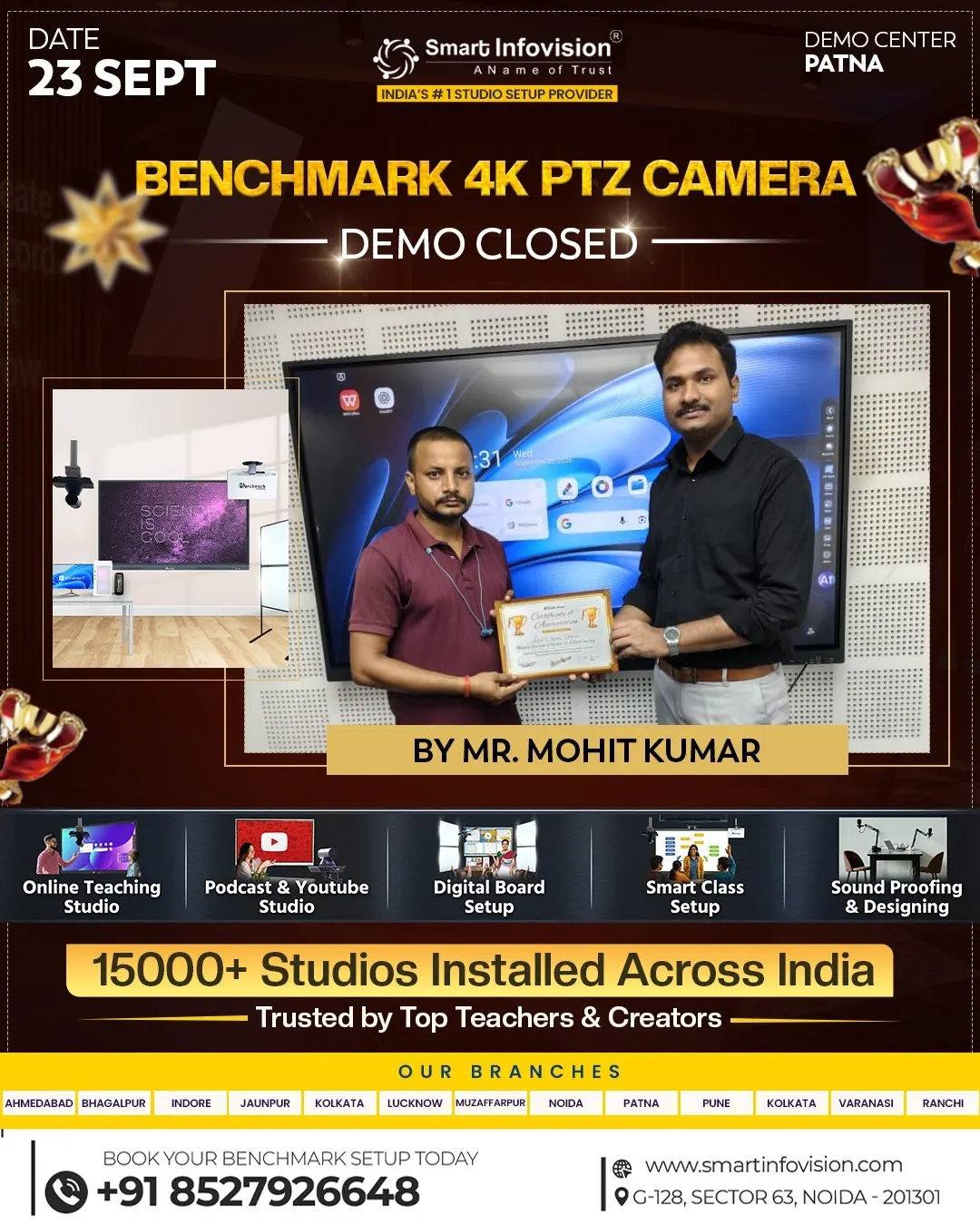
Patna Demo Center mein Benchmark 4K PTZ Camera ka live demo visitors ko camera ke features aur practical use samajhne ka mauka deta hai. Demo ke dauran camera ka pan, tilt aur zoom control dekha ja sakta hai, saath hi yeh bhi samajh aata hai ki camera ko teaching, recording aur live sessions ke liye kaise configure kiya ja sakta hai.
PTZ Camera Kya Hota Hai?
PTZ ka full form Pan, Tilt aur Zoom hai. Pan se camera left-right move karta hai, tilt se up-down angle adjust hota hai, aur zoom se subject ya board ko frame mein paas se dikhaya ja sakta hai. Is movement ko camera ko physically touch kiye bina remote ke through control kiya ja sakta hai.
Classroom mein iska fayda tab dikhta hai jab teacher board ke alag-alag sections samjha rahe hon ya room mein move karte hue padhate hon. Camera angle ko session ke hisaab se adjust karke teacher, board aur classroom ke wider view ko capture kiya ja sakta hai.
Live Demo Mein Kya Dekhne Ko Milta Hai?
Demo ka sabse useful part camera ko actual teaching environment mein kaam karte dekhna hai. Visitors samajh sakte hain ki camera ko kahan mount karna chahiye, framing kaise set hoti hai aur board aur presenter dono ko frame mein kaise rakha ja sakta hai.
Remote control se pan, tilt aur zoom functions test kiye ja sakte hain. Isse educators ko camera operate karne ka practical idea milta hai. Demo ke samay room lighting aur camera placement par bhi dhyan dena chahiye, kyunki final video quality sirf camera par nahi, poore setup par depend karti hai.
Benchmark Technomate ki official product listing mein 4K resolution, PTZ functionality, optical zoom, autofocus, low-light performance aur multiple connectivity options mention kiye gaye hain. Camera ki exact configuration aur supported connections ko purchase se pehle demo center par verify karna behtar rahega.
4K Resolution Ka Practical Use
4K resolution ka benefit tab nazar aata hai jab recording mein fine details dikhani hon. Teacher ke expressions, presentation material aur board par likhe content ko capture karne mein high-resolution video madad kar sakta hai. Online classes aur recorded lessons mein clear visuals students ke viewing experience ko behtar bana sakte hain.
Lekin 4K camera lagane bhar se har video automatically high quality nahi ho jata. Room lighting, camera distance, lens framing, network speed aur recording software ki settings bhi result ko affect karti hain. Live demo ke dauran apne use case ke hisaab se in sab points par sawal poochna useful rahega.
Coaching Institute Aur Educators Ke Liye Use Cases
Benchmark 4K PTZ Camera ko alag-alag teaching aur content workflows mein use kiya ja sakta hai:
- Live classes: Teacher aur board ko ek hi session mein capture karne ke liye.
- Lecture recording: Future batches ya revision ke liye lessons save karne ke liye.
- Hybrid classrooms: In-person students ke saath remote learners ko bhi session dikhane ke liye.
- Online courses: Structured video lessons record karne ke liye.
- Webinars aur meetings: Presenter aur room ke selected views ko capture karne ke liye.
Har institute ka room size aur teaching style alag hota hai. Isliye demo ke waqt yeh dekhna chahiye ki camera aapke classroom mein required area cover kar pa raha hai ya nahi.
Camera Ko Studio Setup Ka Hissa Kaise Banayein?
Professional setup ke liye camera ke saath kuch supporting equipment ki planning bhi zaroori hai. Ek basic teaching studio mein 4K PTZ Camera ke alawa microphone, suitable lights, computer ya recording system, display board aur required cables shamil ho sakte hain.
Camera placement aisi honi chahiye ki teacher ke movement ke liye space rahe aur board ka important content cover ho. Lighting ko presenter aur board par evenly arrange karna chahiye, taaki face ya written content par harsh shadows na aayein. Microphone ko bhi speaker ke paas rakhna useful hota hai, kyunki viewers ke liye clear audio utna hi zaroori hai jitni clear video.
Setup final karne se pehle camera ko apne preferred software aur recording workflow ke saath test karein. Live demo mein yeh confirm karein ki available connectivity options aapke system ke saath match karte hain. Cable routing aur mounting ke baare mein bhi pehle se sochna chahiye, jisse room neat aur safe rahe.
Demo Visit Se Pehle In Baaton Ki Taiyari Karein
Patna Demo Center jaate samay apne studio ya classroom ki basic details saath rakhein—room ka approximate size, camera se board ki distance, mounting preference aur aapka main use case. Agar aap live classes chalate hain, toh batayein ki aapko teacher-focused framing chahiye, board coverage ya wider classroom view.
Team se warranty options, installation support, compatible devices aur actual product configuration ke baare mein bhi poochhein. Demo mein apne typical lecture ka short test karna sabse helpful hoga: board par likhna, room mein move karna aur camera framing dekhna. Isse aapko samajh aayega ki proposed setup aapke daily workflow ke liye practical hai ya nahi.
Kya Live Demo Aapke Liye Sahi Rahega?
Agar aap coaching institute, school, training center ya educational content studio chala rahe hain, toh camera sirf video record karne ka device nahi—woh aapke teaching workflow ka hissa hai. Benchmark 4K PTZ Camera ka live demo aapko image quality, movement control aur setup requirements ko samajhne mein madad de sakta hai.
Final decision apne classroom layout, content needs aur existing equipment ko dekhkar lein. Patna Demo Center mein practical demonstration dekhkar aap camera ke features ko apne use case se compare kar sakte hain aur studio setup ke next steps plan kar sakte hain.