Online Teaching ka Professional Future
Digital education ka landscape pichle kuch saalon me dramatically change hua hai. Aaj ke time me ek successful teacher sirf classroom tak limited nahi hai. Wo ek educator ke saath-saath ek content creator, brand builder aur digital influencer bhi hai.
Online teaching platforms, YouTube channels, recorded courses aur live classes ne teaching ko ek scalable profession bana diya hai. Lekin is transformation ka sabse important part hai — professional studio setup.
Agar aap ek teacher ho aur aap apni classes ko next level par le jana chahte ho, to ek structured aur optimized studio setup bahut zaruri hai. Yeh sirf video quality improve nahi karta, balki aapki credibility, student engagement aur revenue potential ko bhi increase karta hai.
Is guide me hum detail me samjhenge ki 2026 me ek ideal online teaching studio setup kaisa hona chahiye, kaunse tools zaruri hain, aur kaise aap ek professional teaching environment create kar sakte hain.
Why Studio Setup is Important for Online Teachers
Online teaching me competition bahut zyada badh chuka hai. Students ke paas multiple options available hote hain. Aise me wo teacher ko choose karte hain jo:
- Clear aur engaging explanation deta ho
- Professional dikhta ho
- High-quality video aur audio provide karta ho
Agar aapka setup weak hai, to aapka content achha hone ke baad bhi impact kam ho jata hai.
Key Benefits of Professional Studio Setup
- Better Student Engagement
High-quality visuals aur audio students ko long time tak connected rakhte hain. - Improved Learning Experience
Clear explanation, diagrams aur visuals se understanding improve hoti hai. - Professional Branding
Aap ek serious educator ke roop me appear hote hain. - Content Reusability
Recorded lectures ko multiple platforms par use kiya ja sakta hai. - Higher Revenue Opportunities
Courses, subscriptions aur YouTube monetization possible hota hai.
Core Components of Best Studio Setup (2026)
Ek professional teaching studio multiple components ka combination hota hai. Har component ka apna role hota hai.
1. Camera Setup – Visual Quality ka Foundation
Camera aapke studio ka sabse visible part hota hai. Yeh decide karta hai ki aapka video kitna sharp, clear aur professional dikhega.
Camera Options
1. Smartphone (Budget Friendly)
Agar aap beginner ho, to high-end smartphone bhi kaafi hai. Aaj ke smartphones 1080p aur 4K recording support karte hain.
2. Webcam
Online classes ke liye USB webcams ek simple aur effective solution hain.
3. DSLR / Mirrorless Camera
Professional teachers ke liye best option. Yeh depth, clarity aur color accuracy provide karta hai.
4. PTZ Camera
Advanced studios me use hota hai jahan automation aur multiple angles ki zarurat hoti hai.
Camera Setup Tips
- Camera ko eye level par rakhein
- Frame me headroom balanced ho
- Background blur (bokeh) use karein
- Minimum 1080p resolution maintain karein
2. Microphone Setup – Audio is More Important Than Video
Agar video average ho aur audio clear ho, to student class continue karega. Lekin agar audio poor ho, to best video bhi fail ho jata hai.
Microphone Types
1. Collar Mic (Lavalier Mic)
Sabse popular option teachers ke liye. Easy to use aur affordable.
2. USB Mic
Podcast style recording ke liye ideal. Desktop teaching ke liye best.
3. Wireless Mic
Advanced setup ke liye. Movement freedom deta hai.
Audio Optimization Tips
- Mic ko chest ke paas place karein
- Background noise kam rakhein
- Echo avoid karne ke liye soft furnishings use karein
- Pop filter ka use karein (USB mic ke saath)
3. Lighting Setup – Professional Look ka Secret
Lighting ek aisa factor hai jo aapki video quality ko instantly improve kar deta hai.
Types of Lighting
1. Ring Light
Face lighting ke liye best. Beginners ke liye ideal.
2. Softbox Light
Soft aur diffused lighting provide karta hai.
3. LED Panel Lights
Adjustable aur professional lighting solution.
Three-Point Lighting Concept
- Key Light (main light source)
- Fill Light (shadow reduce karne ke liye)
- Back Light (subject ko background se separate karne ke liye)
Lighting Tips
- Face par direct harsh light avoid karein
- Natural light ka use karein (agar available ho)
- Light temperature consistent rakhein
4. Background Setup – Visual Branding
Background aapki personality aur professionalism ko reflect karta hai.
Background Options
- Plain wall
- Bookshelf setup
- Branded background
- Digital board setup
- LED aesthetic background
Best Practices
- Clean aur clutter-free background rakhein
- Distracting elements avoid karein
- Colors balanced hone chahiye
- Branding elements add kar sakte hain
5. Digital Board / Writing Setup
Teaching me explanation sabse important hota hai. Writing tools is process ko easy aur effective banate hain.
Options Available
1. Whiteboard + Camera
Traditional aur affordable method.
2. Pen Tablet
Digital writing ke liye best budget solution.
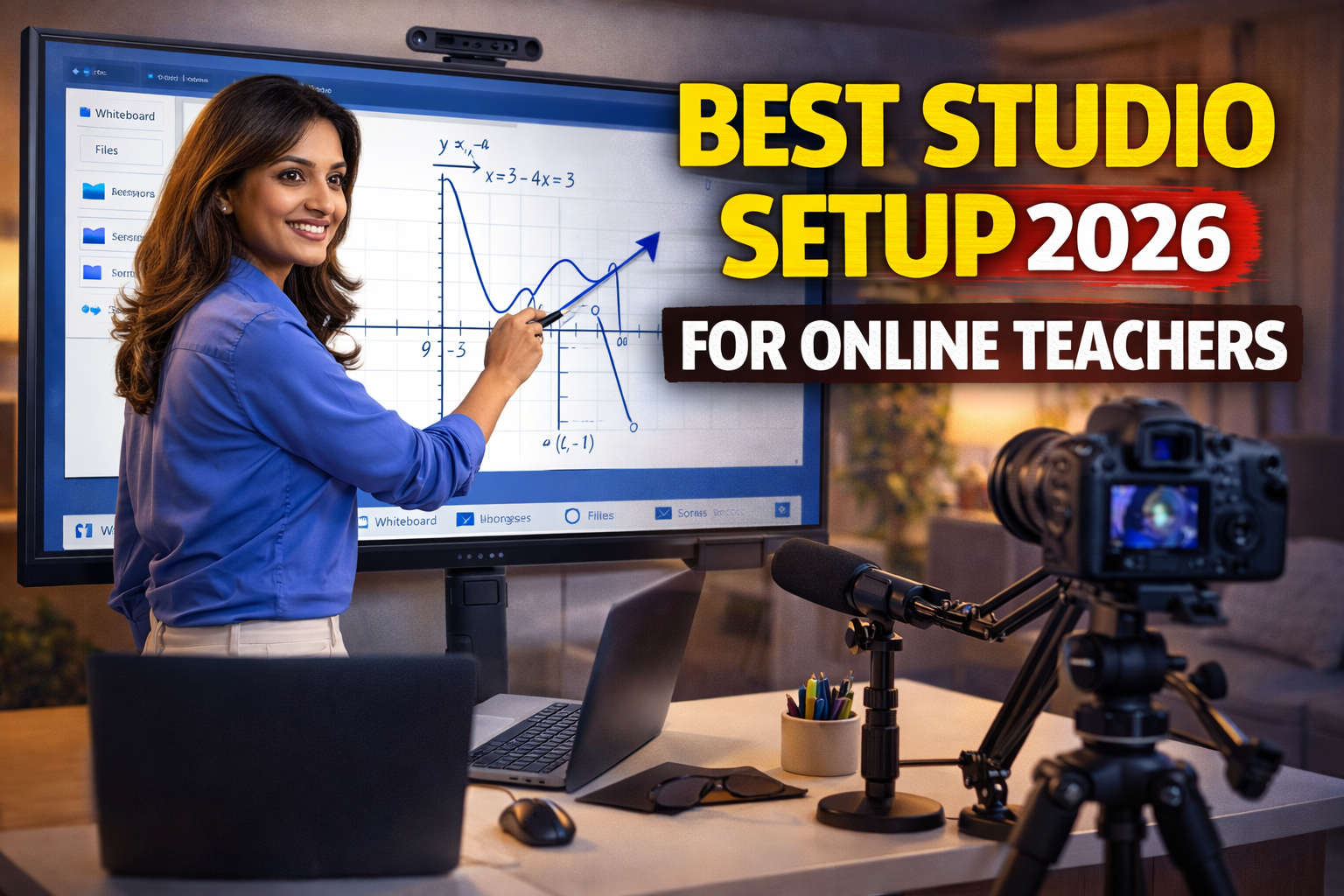
3. Interactive Flat Panel
Advanced teaching setup ke liye best option.
Advantages of Digital Writing
- Clean notes
- Easy sharing
- Recording possible
- Visual clarity
6. Tripod and Mounting Equipment
Camera stability ke liye tripod essential hai.
Benefits
- Stable video
- Professional framing
- Easy adjustments
7. Software Setup – Recording and Streaming Tools
Hardware ke saath software bhi equally important hai.
Popular Tools
- OBS Studio
- Zoom
- Google Meet
- Microsoft Teams
Recording Tips
- Screen recording enable karein
- Audio levels check karein
- Backup recording rakhein
Complete Studio Setup Examples
Beginner Setup
- Smartphone
- Collar mic
- Ring light
- Tripod
Intermediate Setup
- Webcam / DSLR
- USB mic
- LED lighting
- Pen tablet
Professional Setup
- Mirrorless camera
- Wireless mic
- Multi-light setup
- Interactive flat panel
Common Mistakes Teachers Make
- Audio ko ignore karna
- Lighting setup skip karna
- Background cluttered rakhna
- Camera angle galat rakhna
- Over investment bina planning ke
How to Teach Professionally Online
- Camera me dekh kar baat karein
- Voice modulation use karein
- Visual aids include karein
- Student interaction maintain karein
- Structured content deliver karein
Latest Trends in Online Teaching (2026)
- AI-based teaching tools
- Hybrid classrooms
- Interactive content
- Recorded + live teaching combination
- Personalized learning systems
Future Upgrade Strategy
Ek smart teacher hamesha upgrade plan rakhta hai:
- Basic setup se start karein
- Revenue generate hone par upgrade karein
- High-quality equipment gradually add karein
FAQ – Frequently Asked Questions
Q1. Best studio setup ka budget kitna hota hai?
Budget ₹20,000 se ₹2,00,000 tak vary karta hai.
Q2. Kya smartphone se teaching possible hai?
Haan, proper lighting aur mic ke saath.
Q3. Sabse important component kya hai?
Audio aur lighting.
Q4. Kya digital board zaruri hai?
Advanced teaching ke liye recommended hai.
Q5. Recording karna zaruri hai?
Haan, future content aur student revision ke liye.
Conclusion
Online teaching ka future bright hai, lekin competition bhi utna hi high hai. Ek professional studio setup aapko sirf better teacher nahi banata, balki ek strong digital brand bhi create karta hai.
Aapko shuruat me perfect setup ki zarurat nahi hai. Sabse important hai sahi planning aur gradual improvement. Ek structured approach ke saath aap ek powerful teaching studio create kar sakte hain jo aapko long-term success dilata hai.
Contact Details
+91 9560805022