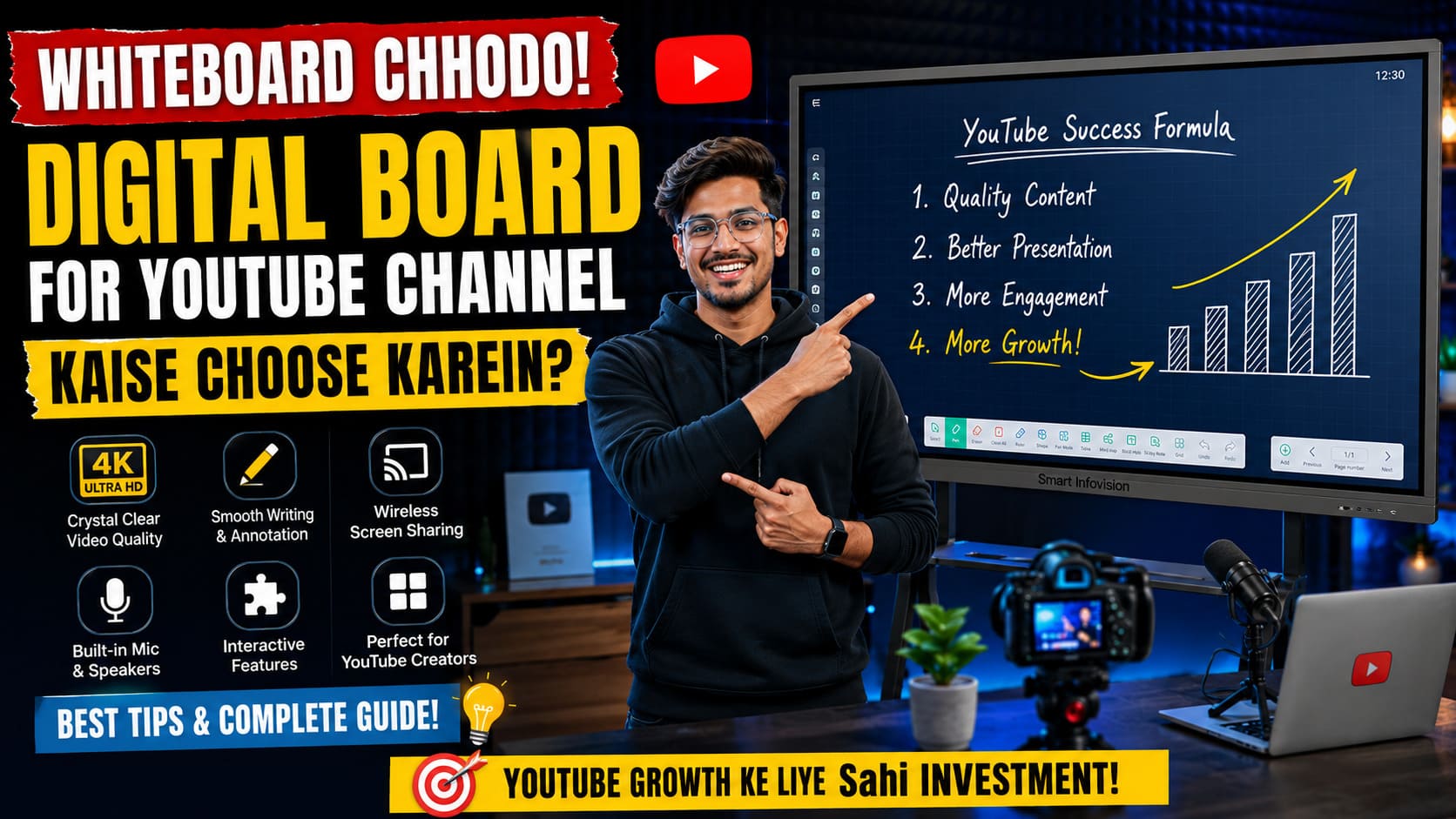
Agar aap ek educator, creator, ya online mentor hain aur aaj bhi traditional green board ya whiteboard par marker ghis rahe hain, toh aap digital race mein peeche chhoot rahe hain. YouTube aur interactive learning ke is advance daur mein, viewers ko chahiye dynamic visuals, high-quality graphics aur clear text annotation. Raw text likhne mein apna 50% time waste karne ke bajaye, ab waqt hai smart banne ka.
Ek professional interactive flat panel (IFP)—jise aam bhasha mein hum Digital Board ya Smart Board kehte hain—aapke pure teaching content delivery ko transform kar deta hai. Lekin market mein itne saare brands aur configurations hone ke wajah se sahi choice karna mushkil ho jata hai.
Aapke content, studio size aur target audience ke hisaab se sahi digital panel chunne ka aasan tarika aur dynamic blueprints yahan diye gaye hain.
1. Screen Size: Apne Room Aur Camera Frame Ke Hisaab Se Chunye
Digital board choose karte waqt sabse pehli aur badi galti log size selection mein karte hain. Market mein standard teen sizes aate hain: 65-inch, 75-inch, aur 86-inch. Aapko kaun sa lena chahiye, yeh aapke camera frame aur space par depend karta hai.
[Chota Classroom / Studio Frame] ──> 65 Inch (Budget Friendly)
[Standard YouTube Studio Setup] ──> 75 Inch (Most Popular & Highly Recommended)
[Large Hybrid Class / Auditorium] ──> 86 Inch (Premium Experience)
Agar aapka budget limited hai ya room ka size chota hai, toh 65-inch board se shuruaat ho sakti hai. Lekin agar aap professional long-form detailed lectures record karte hain jahan aapko multiple windows ya bada text space chahiye, toh 75-inch screen size perfect balance hai. India mein maximum educational content creators 75-inch panel hi use karte hain kyunki yeh camera lens ke field-of-view (FOV) mein perfectly fit baithta hai. Comprehensive consultation ke liye aap desh ke trusted provider Smart Infovision Digital Boards par sahi pricing aur model metrics check kar sakte hain.
2. Technical Specifications Jo Aapke Content Ko Leg-Free Banayein
Ek badhiya smartphone khareedte waqt aap RAM aur Processor check karte hain na? Sahi digital board select karte waqt bhi yahi rules apply hote hain. Laggy writing aur thermal heating se bachne ke liye nishchit karein ki aapka board in specifications se equipped ho:
OS Aur Hardware Configuration (2026 Standards)
- Operating System: Minimum Android 13 ya Android 14 base hona chahiye taaki apps smooth chalein aur up-to-date security features milein.
- RAM & Storage: Kam se kam 4GB ya 8GB RAM aur 32GB/64GB/128GB Storage hona mandatory hai taaki badhi heavy PPTs aur 4K video files bina lag ke load ho sakein.
- Writing Lag (Response Time): Yeh less than 5ms ya 8ms hona chahiye. Agar response time kharab hoga, toh aap pen chalayenge pehle aur screen par likha hua aayega thodi der baad—jo live streaming mein bahut bura lagta hai.
3. Zero Bonding Aur Anti-Glare Glass: Video Clarity Ka Secret
Bohot se teachers jab apna digital studio khud banate hain toh unhe video mein reflection (chamak) ki problem aati hai. Jab aapki studio lights digital panel ke glass par girti hain, toh ek blinding glare banta hai jisse viewers ko text dikhna band ho jata hai.
Pro Studio Formula: Hamesha Anti-Glare (AG) Matte Glass wala panel hi choose karein jo studio ke ambient lights ko diffuse kar sake. Iske sath hi, panel mein Zero Bonding Technology honi chahiye. Zero bonding ka matlab hai ki touch panel aur display glass ke beech mein koi air gap nahi hota, jisse parallax error khatam ho jata hai aur writing precision bilkul smooth, pen-to-paper jaisi feel deti hai.
Complete studio consulting aur hardware compatibility ke liye aap direct solutions partner Smart Infovision Online Class Studio Setup se live experience centers par hardware live demo le sakte hain.
4. In-Built Software Aur Tools: Note Software Ki Importance
Digital board ka asli dil uska writing application hota hai, jise zyadatar brands Note 3, Note 5, ya Note 14 software ke roop mein dete hain. Ek behtareen teaching panel mein niche diye gaye software functions zaroori hain:
- Smart Shapes & Tools: Math, Chemistry aur Physics ke teachers ke liye 2D/3D shapes, geometric tools aur periodic tables in-built hone chahiye.
- Multi-Touch Capabilities: Kam se kam 20-point ya 40-point touch support hona chahiye taaki aap ek sath screen par do log ya do haath se bina kisi multi-input error ke likh sakein.
- Easy Export & QR Code: Class khatam hote hi screen par ek QR code generate ho jana chahiye jise scan karke bacche pura lecture PDF ke form mein apne phone par download kar sakein.
Price Analysis Matrix: Apne Budget Ko Smartly Plan Karein
India mein standard trusted configuration ke hisaab se cost assessment aur segments kuch is prakar hain:
| Screen Size | Entry-Level Segment | Recommended Segment (Flagship Core) | Best For |
| 65 Inch | ₹85,000 – ₹95,000 | ₹1,20,000 – ₹1,35,000 | Small Rooms / Crash Courses |
| 75 Inch | ₹1,15,000 – ₹1,30,000 | ₹1,55,000 – ₹1,75,000 | Professional YouTube & Paid Apps |
| 86 Inch | ₹1,95,000 – ₹2,10,000 | ₹2,35,000 – ₹2,75,000 | Big Classrooms / Hybrid Institutions |
Aap unbranded local panels ke chakkar mein thode paise bachane ke liye apni quality se compromise na karein, kyunki local boards mein hardware failures aur limited software security patches milte hain. Top educators India mein Benchmark Technomate (Galaxy/Maxpro Series) ya premium systems prefer karte hain jo pan-India comprehensive service network ke sath aate hain. Aap directly customized quotes aur products ke specs Smart Infovision Store Catalog par jakar unke digital store interfaces se compare kar sakte hain.
5. After-Sales Service: Sabse Important Factor
Digital board koi aisi cheez nahi hai jise aap kharab hone par local mechanic ke paas le jayein. Yeh ek heavy commercial appliance hai. Isliye panel khareedne se pehle yeh zaroor confirm karein ki aapko 3 Years On-Site Warranty mil rahi ho.
Smart Infovision jaise leading provider isiliye famous hain kyunki unke Noida, Indore, Lucknow, Patna aur Pune jaise shehron mein 12+ physical experience centers hain, jo panel delivery ke sath free installation, physical teacher training aur reliable after-sales technical support provide karte hain.
Conclusion: Apne Channel Ko Banayein Professional Growth Machine
Ek behtareen digital board par invest karna koi kharcha nahi, balki aapke online education career aur YouTube growth ke liye ek long-term asset hai. Sahi screen size (preferably 75-inch), responsive Note writing software aur robust anti-glare panel ke sath aap bina kisi structural limits ke international standard ka high-yield content deliver kar sakte hain.
Apne studio room ka assessment kijiye, up-to-date specs par focus rakhiye aur apne digital space ko badhiye heights par lekar jaiye!
Sahi budget and technical calibration ko real-time samajhne ke liye, aap is specific session ko follow kar sakte hain jahan Smart Infovision Board Comparison Guide mein features, display calibration aur right price selection frameworks ko detail mein dikhaya gaya hai taaki aap koi galat brand purchase na karein.