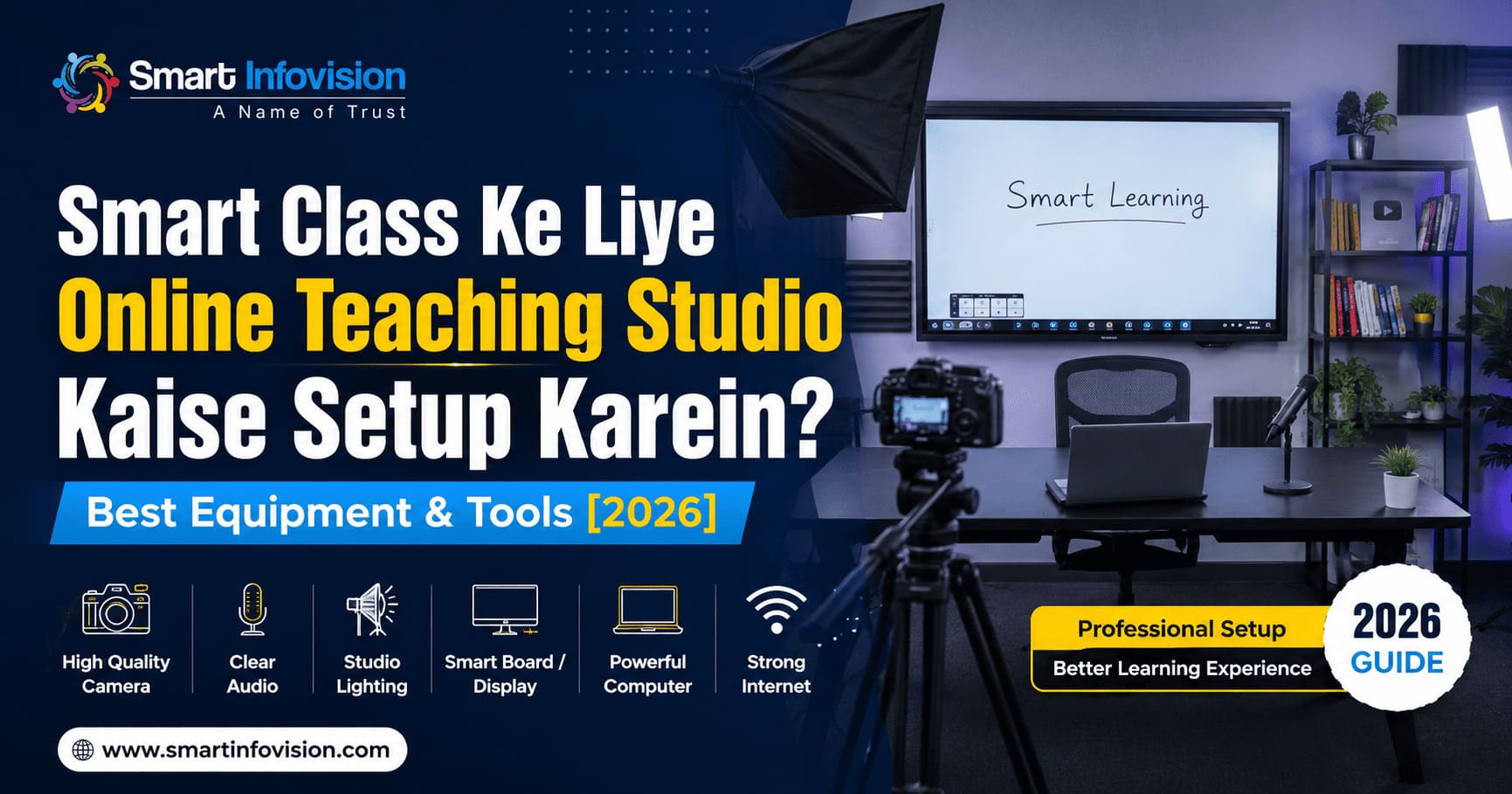
Education industry me digital transformation ab ek normal baat ban chuka hai. Aaj ke samay me agar aap ek tutor, creator, ya coaching institute run karte hain, toh sirf ek basic webcam aur white board se kaam nahi chalne wala. Agar aapko YouTube, specialized android apps, ya web platforms par premium content deliver karna hai, toh aapke paas ek professional digital infrastructure hona zaroori hai.
Ek high-quality smart class setup na keval aapke lectures ko professional banata hai, balki students ka engagement rate bhi 60% tak badha deta hai. Lekin sabse bada sawal yeh aata hai: Ek perfect online teaching studio kaise setup karein aur isme kaun-kaun se sahi equipment lagenge?
Is complete step-by-step guide me hum baat karenge un digital tools aur hardware ki jo 2026 me aapke digital setup ko baakiyon se alag banayenge.
1. Digital Board (Interactive Flat Panel): Aapka Core Ecosystem
Online teaching studio ka sabse bada aur important component hota hai interactive flat panel (IFP), jise aam bhasha me digital board kaha jata hai. Purane whiteboards par bar-bar likhna aur mitana time consume karta hai, jabki digital board par aap direct PPTs, PDFs, 3D diagrams, aur internet resources ko real-time me use kar sakte hain.
Agar aap market me best option dhoond rahe hain, toh premium digital boards ke liye aap Smart Infovision Digital Board Solutions check kar sakte hain, jo pure India me educators ke beech sabse zyada trust kiya jata hai.
[Aspirant Requirement] ──> Anti-Glare Screen ──> Zero Writing Delay (AI Stylus) ──> Dual OS (Android + Windows)
Ek Acche Smart Board Me Kya Hona Chahiye?
- Size Guide: Ek normal online class recording ke liye 75-inch ya 86-inch ka panel sabsbe ideal maana jata hai taaki aapko likhne ke liye kaafi space mile.
- Zero Air Gap Technology: Likhne ke dauran panel aur stylus ke beech koi delay (lag) nahi hona chahiye.
- Advanced Hardware: Aaj ke modern ecosystem me Benchmark Maxpro 14 AI jaise panels aate hain jo Android 13, 8GB RAM, aur built-in Windows OPS computer ke sath aate hain, jisse seamless multitasking ho sake.
2. Professional Camera: High-Definition Visual Experience
Aapka content kitna bhi accha ho, agar video quality clear nahi hai toh students screen par bore hone lagte hain. Online coaching ke liye aapko do tarah ke cameras me se chunna hota hai:
PTZ (Pan-Tilt-Zoom) Cameras vs. DSLR
Online live streaming aur heavy daily recording ke liye 4K PTZ Camera sabse best maana jata hai. Yeh cameras AI auto-tracking feature ke sath aate hain, yaani jab aap board par left-to-right move karenge, toh camera ka lens aapko automatic track karega. Iske liye aapko kisi extra camera operator ki zaroorat nahi padti.
Aap apne budget ke hisab se Smart Infovision Complete Studio Packages ko explore kar sakte hain, jahan Benchmark 4K PTZ cameras aur AI-enabled video capturing tools ka integrated combination mil jata hai.
3. High-Fidelity Audio Setup: Clear Voice Architecture
Aapki video quality thodi average ho toh chal jayegi, par agar audio me background noise, echo, ya low sound rahi, toh koi bhi student aapka lecture 2 minute se zyada nahi dekhega.
Audio infrastructure ko perfect banane ke liye aapko do chizon par dhyan dena hoga:
[Audio Quality] ──> Acoustic Foam/Panels (Echo Control) ──> Premium Wireless/Podcast Microphone
Studio Microphones Ke Best Options:
- Wireless Collar Mics (Lavalier): Agar aap padhate waqt board ke samne bohot zyada chalte-phirte hain, toh Sennheiser ya Kodak ke professional wireless lapel microphones best hain.
- Podcast Microphones: Agar aap ek jagah baith kar screen-share ya face-cam videos banate hain, toh core cardioid pattern wale digital USB mics best output dete hain.
4. Studio Lighting System: Shadow-Free Environment
Digital boards hamesha glass-finish ya specialized anti-glare coatings ke sath aate hain. Agar aap studio me normal ceiling bulbs ya gaddhedar lights lagayenge, toh board par ek bada sa “reflection spot” dikhega jo viewers ko pareshan karega.
Perfect Lighting Game Plan:
- Flicker-Free LED Lights: Hamesha customized studio LED panel lights (Jaise BMT Anti-Flicker Lights) use karein.
- Diffusers Ka Istemal: Lights ke aage softboxes ya diffusers zaroor lagayein taaki aapke chehre par aur board par light soft tarike se spread ho aur koi harsh shadow na bane.
- Three-Point Lighting Setup: Ek light chehre par (Key Light), ek shadow fill karne ke liye (Fill Light), aur ek background ya board ke upper balancing ke liye honi chahiye.
5. System Configuration & Live Streaming Software
Sare hardware ko aapas me integrate karne ke liye aapko ek powerful Computer System/Laptop aur right software integration ki zaroorat hoti hai.
- PC Requirements: Minimum Core i5 or AMD Ryzen 5 processor, 16GB RAM, aur ek dedicated Graphics Card zaroor rakhein taaki 4K live streaming ke dauran aapka system crash na ho.
- OBS Studio (Open Broadcaster Software): Yeh ek free aur sabse powerful software hai jahan aap apne digital board input, camera feed, aur mic audio ko ek sath mix karke YouTube ya apni personal application par live stream kar sakte hain.
Anubhav aur exact deployment cost samajhne ke liye aap Smart Infovision Virtual Class Studio Setup Specification par ja kar technical parameters, hardware compatibility matrix, aur components ki details dekh sakte hain jo bade institutes use kar rahe hain.
Comprehensive Cost Analysis for Studio Setup
Aapke budget aur requirements ke hisab se setup cost badal sakti hai. Chaliye ek micro-level breakdown dekhte hain:
| Studio Component | Entry-Level Setup (Beginners) | Premium Setup (Institutes/Pro) |
| Interactive Panel | 65-Inch Basic Board | 75 / 86-Inch 4K AI Integrated Panel |
| Camera Tech | 1080p Web-Cam / Static Cam | 4K PTZ Auto-Tracking AI Camera |
| Audio Gear | Wired Lavalier Microphone | Dual Channel Wireless Noise-Cancelling Mic |
| Lighting Infrastructure | 2 Softbox Studio Lights | Multi-Directional Anti-Flicker LED Array |
| Furniture & Aesthetics | Standard Table + Green Screen | Digital Metallic Podium + Acoustic Wall Panels |
Conclusion: Sahi Direction Me Kadam Badhayein
Ek behtareen smart classroom taiyar karna sirf paisa kharch karne ke baare me nahi hai, balki sahi components ko sahi tarike se integrate karne ke baare me hai. Sahi digital board, accurate tracking camera, clear audio, aur perfect lighting milkar aapke content ki value ko 10x badha dete hain.
Agar aap pehli baar setup kar rahe hain aur confusions se bachna chahte hain, toh kisi expert team se consultancy lena ek smart decision hoga taaki aapka investment sahi jagah utilize ho sake.
Studio setup ki physical planning, layout alignment, aur real-world execution ko acche se samajhne ke liye aap is guide video ko dekh sakte hain: Teaching Studio Setup Cost kitna kharcha aayega? Full Educational Video Studio Tour. Isme detail me bataya gaya hai ki panels aur lighting angles ko real room dimensions me kaise install kiya jata hai.