Smart Board Repairing Number | Smart Infovision Service Center
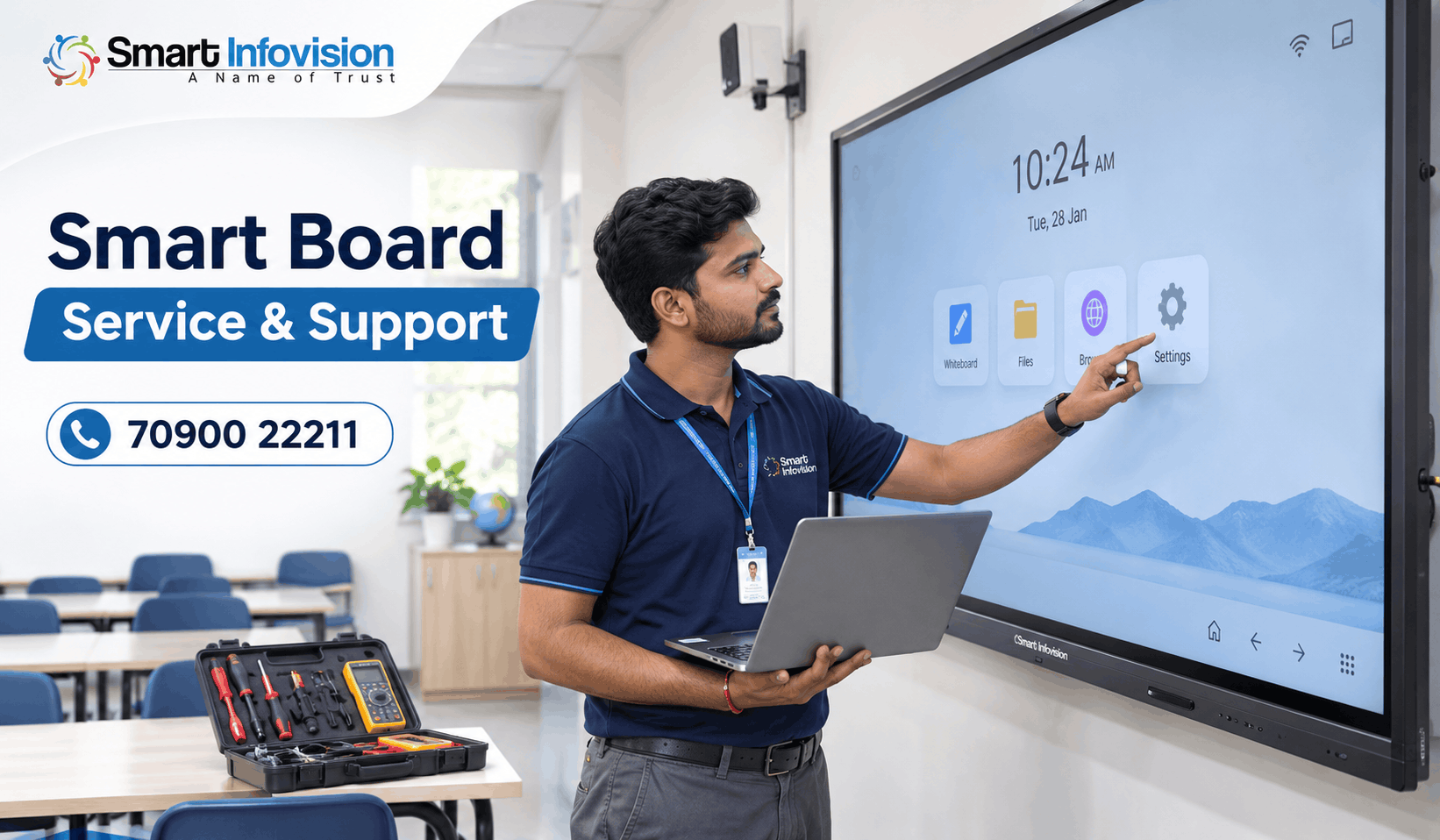
अगर आप Smart Board Repairing Number खोज रहे हैं, तो Smart Infovision के service helpline number 70900 22211 पर संपर्क कर सकते हैं। Digital Board, Interactive Flat Panel, touch screen, display, software, connectivity और अन्य technical problems से संबंधित सहायता के लिए Smart Infovision की official website पर service complaint भी register की जा सकती है।
आज स्कूलों, कॉलेजों, कोचिंग संस्थानों, ऑनलाइन टीचिंग स्टूडियो और कॉर्पोरेट कार्यालयों में Interactive Flat Panel का उपयोग लगातार बढ़ रहा है। इन उपकरणों की मदद से शिक्षक डिजिटल नोट्स तैयार करते हैं, presentations दिखाते हैं और interactive तरीके से विद्यार्थियों को पढ़ाते हैं। हालांकि, किसी भी electronic device की तरह smart board में भी समय के साथ तकनीकी समस्याएं उत्पन्न हो सकती हैं।
Smart board mein touch response band hona, screen par lines aana, Android system ka hang hona ya OPS computer connect nahi hona classroom activities ko affect kar sakta hai. Aise samay par problem ki sahi identification aur reliable technical support bahut zaroori hota hai.
इस विस्तृत लेख में स्मार्ट बोर्ड रिपेयरिंग, सर्विस सेंटर, तकनीकी समस्याओं, warranty support, maintenance और service request registration से संबंधित महत्वपूर्ण जानकारी दी गई है।
Smart Board Repairing Number – Quick Contact Information
Smart Infovision का official smart board service helpline number 70900 22211 है। Digital board में किसी प्रकार की technical problem होने पर उपयोगकर्ता इस नंबर पर संपर्क करके अपने product model, warranty status और उपलब्ध service options के बारे में जानकारी प्राप्त कर सकते हैं।
| Service Information | Details |
|---|---|
| Service Provider | Smart Infovision |
| Smart Board Repairing Number | 70900 22211 |
| Service Email | service@smartinfovision.com |
| Service Category | Digital Board and Interactive Flat Panel Technical Support |
| Complaint Registration | Online Service Complaint |
| Official Website | Smart Infovision |
| Service Availability | Subject to product, location and service eligibility |
यह नंबर Smart Infovision की service enquiries के लिए है। इसे सभी digital board manufacturers का common customer care number नहीं समझना चाहिए।
What Is a Smart Board Repairing Service?
स्मार्ट बोर्ड रिपेयरिंग सर्विस एक तकनीकी सहायता प्रक्रिया है, जिसके अंतर्गत Interactive Flat Panel या Digital Board में उत्पन्न hardware, software, display और connectivity संबंधी समस्याओं की पहचान की जाती है। आवश्यकता के अनुसार configuration correction, software support, component inspection या replacement का सुझाव दिया जा सकता है।
Ek modern interactive flat panel sirf ek display nahi hota. Ismein touch technology, operating system, processor, memory, connectivity ports, speakers aur kai electronic components integrated hote hain. Kisi ek component mein problem aane se board ki overall functionality affect ho sakti hai.
सर्विस का उद्देश्य उपकरण की समस्या को समझना और उसके लिए उपयुक्त समाधान निर्धारित करना होता है। प्रत्येक समस्या में hardware बदलना आवश्यक नहीं होता। कई बार गलत input selection, incompatible application या external connectivity के कारण भी बोर्ड ठीक से काम नहीं करता।
विभिन्न उपकरणों की संरचना समझने के लिए Smart Infovision की Interactive Flat Panel collection देखी जा सकती है।
About Smart Infovision Service Center
Smart Infovision डिजिटल एजुकेशन और classroom technology से संबंधित उत्पाद उपलब्ध कराने वाली कंपनी है। इसके product portfolio में Interactive Flat Panels, Digital Boards, teaching studio equipment, PTZ cameras और अन्य educational technology solutions शामिल हैं।
कंपनी अपनी official website पर sales और service enquiries के लिए अलग-अलग contact information उपलब्ध कराती है। इससे मौजूदा ग्राहक technical support के लिए संबंधित विभाग तक पहुंच सकते हैं।
Agar aapne Smart Infovision se digital board purchase kiya hai, toh invoice aur product model details ke saath service team se contact karna useful rahega. Kisi doosre seller se kharide gaye product ke liye pehle service eligibility confirm karni chahiye.
स्कूल और कोचिंग संस्थान जो अपने classroom technology infrastructure को समझना चाहते हैं, वे Smart Classroom Setup Solutions की जानकारी भी प्राप्त कर सकते हैं।
Why Do Smart Boards and Interactive Flat Panels Require Repair?
Interactive Flat Panel का उपयोग सामान्य television की तुलना में अलग प्रकार की गतिविधियों के लिए किया जाता है। इसमें प्रतिदिन handwriting, annotation, application switching, screen sharing, internet browsing और external computer connectivity का इस्तेमाल हो सकता है। इसलिए इसकी performance कई hardware और software systems पर निर्भर करती है।
लगातार इस्तेमाल, पुराने software, environmental dust, ventilation की कमी, accidental physical damage और external connection problems के कारण उपकरण की functionality प्रभावित हो सकती है। प्रत्येक समस्या का कारण अलग होता है और केवल दिखाई देने वाले लक्षणों के आधार पर किसी component को खराब घोषित करना उचित नहीं है।
For example, agar screen par image nahi aa rahi hai, toh zaroori nahi ki display panel damage ho gaya ho. Problem selected input source, external computer ya connectivity cable se bhi related ho sakti hai.
इसी कारण professional diagnosis, सही product documentation और व्यवस्थित troubleshooting का महत्व बढ़ जाता है।
Common Smart Board Problems and Their Solutions
Smart board में आने वाली सामान्य समस्याओं को समझने से उपयोगकर्ता service request दर्ज करते समय अधिक सटीक जानकारी दे सकते हैं। नीचे बताए गए उपाय सामान्य और सुरक्षित preliminary checks हैं। वास्तविक troubleshooting संबंधित product model और manufacturer guidelines के अनुसार होनी चाहिए।
1. Smart Board Touch Not Working
डिजिटल बोर्ड में touch response बंद होना शिक्षकों के लिए एक बड़ी परेशानी हो सकती है। स्क्रीन पर content दिखाई देने के बावजूद लिखने, application खोलने या navigation करने में समस्या हो सकती है। इसके संभावित कारणों में touch connectivity, software compatibility और touch detection system से जुड़ी समस्याएं शामिल हैं।
Agar external laptop connect hai, toh check karein ki touch functionality ke liye required data connection available hai ya nahi. HDMI connection generally video aur audio transfer karta hai, jabki touch control ke liye model ke according additional USB connection ki zaroorat ho sakti hai.
यदि built-in interface में भी touch काम नहीं करता है, तो सामान्य restart के बाद Smart Infovision service number 70900 22211 पर संपर्क किया जा सकता है।
अधिक जानकारी के लिए ViewSonic touch troubleshooting resource उपयोगी संदर्भ है।
2. Smart Board Screen Not Turning On
यदि डिजिटल बोर्ड चालू नहीं हो रहा है, तो समस्या power availability, standby mode, external connection या internal hardware से संबंधित हो सकती है। उपयोगकर्ता सामान्य power indicator और remote response की स्थिति नोट कर सकते हैं।
अगर उपकरण से असामान्य गंध, आवाज या अत्यधिक गर्मी महसूस हो, तो उसका उपयोग बंद कर देना चाहिए और योग्य technician से संपर्क करना चाहिए। Internal electrical components की जांच स्वयं नहीं करनी चाहिए।
3. Digital Board Black Screen Problem
Black screen की स्थिति में बोर्ड का power indicator सक्रिय हो सकता है, लेकिन स्क्रीन पर कोई image नहीं दिखाई देती। यह समस्या गलत input source, external computer के sleep mode या display system की खराबी से संबंधित हो सकती है।
Sabse pehle identify karein ki built-in home screen accessible hai ya nahi. Agar home interface dikh raha hai lekin laptop ka content nahi dikh raha, toh issue external source se related ho sakta hai.
इस प्रकार की समस्याओं के तकनीकी संदर्भ के लिए Promethean black screen support guide देखा जा सकता है।
4. Interactive Flat Panel Display Flickering
स्क्रीन का बार-बार झिलमिलाना, अस्थिर brightness या horizontal और vertical lines दिखाई देना display-related problem का संकेत हो सकता है। लेकिन इसका कारण हमेशा internal display damage नहीं होता। External video source, resolution settings और signal compatibility भी प्रभावित कर सकते हैं।
Note karein ki flickering sirf connected computer par ho rahi hai ya board ke original interface par bhi. Yeh information service technician ko problem isolate karne mein madad kar sakti hai.
5. Smart Board Software and Firmware Issues
Firmware उपकरण के hardware और basic system functionality को नियंत्रित करने वाला software होता है। गलत configuration, incompatible updates या software conflicts से device stability प्रभावित हो सकती है।
Firmware updates हमेशा संबंधित manufacturer की official instructions के अनुसार होने चाहिए। किसी अन्य model के लिए तैयार firmware का इस्तेमाल उपकरण को नुकसान पहुंचा सकता है। महत्वपूर्ण files और teaching notes का backup बनाए रखना भी आवश्यक है।
6. Android Operating System Problems
कई Interactive Flat Panels में built-in Android operating system उपलब्ध होता है। इसके माध्यम से शिक्षक applications, browser, digital whiteboard और multimedia content का उपयोग करते हैं।
Android board slow ho raha hai, applications crash kar rahi hain ya system baar-baar freeze ho raha hai, toh available storage, application compatibility aur system update status ki information note karein. Persistent problem mein official technical support lena behtar rahega.
7. OPS Computer Connectivity Issues
OPS का पूरा नाम Open Pluggable Specification है। Compatible interactive displays में OPS computer का इस्तेमाल Windows-based applications और classroom software चलाने के लिए किया जा सकता है।
यदि Android interface काम कर रहा है, लेकिन Windows environment शुरू नहीं हो रहा है, तो समस्या OPS system से संबंधित हो सकती है। ऐसी स्थिति में model details और दिखाई देने वाले error message को service team के साथ साझा करना चाहिए।
Mounted digital board से OPS या अन्य internal components स्वयं निकालने के बजाय professional सहायता प्राप्त करें।
8. HDMI and USB Port Problems
HDMI का उपयोग compatible devices से video और audio signals प्राप्त करने के लिए किया जाता है। USB connectivity का उपयोग data transfer, compatible accessories और कुछ models में touch control के लिए किया जाता है।
Agar laptop connect karne ke baad No Signal message aa raha hai, toh selected input source aur external device ki display settings verify karna useful ho sakta hai. Connection type ki correct information technician ko zaroor dein.
BenQ interactive display connectivity guide इस विषय पर manufacturer-specific संदर्भ उपलब्ध कराती है।
9. Wi-Fi and Internet Connectivity Issues
Digital board में internet connectivity प्रभावित होने से online classes, cloud-based applications और browser activities बाधित हो सकती हैं। नेटवर्क की समस्या router, Wi-Fi configuration, institutional firewall या device compatibility से संबंधित हो सकती है।
यह देखना उपयोगी है कि उसी network पर अन्य devices internet access कर पा रहे हैं या नहीं। School ya coaching institute ke IT administrator se bhi network restrictions ke baare mein information li ja sakti hai.
10. Smart Board Speaker and Audio Problems
स्क्रीन पर video दिखाई देने के बावजूद आवाज नहीं आना audio configuration की समस्या हो सकती है। Mute status, volume settings और selected audio output की जानकारी जांची जा सकती है।
यदि built-in applications और connected computer दोनों में audio उपलब्ध नहीं है, तो technician से comprehensive diagnosis करवाना उचित रहेगा।
11. Screen Freezing and Slow Performance
एक साथ कई applications चलाने, storage कम होने और incompatible software के कारण कुछ devices में performance प्रभावित हो सकती है। पुराने hardware वाले models में नए applications की system requirements भी एक महत्वपूर्ण कारक हो सकती हैं।
Regular maintenance, supported applications aur timely official updates device ko efficiently operate karne mein madad kar sakte hain. Lekin performance issue ko bina diagnosis hardware failure nahi maana jana chahiye.
12. Touch Calibration Issues
यदि शिक्षक स्क्रीन के किसी स्थान पर लिखते हैं और pointer किसी अन्य स्थान पर दिखाई देता है, तो touch mapping या calibration से संबंधित समस्या हो सकती है। External computer की display scaling भी कुछ configurations में प्रभाव डाल सकती है।
Calibration requirements अलग-अलग touch technologies और models में भिन्न हो सकती हैं। इसलिए केवल manufacturer-approved settings और documentation का इस्तेमाल करें।
13. Power Supply and Hardware Problems
Digital Board के बार-बार बंद होने, असामान्य restart या power response नहीं मिलने की स्थिति में electrical या hardware-related diagnosis आवश्यक हो सकता है।
Internal power board, mainboard और electrical assemblies की जांच प्रशिक्षित service professional द्वारा ही की जानी चाहिए। Smart board के enclosure को स्वयं खोलना सुरक्षा और warranty दोनों के लिए जोखिमपूर्ण हो सकता है।
| Problem | Possible Reason | Basic Check | Professional Support |
|---|---|---|---|
| Touch not working | Connectivity or touch system | Check interface response | Persistent touch failure |
| Black screen | Input or display issue | Check home interface | No image on any source |
| Screen flickering | Signal or display problem | Observe affected sources | Persistent flickering |
| Android freezing | Software conflict | Check app compatibility | Repeated system failure |
| No audio | Audio configuration | Check output settings | Complete audio failure |
| OPS not starting | Computer-related issue | Record error message | OPS diagnosis |
| Power failure | Electrical or hardware fault | Observe indicator status | Qualified technician |
Smart Board Repairing Services Available in India
भारत में डिजिटल बोर्ड का उपयोग सरकारी एवं निजी स्कूलों, coaching institutes, universities, training centers और corporate meeting rooms में किया जाता है। इन संस्थानों के लिए उपकरण की reliability और technical support availability महत्वपूर्ण होती है।
Smart board repairing services mein problem diagnosis, software-related guidance, connectivity troubleshooting, warranty assessment aur eligible hardware repair requests shamil ho sakti hain. Actual service scope product aur service provider par depend karta hai.
Smart Infovision से सहायता प्राप्त करने के लिए पहले product details और installation location साझा करें। कंपनी की Digital Board Solutions in India page पर उसके educational technology offerings के बारे में अतिरिक्त जानकारी उपलब्ध है।
Interactive Flat Panel Hardware and Software Support
Interactive Flat Panel में hardware और software एक दूसरे के साथ काम करते हैं। Hardware उपकरण की physical functionality प्रदान करता है, जबकि software applications, settings और user interface को संचालित करता है। दोनों प्रकार की समस्याओं में diagnosis का तरीका अलग हो सकता है।
| Hardware Issues | Software Issues |
|---|---|
| Physical screen damage | Application crashing |
| Touch sensor failure | Operating system freezing |
| Damaged connectivity port | Driver compatibility issue |
| Internal power fault | Firmware-related problem |
| Speaker malfunction | Incorrect audio settings |
| OPS hardware fault | Windows configuration problem |
Har symptom ka exact cause bina technical inspection confirm nahi kiya ja sakta. Isi wajah se problem ke baare mein clear information aur professional evaluation zaroori hota hai.
Smart Board Brand-Wise Repair and Technical Support
भारत में कई manufacturers अलग-अलग specifications, operating systems और touch technologies वाले Interactive Flat Panels उपलब्ध कराते हैं। Service process, warranty conditions और spare parts availability प्रत्येक brand और model के अनुसार अलग हो सकती है।
Benchmark Technomate Interactive Flat Panel Support
Benchmark Technomate के Interactive Flat Panels का उपयोग educational और presentation environments में किया जाता है। Smart Infovision के product catalogue में Benchmark Maxpro Ultra Interactive Flat Panel सहित संबंधित उत्पाद उपलब्ध हैं।
Smart Infovision से खरीदे गए Benchmark Technomate panel में समस्या आने पर invoice, model number और warranty information के साथ service enquiry दर्ज की जा सकती है।
MAXHUB Interactive Flat Panel Support
MAXHUB interactive displays में model-specific hardware और software configurations उपलब्ध होते हैं। MAXHUB उपकरण में तकनीकी समस्या होने पर purchase documentation और लागू warranty conditions की जांच करनी चाहिए।
Customers apne seller se service assistance le sakte hain. Manufacturer-specific warranty aur technical information ke liye MAXHUB India Official Support ka reference bhi available hai.
Samsung Interactive Display Support
Samsung interactive displays का उपयोग educational और business applications में किया जाता है। इनके technical support के लिए exact model और purchase region की जानकारी महत्वपूर्ण है।
Official technical documentation और service enquiries के लिए Samsung Business Support India उपलब्ध है।
BenQ and ViewSonic Interactive Display Support
BenQ और ViewSonic दोनों interactive display solutions उपलब्ध कराते हैं। External laptop connectivity, touch response और operating system compatibility से संबंधित समस्याओं के लिए model-specific support documentation उपयोगी होता है।
Teachmint, LG and Newline Interactive Panels
इन brands के उपकरणों में अलग-अलग software platforms और hardware configurations हो सकते हैं। इसलिए repair request दर्ज करने से पहले खरीद की रसीद, exact model और warranty documentation तैयार रखें।
SMART Technologies and Promethean Support
SMART Technologies और Promethean अपने interactive displays के लिए dedicated technical resources उपलब्ध कराते हैं। इनकी troubleshooting documentation में display, touch और connected devices से संबंधित जानकारी मिलती है।
Smart Infovision se kisi bhi brand ke panel ki service enquiry karte waqt pehle confirm karein ki aapka specific model service ke liye eligible hai. Manufacturer authorization ya universal brand coverage ko bina confirmation assume nahi karna chahiye.
How to Register a Smart Board Service Request?
स्मार्ट बोर्ड में समस्या आने पर Smart Infovision की dedicated service helpline 70900 22211 पर संपर्क किया जा सकता है। इसके अतिरिक्त official complaint registration सुविधा भी उपलब्ध है।
Service enquiry ke dauran product ka model, purchase date, installation address aur actual problem clearly explain karein. Agar koi error message ya screen abnormality dikh rahi hai, toh uski relevant photograph bhi ready rakhein.
Information Required Before Contacting a Service Center
| Required Information | Purpose |
|---|---|
| Brand and model number | Product identification |
| Serial number | Device identification |
| Purchase invoice | Purchase verification |
| Warranty documents | Service eligibility assessment |
| Installation location and PIN code | Service availability assessment |
| Problem description | Initial diagnosis |
| Error screenshot or photograph | Technical evaluation |
Device की व्यक्तिगत account information, passwords या confidential institutional data किसी अनधिकृत व्यक्ति के साथ साझा नहीं करना चाहिए।
Smart Board Repairing Process – Step by Step
एक व्यवस्थित repair process में सामान्यतः शिकायत दर्ज करने से लेकर समस्या के समाधान और functionality verification तक कई चरण शामिल होते हैं। नीचे दी गई प्रक्रिया एक सामान्य service workflow है; वास्तविक प्रक्रिया संबंधित service provider और product eligibility के अनुसार बदल सकती है।
- Service enquiry: Product और समस्या की जानकारी देना।
- Initial assessment: उपलब्ध information के आधार पर समस्या की श्रेणी निर्धारित करना।
- Warranty verification: Invoice और warranty conditions की जांच।
- Technical evaluation: आवश्यकता के अनुसार remote या physical inspection।
- Repair estimation: संभावित खर्च और आवश्यक parts की जानकारी।
- Repair or replacement: ग्राहक की स्वीकृति और service eligibility के अनुसार समाधान।
- Functionality testing: Touch, display, audio और आवश्यक features की जांच।
Service ke baad classroom mein regularly use hone wale applications aur connected devices ko check karna bhi important hai. Isse teachers ko normal teaching activities resume karne mein madad milti hai.
On-Site Support vs Remote Technical Support
Remote technical support मुख्य रूप से ऐसी समस्याओं के लिए उपयोगी हो सकता है जिनका संबंध software settings, application compatibility, basic configuration और connectivity guidance से होता है। इससे कई स्थितियों में physical inspection से पहले समस्या की श्रेणी समझी जा सकती है।
On-site support mein technician device ki physical location par inspection karta hai. Hardware malfunction, mounting-related issues aur persistent display problems ke liye physical assessment ki zaroorat ho sakti hai.
Smart Infovision से संपर्क करते समय यह पूछना चाहिए कि संबंधित model और location के लिए कौन-सा support option उपलब्ध है। प्रत्येक enquiry के लिए on-site visit की उपलब्धता या निश्चित response time पहले से मान लेना उचित नहीं है।
Smart Board Repairing Cost in India
स्मार्ट बोर्ड रिपेयरिंग का खर्च सभी उपकरणों के लिए समान नहीं होता। समस्या की प्रकृति, screen size, product model, warranty status, spare parts और service location के आधार पर वास्तविक लागत निर्धारित होती है।
Software configuration se related problem aur physically damaged display ki repairing requirements ek jaisi nahi hoti. Isi liye bina proper diagnosis fixed repairing price batana reliable approach nahi hai.
| Cost Factor | Impact on Repair Estimate |
|---|---|
| Screen size | Replacement component cost may vary |
| Product model | Compatible spare parts availability |
| Warranty status | Applicable coverage and exclusions |
| Type of fault | Software or hardware requirements |
| Service location | Possible visit and logistics charges |
| Spare parts | Component availability and pricing |
Repairing estimate के लिए Smart Infovision के service number 70900 22211 पर अपने product की जानकारी देकर applicable charges के बारे में पूछ सकते हैं।
Smart Board Warranty and Out-of-Warranty Support
Warranty किसी उपकरण की खरीद के बाद निर्धारित अवधि और शर्तों के अंतर्गत उपलब्ध manufacturer या seller support को दर्शाती है। Interactive Flat Panel की warranty अवधि और coverage उसके model, purchase agreement और संबंधित brand की policy पर निर्भर करती है।
Physical damage, accidental damage aur unauthorized repair jaise cases mein coverage alag ho sakti hai. Isliye warranty document ko carefully read karna important hai.
Warranty समाप्त होने के बाद भी कुछ उपकरणों में paid repair संभव हो सकता है। हालांकि, यह compatible components और service availability पर निर्भर करता है। पुराने models में spare parts उपलब्ध नहीं होने की स्थिति में replacement विकल्प पर विचार करना पड़ सकता है।
Smart Board Repair vs Replacement – What Should You Choose?
यदि किसी स्कूल या coaching institute का smart board खराब हो जाता है, तो management के सामने repair करवाने और नया उपकरण खरीदने के बीच निर्णय लेने की स्थिति उत्पन्न हो सकती है। यह निर्णय केवल उपकरण की उम्र के आधार पर नहीं लेना चाहिए।
| Decision Factor | Repair | Replacement |
|---|---|---|
| Minor software problem | Generally preferable | Usually unnecessary |
| Compatible spare parts available | May be practical | Optional |
| Repeated major failures | Requires cost evaluation | May be considered |
| Outdated software platform | Limited improvement possible | May provide newer features |
| Severe physical damage | Depends on inspection | May be more economical |
Repair cost ko replacement cost, remaining useful life aur institution ki teaching requirements ke saath compare karna chahiye. Agar existing panel requirements fulfil karta hai aur repair economical hai, toh uski service practical decision ho sakti hai.
Smart Board Maintenance Tips for Schools and Coaching Institutes
सही maintenance practices उपकरण की functionality बनाए रखने और अनावश्यक downtime कम करने में मदद कर सकती हैं। संस्थानों को smart board की देखभाल के लिए एक नियमित maintenance schedule तैयार करना चाहिए।
शिक्षकों को board की supported features, सही operating procedures और सामान्य connectivity functions की जानकारी देना उपयोगी होता है। Cleaning और maintenance के लिए हमेशा manufacturer की instructions का पालन करना चाहिए।
| Maintenance Activity | Recommended Schedule |
|---|---|
| Visual inspection of screen | Daily |
| Manufacturer-approved screen cleaning | As required |
| External connectivity observation | Weekly |
| Teaching content backup | Regularly |
| Official software update review | When available |
| Professional preventive inspection | As recommended by manufacturer |
Board ke aas-paas ventilation space maintain karein aur screen par excessive pressure se bachein. Direct liquid application, abrasive cleaning products aur unauthorized hardware modification se bachna chahiye.
Smart Board Repairing Number Near Me
जब उपयोगकर्ता Google पर Smart Board Repair Near Me या Digital Board Service Center Near Me खोजते हैं, तो उनका मुख्य उद्देश्य अपने शहर या installation location के पास उपयुक्त technical support प्राप्त करना होता है।
Local service provider select karte waqt sirf distance nahi, balki product compatibility, technician expertise, warranty eligibility aur transparent repair estimation bhi consider karna chahiye.
Smart Infovision के support number पर अपना शहर और PIN code बताकर संबंधित location के लिए उपलब्ध सहायता के बारे में जानकारी प्राप्त की जा सकती है।
Smart Infovision Service Coverage in India
Smart Infovision अपनी official website पर विभिन्न शहरों में Experience Centers की जानकारी उपलब्ध कराती है। इन centers का उद्देश्य ग्राहकों को products और educational technology solutions से संबंधित जानकारी तथा demonstrations उपलब्ध कराना है।
कंपनी की official Experience Center directory के माध्यम से उपलब्ध locations देखी जा सकती हैं।
Experience Center ki presence ko dedicated hardware repair workshop ya confirmed on-site service availability ke barabar nahi samajhna chahiye. Repair visit ke liye service team se specific confirmation lena zaroori hai.
Why Consider Smart Infovision for Smart Board Technical Support?
किसी भी service provider से संपर्क करने से पहले उपयोगकर्ता के पास verified contact information और complaint registration का स्पष्ट माध्यम होना महत्वपूर्ण है। Smart Infovision अपनी website पर service helpline और technical enquiries से संबंधित contact details प्रकाशित करती है।
इसके अतिरिक्त कंपनी की educational technology product catalogue में विभिन्न प्रकार के interactive displays और teaching equipment की जानकारी उपलब्ध है। इससे ग्राहकों को अपने उपकरण की पहचान करने और relevant product information प्राप्त करने में सहायता मिल सकती है।
Existing customers ke liye purchase records aur model information ke saath original seller se contact karna service assessment ka practical starting point ho sakta hai.
Smart Infovision Service Center Contact Details
Digital Board या Interactive Flat Panel में technical problem होने पर नीचे दिए गए official service contact का उपयोग किया जा सकता है।
Company Name: Smart Infovision
Smart Board Repairing Number: 70900 22211
Service Email: service@smartinfovision.com
Service Enquiry: Smart Board, Digital Board and Interactive Flat Panel Technical Support
Official Contact Page: Contact Smart Infovision
Service request के दौरान model number, purchase details और installation location उपलब्ध कराने से enquiry को बेहतर तरीके से समझने में सहायता मिल सकती है।
Related Articles and Useful Resources
Frequently Asked Questions About Smart Board Repairing
1. What is the Smart Board Repairing Number?
Smart Infovision का smart board service helpline number 70900 22211 है। इस नंबर पर digital board और interactive flat panel से संबंधित service enquiries की जा सकती हैं।
2. What is the Smart Infovision Service Center Number?
Smart Infovision का official service contact number 70900 22211 है, जो कंपनी की official contact और complaint registration pages पर प्रकाशित है।
3. How can I contact Smart Infovision?
आप 70900 22211 पर कॉल करके, service@smartinfovision.com पर ईमेल भेजकर या official complaint registration page के माध्यम से संपर्क कर सकते हैं।
4. Where can I get my digital board repaired?
Digital board की मरम्मत के लिए original seller, manufacturer support या योग्य interactive display service provider से संपर्क करें। Smart Infovision से अपने model की service eligibility पूछ सकते हैं।
5. Why is my smart board touch not working?
Touch connectivity, software compatibility, touch mapping या sensor-related problems इसके संभावित कारण हो सकते हैं। लगातार समस्या होने पर professional diagnosis करवाएं।
6. Can a damaged smart board screen be repaired?
कुछ display problems repair की जा सकती हैं, जबकि physical screen damage में component replacement आवश्यक हो सकता है। यह damage और compatible parts की उपलब्धता पर निर्भर करता है।
7. What should I do if my digital board is not turning on?
Power indicator और सामान्य device response की स्थिति नोट करें। यदि समस्या बनी रहती है, तो उपकरण खोलने के बजाय qualified service technician से संपर्क करें।
8. How much does smart board repairing cost in India?
Repairing cost product model, fault type, warranty status, spare parts और service location पर निर्भर करती है। वास्तविक खर्च technical assessment के बाद निर्धारित होता है।
9. Can interactive flat panel software problems be repaired?
कई software-related problems supported configuration changes, application compatibility correction या official updates से हल हो सकती हैं। वास्तविक समाधान device model पर निर्भर करता है।
10. Is on-site smart board repair available?
On-site support की उपलब्धता location, product model और service eligibility पर निर्भर करती है। Smart Infovision service team से इसकी पुष्टि करनी चाहिए।
11. Can smart board problems be resolved remotely?
कुछ software, connectivity और configuration problems remote guidance से हल हो सकती हैं। Hardware-related faults के लिए physical inspection आवश्यक हो सकता है।
12. How do I register a digital board service request?
Smart Infovision की service helpline 70900 22211 पर संपर्क करें या official complaint form में product और problem details submit करें।
13. Does Smart Infovision provide Benchmark Technomate support?
Smart Infovision के catalogue में Benchmark Technomate products उपलब्ध हैं। संबंधित model की service eligibility invoice और warranty information के आधार पर confirm करें।
14. How can I get MAXHUB interactive flat panel support?
अपने original seller या MAXHUB India के official support से संपर्क करें। Smart Infovision से खरीदे गए उपकरण के लिए उसकी service team से eligibility पूछ सकते हैं।
15. What is the difference between smart board repair and replacement?
Repair में मौजूदा उपकरण की समस्या का समाधान किया जाता है, जबकि replacement में संबंधित component या पूरा उपकरण बदलने की आवश्यकता हो सकती है।
16. How long does smart board repairing take?
Repair duration समस्या की गंभीरता, inspection requirements, spare parts availability और service scheduling पर निर्भर करती है। कोई universal repair timeline नहीं होती।
17. Can an out-of-warranty smart board be repaired?
हां, कुछ out-of-warranty smart boards में paid repair संभव है। इसके लिए compatible parts और technical service availability की पुष्टि आवश्यक है।
18. Why is my interactive flat panel displaying a black screen?
Incorrect input source, connected computer के sleep mode या display-related fault के कारण black screen दिखाई दे सकती है। वास्तविक कारण diagnosis से पता चलता है।
19. What information is required when contacting technical support?
Brand, model number, serial number, invoice, warranty details, installation location और समस्या का स्पष्ट विवरण तैयार रखें।
20. How can schools maintain their digital boards?
Manufacturer-approved cleaning, regular content backup, supported software updates और professional maintenance guidance का पालन करके स्कूल अपने digital boards की देखभाल कर सकते हैं।
Conclusion
Smart Board और Interactive Flat Panel आधुनिक शिक्षण व्यवस्था के महत्वपूर्ण उपकरण हैं। इनकी नियमित देखभाल, समय पर technical support और सही troubleshooting से संस्थान अनावश्यक downtime को कम करने का प्रयास कर सकते हैं।
Touch response, display malfunction, software freezing ya connectivity problem aane par bina diagnosis kisi internal component ko damage assume nahi karna chahiye. Product-specific technical guidance aur professional assessment se suitable solution determine kiya ja sakta hai.
अगर आप Smart Board Repairing Number, Digital Board Service Center Number या Interactive Flat Panel Technical Support खोज रहे हैं, तो Smart Infovision के official service helpline number 70900 22211 पर संपर्क कर सकते हैं।
Smart Infovision Service Enquiry – Call 70900 22211
References and Official Technical Resources
इस लेख में technical terminology, product troubleshooting और manufacturer-specific support information के लिए संबंधित official resources को संदर्भ के रूप में शामिल किया गया है।
- SMART Technologies – Interactive Display Troubleshooting
- ViewSonic India – Display Warranty Information
Technical information may vary by product model. Service availability, warranty coverage and repair charges should be confirmed before proceeding with a repair request.