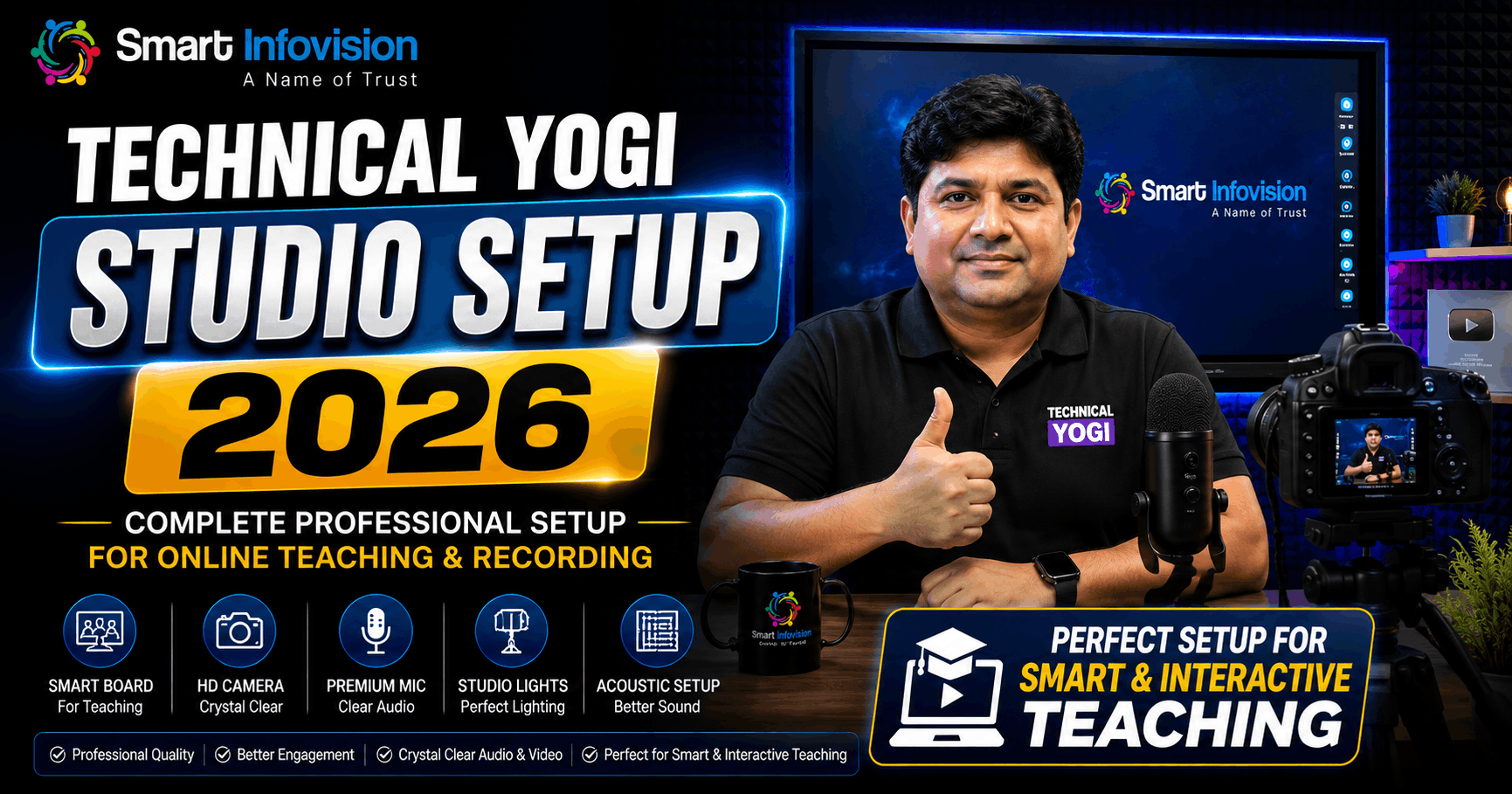
Jab aap India ke sabse trusted tech guru, YouTube Official Video Contributor aur creator Yogi Yogendra Sir (Technical Yogi) ki koi video dekhte hain, toh aapke dimaag me sabse pehle kya aata hai?
“Kya Crystal Clear Video Quality Hai! Frame me Ek Bhi Extra Glare Nahi, Aur Unki Aawaz me Ek Percent Bhi Echo Nahi!”
Unka har ek tutorial, har ek tech breakdown, aur interactive presentation viewers ko screen se baandhe rakhta hai. Lekin kya ye professional visual impact aur crisp sound quality sirf ek lucky accident hai? Bilkul nahi!
Is premium video recording ke piche hai ek meticulously engineered, high-tech studio architecture. Aur is shaandar studio setup ko kisine design aur install kiya hai? Desh ke No.1 EdTech aur Creator Studio Provider Smart Infovision ne!
Agar aap ek teacher, online educator, coaching institute owner, ya YouTube creator hain, toh aapke mind me ye sawaal zaroor uthte honge:
- “Kya main bhi Technical Yogi Sir jaisa professional Technical Yogi studio setup bana sakta hoon?”
- “Unke studio me konsa camera, mic, lighting aur digital board use hota hai?”
- “Kya iske liye lakhon rupaye kharch karne padenge, ya ye mere budget me bhi tayar ho sakta hai?”
Shant ho jaiye. Ye guide aapke har ek technical aur financial sawaal ka A-to-Z transparent, honest aur deeply researched jawab hai. Is masterguide me hum Technical Yogi studio setup, Technical Yogi camera setup, aur online teaching studio setup ke saare secrets reveal karne wale hain!
Current Education & Content Market (2026 Ka Digital Paridrishya)
2026 me digital education aur content creation ka scenario puri tarah badal chuka hai. Ab audience sirf informative content se satisfy nahi hoti—unhe High Visual Packaging chahiye!
- Attention Span Sirf 5 Seconds Ka Hai: Agar aapki video ke shuruat me blurry video, lighting glare, ya background me fan/traffic ki noise sunai di, toh viewer turant swipe karke dusre channel par chala jata hai.
- Geography Ab Limitation Nahi Hai: Ek chote shehar ka educator ya creator bhi sahi studio setup ki madad se poore desh ke lakhon bacchon ko padha raha hai aur train kar raha hai.
- Personal Brand Hi Everything Hai: Content chahe kitna bhi powerful ho, jab tak uski presentation Technical Yogi level ki nahi hogi, log paid courses ya channel par trust nahi karenge.
Problem Analysis (Aapki Asli Takleef Kya Hai?)
Jab koi teacher ya creator studio setup banane nikalta hai, toh local hardware vendors unhe inexperienced guidance ke tehat galat equipment bech dete hain. Isse ye 5 badi samasyaein aati hain:
- Overheating Cameras: Local vendors normal DSLR/Mirrorless camera chipka dete hain jo continuous 1-2 ghante ki recording ya live streaming me overheat ho kar shut-down ho jata hai.
- Audio Echo & Fan Noise Trap: Normal USB microphones room ke fan, AC aur outside traffic noise ko catch kar lete hain, jisse audience ka concentration bhatak jata hai.
- Lighting Glare on Digital Board: Normal halogen ya home LED panels board ke glass surface par safed glare (light reflection) paida karte hain.
- Lag & Writing Latency: Saste smart boards par likhte waqt pen aur writing ke beech gap (latency) aata hai, jisse handwriting kharab dikhti hai.
- Zero After-Sales Support: Product kharidne ke 3 mahine baad jab software ya hardware me issue aata hai, toh local vendor phone uthana band kar deta hai.
Why Traditional Teaching & Simple Webcams are Changing
Purane green boards, simple whiteboards ya 2,000-3,000 wale basic webcams se aap modern visual learners ko attract nahi kar sakte.
| Comparison Metric | Basic Webcam + Whiteboard | Technical Yogi Level Studio Setup |
| Video Resolution | 720p / 1080p (Grainy & Low Light Noise) | True 4K UHD @ 60 FPS Crystal Clear |
| Camera Movement | Static Fixed Angle (Boring) | AI Auto-Tracking + 20x Optical Zoom |
| Audio Quality | Muffled with Room Echo | DSP Active Noise Cancelled Studio Voice |
| Interactive Board | None (Static Marker / Chalk Dust) | 4K Interactive Flat Panel with AI Tools |
| Lighting Setup | Normal LED Bulbs (Flicker & Glare) | 2×2 Soft Anti-Flicker Studio LED Grids |
| Audience Retention | Below 20% | Above 70-80% (High Engagement) |
Technology Gap (Saste vs Quality Studio Setup)
Aksar log poochte hain— “Sir, local market me 50,000 me bhi studio ban raha hai, toh hum premium brand par kyun kharch karein?”
Jawab is Technology Gap me chupa hai:
- Broadcast Sensors: Saste cameras me chote CMOS sensors hote hain jo light fluctuations handle nahi kar pate. Dedicated best camera for online teaching me enterprise Sony sensors hote hain.
- Zero Bonding Glass: Saste digital boards me glass aur display ke beech air gap hota hai. Modern Benchmark Interactive Flat Panel me Zero Bonding Glass technology hoti hai jahan writing response time 4\ms hota hai.
- Hardware DSP Noise Cancellation: Studio-grade microphones background frequency ko Direct Digital Signal Processing hardware level par strip kar dete hain.
Solution: The Ecosystem Approach
Studio setup koi isolated hardware items ki kharidari nahi hai. Ye ek holistic ecosystem hai:
Technical Yogi Studio Ecosystem = 4K IFP Board + 4K PTZ Camera + DSP Noise-Free Mic + Anti-Flicker Lighting + Acoustics
Jab ye paanchon elements bilkul perfect calibration ke sath kaam karte hain, tab ja kar banta hai ek aisa studio setup jo millions of views attract karta hai!
Smart Infovision Approach: Bharosa Aur Infrastructure
Smart Infovision ne pichle kai saalon me India ke top creators jaise Technical Yogi (Yogi Yogendra), Khan Sir, Dear Sir, aur 10,000+ coaching institutes ke studios ko conceptualize, design aur install kiya hai.
When Technical Yogi needed an upgraded, high-impact YouTube and teaching studio, he trusted Smart Infovision Official Website!
Core Strengths of Smart Infovision:
- PAN-India Experience Centers: Jaipur, Lucknow, Patna, Noida, Mumbai, Ahmedabad, Indore, Varanasi, Bhagalpur, Pune, Ranchi, aur Jaunpur me branches.
- Doorstep Installation & Training: Certified engineers dwara safe mounting, cabling, lighting placement aur full teacher/creator training.
- Zero-Cost EMI Financing: Easy monthly installments taaki aap ke budget par ek sath bojh na pade.
Experience Center Benefits (Dekho, Chhuo, Tab Kharido)
Catalogue ya YouTube videos dekh kar lakhon ka investment karna risky ho sakta hai. Smart Infovision aapko invite karta hai apne Experience Centers par:
- Live Camera Tracking Test: Benchmark 4K PTZ camera ki high-speed auto-tracking aur 20x optical zoom ko live test karein.
- Writing Smoothness Test: Benchmark MaxPro series panels par zero-latency writing experience aur AI tools ko explore karein.
- Lighting & Sound Check: 2×2 soft anti-flicker lights ke shadowless effect aur acoustic foam treatment ka magic live dekhein.
- Customized Budget Architecture: Aapke room dimensions ($10 \times 12\text{ ft}$, $15 \times 20\text{ ft}$) ke hisab se customized layout aur budget roadmap paayein.
Take The First Step Today! Apne institute ya room ke liyeComplete Studio Setup Packagesexplore karein aur free consultation book karein!
Product Ecosystem: Technical Yogi Studio Equipment List
Technical Yogi Sir ke studio me deploy kiye gaye core Benchmark products ka technical snapshot:
| Equipment Category | Product Model | Key Technical Highlight | Ideal Usage |
| Interactive Board | Benchmark MaxPro Series | 4K UHD, Zero Bonding Glass, Android 14/16 OS, 8GB/128GB | Live Tutorials & Presentations |
| Studio Camera | Benchmark 4K PTZ Camera | 4K @ 60fps, 20x Optical Zoom, AI Auto Tracking | YouTube Videos & Live Streaming |
| Microphone | Benchmark Wireless / Vlogging Mic | Hardware DSP Active Noise Cancellation | Crisp & Punchy Vocal Delivery |
| Studio Lighting | Benchmark 2×2 Soft LED Lights | Anti-Flicker Driver, Dual Color Temp (3200K-5600K) | Shadowless Face & Board Illumination |
| Digital Podium | Benchmark Touch Podium | Touchscreen Control, HDMI, USB, Mic Integration | Live Webinars & Hybrid Control |
| Soundproofing | Benchmark Acoustic Panels | High-Density Echo Cancellation ($\text{NRC} > 0.85$) | Reverberation Removal |
AI Teaching & Presentation Features
2026 me content creation me artificial intelligence ka upyog speed aur presentation engagement ko 5x badhane ke liye hota hai.
- Instant AI Visual Search: Screen par koi bhi keyword (e.g., “Motherboard Architecture”) likhte hi high-definition 4K images drag-and-drop ke liye load ho jaati hain.
- Auto Shape & Handwriting Recognition: Speaker dwara banaya gaya rough flowchart turant 2D/3D clean vector graphic me convert ho jata hai.
- Smart Gesture Control: Palm erase, multi-touch canvas drag, aur dual-finger zoom controls.
Hybrid Classroom & Creator Streaming Solutions
Technical Yogi Sir ka setup pre-recorded videos aur live interactive webinars dono ke liye flawlessly tuned hai.
Streaming Latency Calculation Formula:
Streaming Latency\ms = Network Bandwidth, Camera Capture Speed, Encoder Overhead
Benchmark setup ye ensure karta hai ki camera input se live broadcast tak total processing delay 100\ ms rahe, jisse real-time live chat interactions aur Q&A sessions bilkul lag-free hote hain!
Studio Setup: Step-by-Step Architecture
Ek professional YouTube aur online class studio setup banane ke 6 key pillars hote hain:
- Room Dimension & Acoustic Treatment: Minimum $10 \times 12\text{ ft} dimension. Sound waves ke bounce-back ko rokne ke liye key reflection points par high-density acoustic foam lagayein.
- Display Wall Mounting: Digital board ko dark matte background wall (Dark Navy Blue ya Charcoal Grey) par mount karein taaki glare absorb ho sake.
- Lighting Angle: 6-9 Benchmark 2×2 soft lights ko presenter ke relative 45-degree angles par place karein.
- Camera Position: PTZ camera ko eye-level height par wall-mount ya industrial tripod par position karein.
- Audio DSP Wiring: Wireless receiver ko direkte video switching console ya OBS system se interface karein.
- Operator / Teleprompter Station: Presenter ke samne confidence monitor place karein jahan live chat aur stream health monitor ho sake.
Deep-Dive Camera Guide: Benchmark studio cameras aur 4K PTZ technology ke baare me adhik jaankari ke liyeBenchmark Technomate Officialpar visit karein!
Interactive Flat Panel (IFP) Deep-Dive
Technical Yogi Sir apne studio me Benchmark MaxPro Series 4K Interactive Flat Panel use karte hain.
Ideal Screen Size Calculator:
Ideal Panel Size = 65″, if Room Length 15ft
Small Creator / Studio 75″ if Room Length 15 – 25ft
Standard Classroom / Studio 86″ if Room Length 25ft Large Seminar Hall
Benchmark MaxPro Technical Specs:
- Display Resolution: 4K UHD ($3840 \times 2160$ Pixels) @ 60Hz.
- Glass Technology: 9H Tempered Anti-Glare Glass with Zero Bonding Alignment.
- Touch Latency: Ultra-fast Schreib Pen response time (ms).
- Dual OS Support: In-built Android 14/16 with optional Windows 11 OPS Module.
Digital Board vs Commercial TV / Projector
Kayi beginners budget bachane ke liye commercial TV ya projector lagane ki galti karte hain. Unka direct comparison:
- Commercial Smart TV: Zero Touch Support, Low Lifespan (~20,000 Hours), High Reflection.
- Traditional Projector: Shadow Issues, High Bulb Maintenance, Requires Dark Room.
- Benchmark Interactive Flat Panel: 40-Point Concurrent Touch, High Brightness (400+ Nits), 50,000+ Hours Lifespan, Zero Glare Surface.
AI Camera Solutions: Technical Yogi Camera Setup Revealed
Sabse bada question: Technical Yogi camera setup me konsa camera use hota hai?
Unke studio me Benchmark 4K PTZ Camera install kiya gaya hai!
Why Benchmark 4K PTZ Camera Beats Normal DSLRs:
- 24×7 Non-Stop Broadcast: Normal DSLRs 30-45 minute me overheat ho kar off ho jate hain. Benchmark PTZ camera specifically continuous broadcast ke liye engineered hai.
- 20x Lossless Optical Zoom: Studio ke kisi bhi corner se small text ya facial expressions ko bina resolution loss ke zoom karein.
- AI Auto-Tracking: Presenter jab energetic presentation ke dauran stage ya room me move karta hai, camera automatically motion track karta hai.
Audio Optimization: Technical Yogi Mic & Noise Control
Technical Yogi Sir ki vocal delivery crisp aur commanding hoti hai. Us audio clarity ke piche hai Benchmark Studio Microphone / Vlogging Mic System.
Key Audio Features:
- Active Hardware DSP Noise Cancellation: Electrical humming, fan noise, aur room echo ko real-time me compress karke filter kar deta hai.
- Cardioid Pickup Pattern: Presenter ki human vocal frequency range ($80\text{Hz} – 15\text{kHz}$) ko prioritize karta hai.
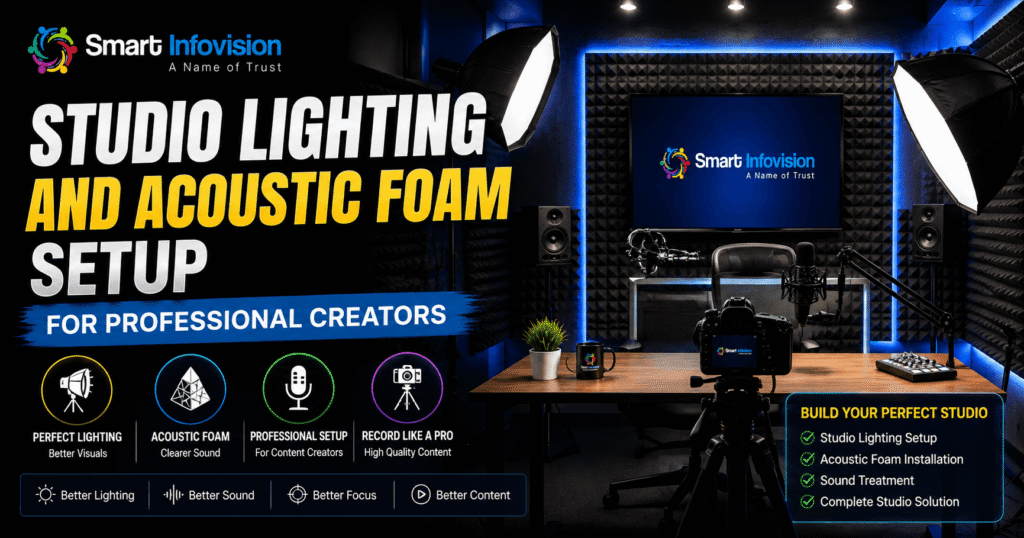
Studio Lighting Setup: Anti-Flicker Technology
Light ke bina 4K camera bekar hai! Normal LED bulbs camera shutter ke samne dark rolling bands (flickering) paida karte hain.
Technical Yogi studio setup me Benchmark 2×2 Soft Lights ka grid install hai:
- Constant Current LED Drivers: Zero camera flicker across all frame rates (30fps / 60fps).
- Dual Color Temperature Controls: Warm White ($3200\text{K}$) and Cool White ($5600\text{K}$) mix for natural skin tones.
- Shadowless Diffusion: Presenter ke chehre par soft glow aur board par zero glare reflection.
LMS Integration & Content Security
Studio setup banane ke baad apne premium content aur courses ko leak hone se kaise bachayein?
Smart Infovision aapko dedicated LMS (Learning Management System) aur Mobile App solutions provide karta hai:
- DRM Video Encryption: Screenshot blocking, screen-recording protection, aur dynamic watermarking.
- Automated Live Webinars: High-capacity streaming server integration.
Personal Branding For Creators & Teachers
Jab aapka visual studio setup Technical Yogi Sir ke level ka hota hai, toh aapke business metrics par direct positive impact padta hai:
- Instant Trust & Authority: Viewers aapko ek professional industry leader aur expert maante hain.
- 5x Higher Course Sales: High-quality presentation packaging se paid courses aur webinars ki sales conversion fast increase hoti hai.
- Zero Technical Distraction: Technology smoothly background me kaam karti hai, aur aap fully teaching par focus kar pate hain.
Online Teaching & Recording Blueprint
High-impact video record ya stream karne ka 4-step daily workflow:
- Power On Ecosystem: Master switch se digital board, PTZ camera, aur studio lights single button se turn-on hote hain.
- Content Import: Whiteboard App me PDF, PPT ya AI images import karein.
- One-Touch Stream: OBS Studio ya StreamYard se single-click par 4K stream start karein.
- Instant QR Code Notes: Class end hone par QR code generate karein aur audience ko PDF notes share karein.
Future Trends: Studio Technology 2026 & Beyond
Agale 3-5 saalon me online education aur studio infrastructure me aane wale revolution:
- Generative AI Real-Time Subtitles: Presenter Hindi me bolega, aur screen par live multi-language subtitles translate honge.
- 3D Holographic Visual Mirroring: Digital board par 3D interactive models gestures se rotate honge.
- AI Viewer Analytics: Camera-assisted engagement tracking dashboard.
FAQ Section
Q1. Technical Yogi Sir apne YouTube videos ke liye konsa studio setup use karte hain? Ans: Yogi Yogendra (Technical Yogi) Sir Smart Infovision dwara design aur install kiya gaya complete studio setup use karte hain, jisme Benchmark 4K PTZ Camera, Benchmark Interactive Flat Panel, 2×2 Soft Anti-Flicker Lights, aur Noise-Cancelling Microphones shamil hain.
Q2. Technical Yogi camera setup me konsa camera use hota hai? Ans: Unke studio me Benchmark 4K PTZ Camera use hota hai. Isme 20x optical zoom, 4K Ultra HD resolution, aur AI Auto-Tracking feature hai jo presenter ko automatic follow karta hai.
Q3. Complete online teaching studio setup banane me kitna kharcha aata hai? Ans: Single room complete setup (Digital Board + 4K PTZ Camera + Lighting + Audio + Accessories) ka kharcha budget ke hisab se ₹1.5 Lakh se ₹3.5 Lakh tak aata hai.
Q4. Technical Yogi studio jaisa setup lagwane ke liye room size kitna hona chahiye? Ans: Minimum ideal room size $10 \times 12\text{ feet}$ hona chahiye. Isse 6-8 feet ki camera distance aur proper 45-degree lighting position mil jati hai.
Q5. YouTube videos aur online teaching ke liye DSLR camera accha hai ya PTZ camera? Ans: Long recording sessions aur live streaming ke liye PTZ camera DSLR se bahut behtar hai. DSLR 30-45 minute me overheat ho jata hai, jabki PTZ camera 24×7 non-stop broadcast ke liye engineered hai.
Q6. Smart Infovision se studio setup purchase karne par installation kaise hoti hai? Ans: Smart Infovision ki PAN-India branches se certified technical engineers aapke doorstep par aakar safe installation, cabling, mounting aur comprehensive teacher/creator training dete hain.
Q7. Benchmark Interactive Flat Panel par kitni warranty milti hai? Ans: Benchmark interactive panels par 3 Years to 5 Years On-Site Comprehensive Warranty aur lifetime software update support milta hai.
Q8. Kya digital board par studio lights ka glare/reflection padega? Ans: Nahi, Smart Infovision ke Benchmark panels me 9H Tempered Anti-Glare Glass coating hoti hai jo reflections ko 100% absorb kar leti hai.
Q9. Microphone me room echo aur fan noise kaise khatam hota hai? Ans: Benchmark studio microphones me hardware-level DSP (Digital Signal Processing) Active Noise Cancellation hota hai jo echo aur background noise ko filter kar deta hai.
Q10. Kya Smart Infovision studio equipment par EMI option available hai? Ans: Haan, Smart Infovision easy Zero-Cost EMI options provide karta hai.
Q11. 4K Live Streaming ke liye kitni internet speed chahiye? Ans: Smooth 4K / 1080p live streaming ke liye minimum 30-50 Mbps Dedicated Fiber Broadband connection recommended hai.
Q12. Online teaching studio ke liye 65 inch ya 75 inch me se konsa panel size sahi hai? Ans: Standard 15-20 feet lamba room ya YouTube studio ke liye 75-inch panel sabse ideal visual balance deta hai.
Q13. Benchmark 4K PTZ Camera me zoom karne par video blur hoti hai kya? Ans: Bilkul nahi! Isme 20x Optical Zoom hota hai, jisse physical glass lenses adjust hote hain aur true 4K sharpness bani rehti hai.
Q14. Studio lights ke liye anti-flicker feature kyun zaroori hai? Ans: Normal lights camera shutter ke samne dark rolling bands (flickering) create karti hain. Anti-flicker 2×2 soft lights clean visual recording ensure karti hain.
Q15. Smart board ke sath computer (OPS) lagana zaroori hai kya? Ans: Compulsory nahi hai. Benchmark boards me built-in Android OS hota hai. Windows applications ke liye optional OPS Module plug-in kiya ja sakta hai.
Q16. Kya studio setup ke liye acoustic foam soundproofing zaroori hai? Ans: Full room soundproofing compulsory nahi hai, lekin echo cancel karne ke liye key reflection points par acoustic foam panels lagana recommended hai.
Q17. Zoom aur YouTube par ek sath live streaming kaise karein? Ans: Benchmark studio system me OBS Studio ya multi-streaming encoders ka use karke aap single camera feed ko multiple platforms par broadcast kar sakte hain.
Q18. Local hardware vendors aur Smart Infovision me kya farq hai? Ans: Local vendors unbranded products sell karke service third party par daal dete hain. Smart Infovision end-to-end studio architecture, doorstep warranty aur lifetime technical handholding support deta hai.
Q19. Smart Infovision ki main branches kahan kahan hain? Ans: Delhi, Jaipur, Lucknow, Patna, Mumbai, Ahmedabad, Indore, Noida, Varanasi, Bhagalpur, Pune, Ranchi etc. me experience centers hain.
Q20. Live Studio Demo Book karne ka process kya hai? Ans: Aap Smart Infovision Official Website par visit karke ya helpline number par call karke apne nearest experience center par FREE Live Demo slot book kar sakte hain!
Conclusion
Ek professional YouTube aur online teaching studio setup banana sirf kuch electronic gadgets purchase karna nahi hai. Ye aapke brand image, aapki corporate authority aur aapke hazaron viewers ke visual experience me sabse bada strategic investment hai.
Technical Yogi (Yogi Yogendra) Sir ne jab apne recording setup ke liye Smart Infovision par bharosa jataya, toh uske piche karan tha—quality gear, zero-glitch execution, aur dependable after-sales support.
Inexperienced local vendors aur saste jugad ke chakkar me apna keemti samay aur brand value mat gawayiye. Sahi brand, Benchmark Technomate ki advanced 4K AI technology, aur Smart Infovision ki handholding support se aap bhi apna dream studio setup kar sakte hain.
Ab Confusion Ko Boliye Alvida Aur Apne Content Ko Next Level Par Le Jayein!
Aaj hi apne city ke nearest Smart Infovision Experience Center par visit karein aur LIVE experience karein Technical Yogi Sir dwara trusted Benchmark Digital Boards, 4K PTZ Cameras, aur Complete Studio Setup!
- 📞 Free Expert Consultation: Call/WhatsApp Smart Infovision EdTech Experts today!
- 🎁 Special EMI & Discount Offers: Easy zero-cost monthly installment options available.
- 🌐 Free Demo Booking: Visit Smart Infovision Official Website to book your exclusive FREE Live Demo Slot today!
Smart Infovision YouTube Studio Setup Options
This video offers an authentic behind-the-scenes look at Technical Yogi’s setup and studio tour, demonstrating how Smart Infovision integrates high-end Benchmark equipment for creators.