Professional Online Classes Record Karne Ka Step-by-Step Process (BTS Guide)
Aaj ke digital education era me sirf padhana kaafi nahi hai — kaise padhate hain aur kaise present karte hain, ye equally important ho chuka hai. YouTube, online coaching aur hybrid classrooms ke zamane me har teacher ko ye jaana zaroori hai ki professional online teaching video kaise shoot ki jati hai.
Is blog me hum aapko Behind The Scenes (BTS) complete process batayenge — setup se lekar final recording tak — jisse aap apni online classes ko ek professional level par le ja sakte hain.
Why Professional Video Shooting Matters in Online Teaching?
Agar aap online teaching kar rahe hain ya start karna chahte hain, to aapko ye samajhna hoga ki students sirf content nahi dekhte — wo presentation quality bhi judge karte hain.
Poor Setup ka Impact:
❌ Students interest lose kar dete hain
❌ Audio clear nahi hota
❌ Video blur ya dark hota hai
❌ Engagement low ho jata hai
Professional Setup ka Impact:
✔ Clear understanding
✔ Better engagement
✔ Higher retention
✔ More student trust
Behind The Scenes – Complete Studio Setup
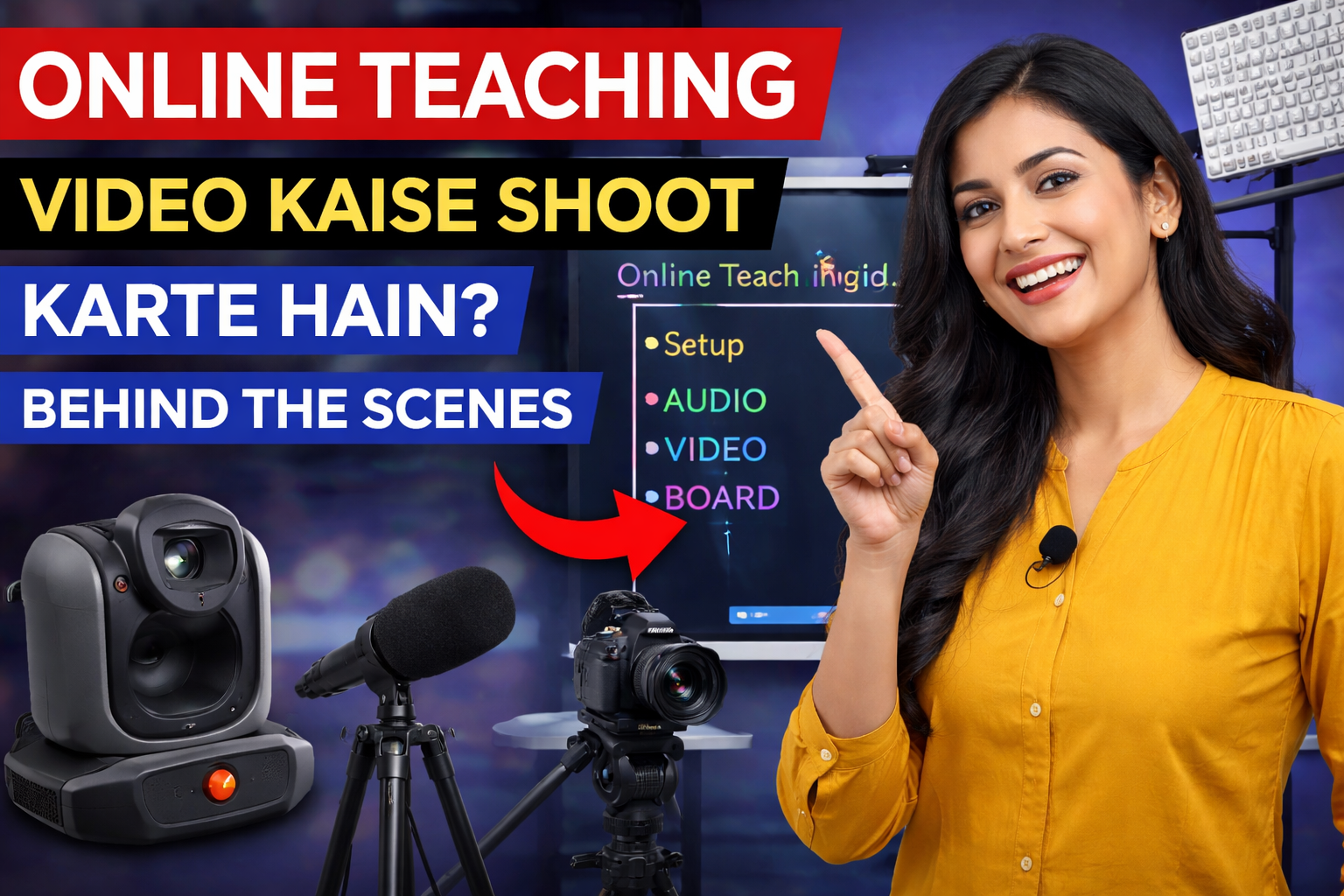
Ek professional online teaching video shoot karne ke liye 4 main pillars hote hain:
1️⃣ Digital Board / Interactive Panel
Digital board ek modern classroom ka backbone hai.
Iska use kaise hota hai?
- Notes likhne ke liye
- Diagram explain karne ke liye
- PDF & PPT open karne ke liye
- Live annotation ke liye
Benefits:
✔ Smooth writing
✔ Clear visuals
✔ Screen recording
✔ Interactive teaching
2️⃣ Camera Setup – Video Quality Ka Hero
Camera decide karta hai ki aapka video kitna professional lagega.
Types of Camera:
- 4K PTZ Camera
- DSLR Camera
- HD Webcam
BTS Setup Tips:
✔ Camera eye level par hona chahiye
✔ Frame me teacher + board dono visible ho
✔ Proper distance maintain karein
✔ Focus clear ho
Pro Tip:
Wide angle use karein jisse poora board capture ho.
3️⃣ Microphone – Audio is King 🎤
Video me sabse important element audio hota hai.
Mic Types:
- Collar Mic
- Vlogging Mic
- Wireless Mic
BTS Audio Setup:
✔ Mic mouth ke paas ho
✔ Noise-free environment ho
✔ Echo avoid karein
✔ Audio test zaroor karein
Common Mistake:
Low-quality mic use karna — isse pura video waste ho sakta hai.
4️⃣ Lighting Setup – Professional Look Ka Secret
Lighting video quality ko completely transform kar deti hai.
Lighting Types:
- LED Panel Lights
- Ceiling Lights
- Ring Light
BTS Lighting Placement:
✔ Face par direct light ho
✔ Board clearly visible ho
✔ Shadows avoid karein
Pro Tip:
3-point lighting setup use karein for best results.
Step-by-Step BTS Shooting Process
Ab baat karte hain actual recording process ki:
Step 1: Setup Ready Karein
Sab equipment ready karein:
- Digital board ON karein
- Camera position fix karein
- Mic connect karein
- Lights ON karein
Step 2: Frame & Angle Check
Camera me check karein:
✔ Aap clearly visible hain
✔ Board properly capture ho raha hai
✔ Background clean hai
Step 3: Audio Test
Recording se pehle:
- Mic test karein
- Background noise check karein
- Voice clarity verify karein
Step 4: Content Preparation
Shoot se pehle:
- Topic clear rakhein
- Notes ready rakhein
- Flow plan karein
Step 5: Recording Start
Ab recording start karein:
✔ Confident tone me bolein
✔ Board use karein
✔ Eye contact maintain karein
Step 6: Lecture Save & Backup
Recording ke baad:
- File save karein
- Backup lein
- Cloud par upload karein
Hybrid Teaching Setup – Online + Offline
Aaj ke time me hybrid teaching sabse powerful model hai.
Is setup se aap:
✔ Classroom me padha sakte hain
✔ Same time online live ja sakte hain
✔ Lecture record kar sakte hain
Ye ek all-in-one solution hai.
Common Mistakes (BTS Reality)
❌ Galat Camera Angle
Video awkward lagta hai
❌ Low Lighting
Video dark aur dull lagta hai
❌ Background Noise
Students irritate ho jate hain
❌ Messy Background
Professional look kharab hota hai
Pro Tips for Better Online Teaching Videos
✔ Short & crisp videos banayein
✔ Visual examples use karein
✔ Clear handwriting rakhein
✔ Voice modulation karein
✔ Editing basic rakhein
Equipment Budget Planning
Basic Setup:
- Mobile + Mic + Ring Light
Mid Setup:
- Digital Board + Webcam + Mic
Professional Setup:
- Interactive Panel + 4K Camera + Studio Lights + Mic
Who Should Use This Setup?
- School Teachers
- Coaching Institutes
- Online Educators
- YouTubers
- Trainers
Benefits of Professional Video Shooting
✔ More views on YouTube
✔ Higher student engagement
✔ Strong personal brand
✔ Better revenue opportunities
Future of Online Teaching
Digital education ka future bright hai:
- Online courses
- Recorded batches
- Live classes
- Hybrid classrooms
Jo teacher abhi shift karega, wo future me lead karega.
Final Words
Online teaching video shoot karna ek art + science hai.
Agar aap proper setup aur process follow karte hain, to aap apni teaching ko next level par le ja sakte hain.
Professional setup ek expense nahi — ek investment hai jo aapko long-term me return deta hai.
Contact Details
📞 +91 9560805022