YouTube Teaching Ka Powerful Future
Aaj ke time me YouTube sirf entertainment platform nahi raha. Yeh ek powerful education platform ban chuka hai jahan teachers apni knowledge ko scale kar sakte hain, apni identity build kar sakte hain aur passive income generate kar sakte hain.
India me thousands teachers ne YouTube ke through apna coaching business expand kiya hai. Lekin YouTube par successful hone ke liye sirf knowledge kaafi nahi hai. Aapko ek professional teaching studio setup ki zarurat hoti hai jo aapki video quality, audio clarity aur presentation ko enhance kare.
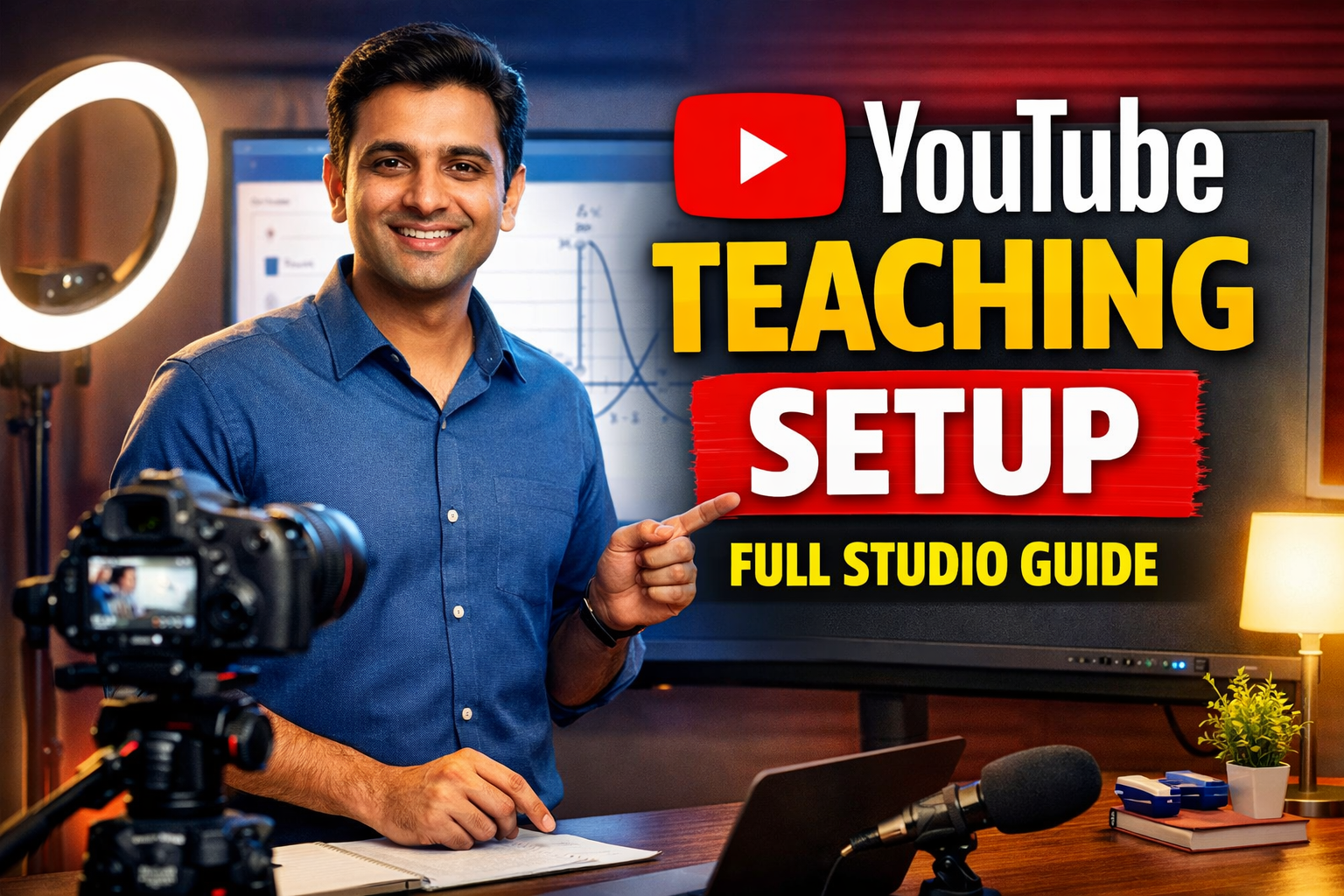
Is guide me hum detail me samjhenge ki kaise aap ek perfect YouTube teaching studio setup create kar sakte hain, chahe aap beginner ho ya advanced educator.
Why You Need a YouTube Teaching Studio Setup
YouTube par competition bahut high hai. Students aur viewers high-quality content expect karte hain.
Agar aapka setup weak hai, to:
- Video quality low dikhegi
- Audio clear nahi hoga
- Viewer retention kam ho jayega
- Channel grow nahi karega
Benefits of Professional Setup
- Better video quality
- Clear and crisp audio
- Higher watch time
- Strong personal brand
- Monetization opportunities
Core Components of YouTube Teaching Studio Setup
Ek professional YouTube teaching setup multiple elements ka combination hota hai.
1. Camera Setup – Video Quality ka Base
Camera sabse important element hai YouTube studio ka.
Camera Options
Smartphone
Beginners ke liye best option. 1080p ya 4K recording support karta hai.
Webcam
Live classes aur streaming ke liye useful.
DSLR / Mirrorless Camera
Professional quality ke liye best choice.
Camera Setup Tips
- Eye-level positioning
- Proper framing
- Background separation
- Stable tripod use karein
2. Microphone Setup – Audio Quality Matters
YouTube videos me audio sabse critical factor hota hai.
Mic Options
Collar Mic
Budget friendly aur easy to use.
USB Mic
Voice recording ke liye best.
Wireless Mic
Professional use ke liye ideal.
Audio Tips
- Noise-free environment
- Mic proper position par ho
- Echo reduce karein
3. Lighting Setup – Professional Look Create Karein
Lighting video ko attractive aur professional banati hai.
Lighting Types
- Ring light
- LED panel
- Softbox light
Best Lighting Setup
- Front light for face
- Side light for balance
- Back light for depth
4. Background Setup – Branding Element
Background aapke channel ki identity create karta hai.
Options
- Plain wall
- Bookshelf
- Digital board
- LED background
Tips
- Clean aur minimal rakhein
- Branding add karein
- Distractions avoid karein
5. Teaching Tools – Content Delivery Improve Karein
Teaching videos me explanation clear hona chahiye.
Options
- Whiteboard
- Pen tablet
- Interactive flat panel
6. Tripod and Mounting Setup
Stable video ke liye tripod zaruri hai.
7. Recording and Editing Software
Recording Tools
- OBS Studio
- Camera software
Editing Software
- Filmora
- Premiere Pro
- CapCut
Step-by-Step YouTube Studio Setup at Home
Step 1: Location Select Karein
Quiet aur distraction-free room choose karein.
Step 2: Camera Setup Karein
Eye-level par camera fix karein.
Step 3: Lighting Setup Karein
Face par proper lighting ensure karein.
Step 4: Mic Setup Karein
Clear audio ke liye mic attach karein.
Step 5: Background Setup Karein
Professional look create karein.
Step 6: Test Recording Karein
Trial video record karein aur quality check karein.
Best Budget Setup for YouTube Teachers
Under ₹50,000 Setup
- Smartphone
- Collar mic
- Ring light
- Tripod
₹50K–₹1L Setup
- Webcam / DSLR
- USB mic
- LED lights
- Pen tablet
Professional Setup (₹1L+)
- Mirrorless camera
- Wireless mic
- Multi-light setup
- Digital board
Common Mistakes YouTube Teachers Make
- Poor audio quality
- Lighting ignore karna
- Background messy rakhna
- Inconsistent uploads
- Editing skip karna
How to Record High-Quality Educational Videos
- Script prepare karein
- Clear explanation dein
- Visual aids use karein
- Camera me eye contact rakhein
- Audio check karein
YouTube Growth Tips for Teachers
- Consistency maintain karein
- SEO optimized titles use karein
- Thumbnails attractive banayein
- Audience engagement karein
- Comments ka reply dein
Content Ideas for YouTube Teachers
- Concept videos
- Problem solving sessions
- Live classes
- Short videos
- Exam preparation content
Future Trends in YouTube Teaching
- AI-based editing
- Interactive videos
- Personalized learning
- Hybrid teaching
FAQ – Frequently Asked Questions
Q1. YouTube teaching start karne ke liye minimum budget kya hai?
₹20,000–₹50,000 me start ho sakta hai.
Q2. Kya smartphone se YouTube channel start kar sakte hain?
Haan, bilkul.
Q3. Sabse important kya hai?
Audio aur lighting.
Q4. Kya editing zaruri hai?
Basic editing recommended hai.
Q5. Kitne time me channel grow hota hai?
Consistency par depend karta hai.
Conclusion
YouTube teaching ek powerful opportunity hai jo aapko ek successful educator aur content creator bana sakta hai.
Ek proper studio setup ke saath aap apni teaching quality improve kar sakte hain, apni audience grow kar sakte hain aur long-term income generate kar sakte hain.
Shuruaat simple rakhein, lekin focus quality aur consistency par rakhein. Gradually aap apne setup ko upgrade kar sakte hain.
Contact Details
+91 9560805022