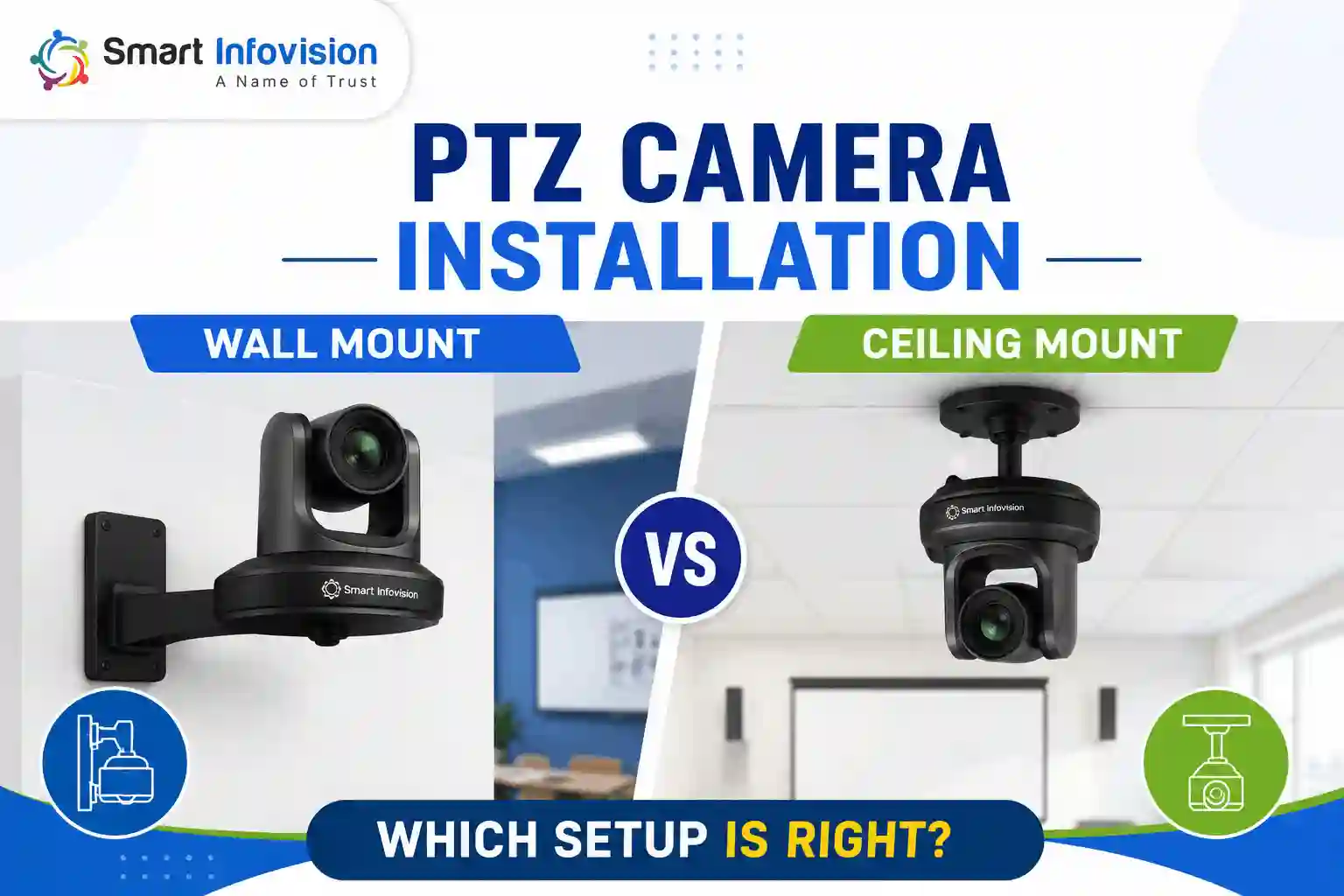
PTZ Camera Installation mein sabse pehla decision hota hai: wall mount ya ceiling mount? Dono options useful hain, lekin har setup ke liye same nahi hote. Aapka room size, digital board ki position aur teaching setup decide karte hain ki camera kahan install karna better rahega.
Agar aap online teaching ya small studio mein recording kar rahe hain, to wall mount practical option hai. Wahi agar classroom mein offline students bhi present hain, to ceiling mount zyada suitable ho sakta hai.
PTZ Camera Installation: Choose the Mount Based on Your Setup
Teaching ya studio setup mein generally do practical installation options hote hain:
- Wall Mount: Online teaching aur small recording studios ke liye practical option hai, jahan camera ko mainly teacher aur digital board cover karna hai.
- Ceiling Mount: Hybrid classrooms ke liye suitable option hai, jahan offline students bhi baithe hote hain aur camera ko unke upar se clear view chahiye.
Is decision ko starting mein hi clear kar lena better hai, kyunki isi ke according aapko mounting point, cable routing aur camera position plan karni hoti hai.
Wall Mount for Online Teaching & Studio Recording
Agar aapka setup small studio ya online teaching room ka hai, to camera ko generally digital board ya screen ke opposite wall par install kiya jata hai.
Iska simple reason hai: teacher board ki taraf face karke padhata hai aur camera ko aisi position chahiye jahan se teacher aur board dono ek frame mein cover ho saken.
Wall mount karte waqt kuch basic points dhyan mein rakhein:
- Camera Position: Camera ko digital board ke opposite side mein position karein, taaki teacher aur board dono ka useful frame mil sake.
- Camera Alignment: Camera ko bahut side mein place na karein, warna digital board ka proper frame nahi milega.
- Wall Selection: Board wali same wall par camera lagane se teacher ka back camera mein aa sakta hai.
- Live Preview: Final position ko recording se pehle live preview mein check karein, taaki framing ko installation ke baad change na karna pade.
Small online teaching studio mein wall mounting ka ek aur benefit hai. Camera ek fixed position par rehta hai, lekin PTZ functionality ki wajah se aap usi position se framing change kar sakte hain.
Ek 4K PTZ Camera ke saath aap remotely pan, tilt aur zoom kar sakte hain. Iska matlab hai ki ek hi mounted position se teacher ka close-up, digital board ka shot ya complete wide frame liya ja sakta hai.
Agar camera presets support karta hai, to commonly used positions ko pehle se save karke class ke time remote se quickly switch bhi kar sakte hain.
Ceiling Mount for Hybrid Classrooms
Jab classroom mein online + offline teaching dono hoti hai, tab installation requirement thodi different ho jati hai.
Imagine kijiye classroom mein students camera aur teacher ke beech mein baithe hain. Wall-mounted camera ki line of sight mein students aa sakte hain. Is situation mein teacher ya board ka view partially block ho sakta hai.
Isi liye hybrid classroom setup mein ceiling mounting practical option ban jata hai.
Ceiling mount mein camera ko classroom ke upar position kiya jata hai, jisse:
- Student Obstruction: Camera ko students ke upar position karne se direct line of sight mein obstruction kam ho sakta hai.
- Teacher & Board View: Elevated position se teacher aur digital board ka clearer view mil sakta hai.
- Larger Classroom: Bade classroom mein ceiling position se teaching area ko cover karna easier ho sakta hai.
- Camera Angle: Camera ko teaching area ke according tilt karke required framing set ki ja sakti hai.
Simple rule:
Small Room + Online Teaching = Wall Mount
Larger Room + Offline Students + Online Teaching = Ceiling Mount
Lekin final position room ke actual layout aur camera ke field of view ko check karke hi decide karein.
Where Should a PTZ Camera Be Installed?
PTZ camera ko generally digital board ke opposite side, teaching area ki direction mein install kiya jata hai. Goal simple hai: teacher aur board dono ko useful framing mein capture karna.
Installation ke time ye points check karein:
- Camera & Board Position: Camera aur digital board ideally opposite ends par hone chahiye, taaki teaching area ka useful view mil sake.
- Teacher Position: Teacher ki standing position board ke saamne honi chahiye, jahan camera usse clearly capture kar sake.
- Student Seating: Hybrid classroom mein student seating camera ki direct line of sight ko unnecessarily block nahi karni chahiye.
- Camera Height: Camera ko itna high na karein ki teacher ka viewing angle bahut steep ho jaye.
- Final Framing: Camera ki final height aur position field of view aur actual room layout ke according adjust karein.
Ek fixed mounting height har room ke liye correct nahi hoti. Camera ko approximate position par install karke pehle live preview check karein. Full wide shot aur required zoom framing dono test karne ke baad final height aur tilt lock karein.
PTZ Camera Installation Checklist Before Recording
Installation complete karne se pehle ye quick checklist follow karein:
- Mount Position: Online-only setup hai to wall mount, jabki hybrid setup hai to ceiling mount option evaluate karein.
- Teacher Framing: Teacher ko frame ke edge par crop hone se bachayein aur required teaching area clearly visible rakhein.
- Digital Board: Digital board properly visible aur readable hai ya nahi, ise actual camera view mein check karein.
- Mount Stability: Bracket secure hona chahiye aur pan/tilt movement ke time unnecessary vibration nahi honi chahiye.
- Pan & Tilt: Camera apni required movement range mein freely move kar raha hai ya nahi, ise installation ke baad test karein.
- Zoom Presets: Teacher, board aur wide shot jaise commonly used frames ko test karke presets ready rakhein.
- Final Test: Actual recording ya live session se pehle complete camera, framing, movement aur connectivity setup test karein.
Especially live streaming ke liye sirf camera power on karke check karna enough nahi hai. Video framing, movement, zoom aur audio ko end-to-end test karna better rahega.
PTZ Camera Installation FAQs
1. Where should a PTZ camera be mounted in a classroom?
PTZ camera ko digital board ke opposite wall ya ceiling par install karein, jahan se teacher aur board dono clearly frame mein aa saken.
2. Should I wall mount or ceiling mount my PTZ camera?
Online teaching aur small studios mein wall mount practical hai. Hybrid classrooms mein ceiling mount students ke obstruction ko reduce karta hai.
3. What height should a PTZ camera be installed at?
Fixed height nahi hoti. Camera ko suitable position par install karke live preview mein teacher aur board ki framing check karke height adjust karein.
4. Can one PTZ camera cover both the teacher and digital board?
Haan, correct positioning aur suitable zoom ke saath ek PTZ camera teacher aur digital board dono cover kar sakta hai.
5. Do I need to reinstall the camera to change the angle?
Nahi. PTZ camera mein pan, tilt aur zoom remotely control kiye ja sakte hain, isliye normal framing changes ke liye mount ko move karna zaroori nahi.