Aaj ke daur mein parmparik chalkboard ya whiteboard se padhane ka tarika purana ho chuka hai. Education sector tezi se transform ho raha hai, aur ab har chote-bade sheher ke coaching institutes aur schools mein Interactive Flat Panel (IFP) yani ki digital board mandatory asset ban gaya hai.
Lekin jab aap market mein apne classroom ke liye ek naya smart board lene nikalte hain, toh aapke samne dheron sawaal hote hain: Kaun sa size perfect rahega? Android version kaun sa hona chahiye? RAM/Storage kitni zaroori hai? Aur sabse bada sawaal—is setup ka total cost kitna aayega?
Agar aap bhi apne institute ko modern banana chahte hain aur confirmatively sochna chahte hain ki ek sahi decision kaise liya jaye, toh yeh comprehensive 2026 guide aapke liye hi hai. Isme hum step-by-step un sabhi parameters ko samajhenge jo aapko sahi panel choose karne mein madad karenge.
1. Sahi Screen Size Ka Selection (Sabse Pehla Kadam)
Digital board ka size galat choose kar lena sabse badi mistake hoti hai. Agar aapka room bada hai aur aapne chota board le liya, toh piche baithe students ko text dikhai nahi dega. Wahi agar aapka room chota hai aur aapne bada screen le liya, toh aankhon par strain padega.
Smart Infovision Digital Board Price and Sizes ke standard parameters ke anusaar, aapko apni classroom ki strength ke hisab se size chunna chahiye:
- 65-Inch Board: Yeh size un offline classrooms ke liye perfect hai jahan batch size 10 se 15 students ka hota hai. Iske alawa agar aap ek independent online educator hain jo YouTube par ya standalone apps par ghar se content record karte hain, toh yeh size comfortable rehta hai.
- 75-Inch Board (Most Popular): Yeh poore India mein sabse zyada bikne wala standard size hai. Agar aapke batch mein 20 se 40 students ek sath baithte hain, toh yeh size perfect visibility offer karta hai.
- 86-Inch Board: Yeh un bade lecture halls aur premium coaching institutes ke liye bana hai jahan single batch mein 40 se 80+ students baithte hain. Iski width itni hoti hai ki aakhiri bench par baitha student bhi har ek font ko crystal clear dekh sakta hai.
2. Technical Specifications: 2026 Ke Standard Ke Hisab Se Kya Khareedein?
Ek smart board aakhirkar ek computer aur display ka combo hota hai. Isliye hardware specification par dhyan dena behad zaroori hai taaki aapka board aane wale 5-7 saal tak smooth chale aur lag free perform kare.
[4K Resolution Screen] ──> [Android 13/14 OS] ──> [Zero-Bonding Touch Panel]
Display Quality aur Resolution
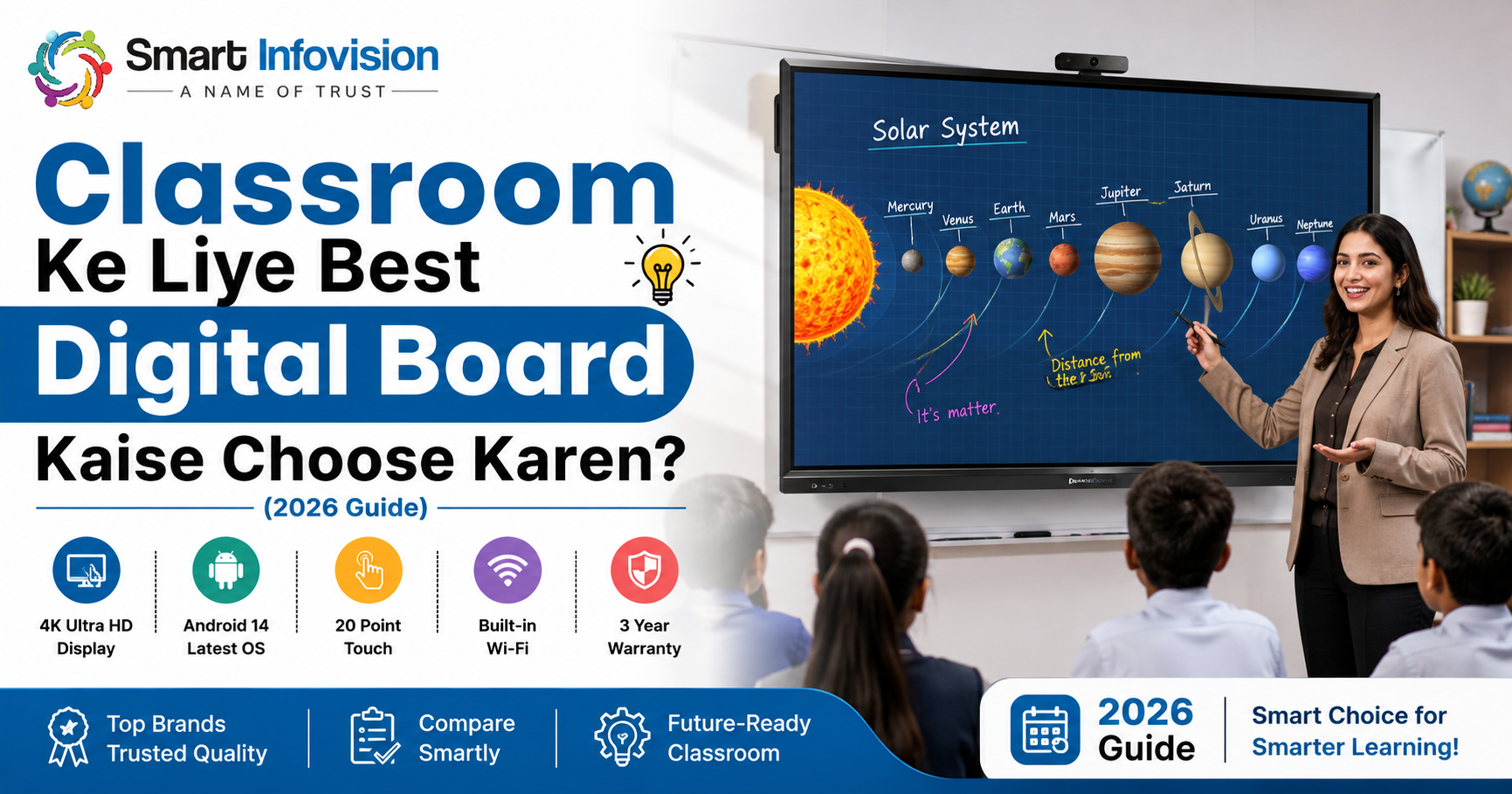
2026 mein 4K Ultra HD (3840 x 2160) resolution se kam par compromise bilkul mat kijiye. Iske alawa, screen par Anti-Glare Glass hona mandatory hai taaki classroom ki lights ka reflection screen par na pade aur live streaming ke waqt camera screen ke upar white reflection patches na banaye.
Operating System (OS) aur Processor
Purane models mein Android 11 dekhne ko milta tha, lekin ab aapko kam se kam Android 13 ya Android 14 base panels par switch karna chahiye. Saath hi, agar aap heavy MS Office files, heavy PDFs, ya 3D geometric visual files run karte hain, toh board mein 4GB RAM aur 32GB/64GB Storage minimum honi chahiye.
OPS (Open Pluggable Specification) PC Module
Kuch teachers ko advanced windows softwares chalane hote hain (jaise heavy animation tools ya complex simulations). Iske liye board ke piche ek detachable CPU lagta hai jise OPS kehte hain. Panel khareedte waqt yeh option zaroori check karein ki kya usme dual-OS (Android + Windows) ka support slot diya gaya hai ya nahi.
3. Writing Experience aur Software Capability
Smart board lene ka main maksad hota hai smoothly likhna aur interactive tareeqe se samjhana. Isliye touch technology aur content processing sabse important pillar ban jati hai.
Aapko hamesha Zero-Bonding Technology wale panels select karne chahiye. Is tech ka fayda yeh hota hai ki jahan aapka stylus (pen) touch karta hai, digital ink theek usi point par bina kisi delay (latency) ke nikalti hai. Isse aapko bilkul glass par natural pen chalane jaisa feel milta hai.
Zero-Bonding Technology = Zero Writing Latency + Natural Handwriting Feel
Iske sath hi, check karein ki board mein pre-loaded teaching softwares hain ya nahi. Ek behtareen teaching tool (jaise Benchmark Note series ya Bytello Suite) mein yeh features pre-installed hone chahiye:
- Smart Geometric Shapes: Circles, cones aur 3D cylinder templates jo maths aur physics ke liye kaam aayein.
- Multi-touch Points: Kam se kam 20 se 40 points ka multi-touch taaki ek sath do ya teen students board par aakar quiz solve kar sakein.
- Direct Cloud Integration: Aapki likhi hui har ek class note direct PDF ban kar QR code ke zariye students ke phone tak pahunch sake.
4. Digital Board Budget aur Complete Price List in India
Aapki convenience ke liye, niche un top recommended models ki average budget framework di gayi hai jo current Indian market trends ke hisab se setup kiye ja rahe hain:
| Screen Size | Entry-Level Models | Recommended (With AI Features) | Premium Studio Models |
| 65 Inch | ₹85,000 – ₹95,000 | ₹1,05,000 (Benchmark Alpha Pro) | ₹1,35,000 (Maxhub Tech) |
| 75 Inch | ₹1,15,000 | ₹1,55,000 (Benchmark Galaxy 14) | ₹1,95,000 (Maxhub V6) |
| 86 Inch | ₹1,95,000 | ₹2,35,000 (Benchmark Maxpro Ultra) | ₹2,75,000+ (Premium Flagship) |
Pro-Tip on Investment: Agar aapka budget behad tight hai aur aap bilkul shuruat kar rahe hain, toh aap un special CSR initiative options ko explore kar sakte hain jahan entry-level panels available hote hain. Lekin long-term offline aur hybrid coaching institutes chalane ke liye 75-inch mid-range variants sabse secure aur durable investment maane jate hain.
5. After-Sales Service Aur Experience Centers Ki Ahmiyat
Ek badi digital screen khareedna sirf ek one-time transactional deal nahi hai. Yeh ek heavy mechanical hardware hai, isliye iska hardware setup aur continuous operational stability aapke business continuity ko control karti hai. Panel lene se pehle yeh teen points zaroori review karein:
Pan-India Service Networks
Aap jo bhi brand chun rahe hon, check karein ki kya unka local engineer aapke city tak onsite verification ke liye pahunch sakta hai. Is sandarbh mein Smart Infovision Interactive Flat Panel Setup Services ka network kaafi bada hai jo lagbhag 700+ Indian cities mein direct on-site technician deployment and active maintenance support supply karta hai.
Live Demo and Physical Experience Center
Sirf online videos dekh kar lakhon ka investment mat kijiye. Noida, Indore, Patna, Lucknow, Ranchi, Ahmedabad jaise shehron mein located unke physical experience centers par khud jao. Wahan board par apna khud ka topic likh kar check karo, hand-rejection test karo, aur tabhi satisfaction ke sath finalize karo.
Conclusion: Sahi Choice Kaise Karein?
Apne classroom ke liye best digital board choose karne ka matlab sirf sabse mehenga panel khareedna nahi hai, balki apni classroom space aur students ke access ke mutabik sahi unit select karna hai. 2026 ke digital standard ke hisab se aapka focus 4K Anti-glare display, latest Android operating system, accurate writing feedback, aur majboot local onsite warranty network par hona chahiye.
Agar aap in parameters ko dhyan mein rakh kar ek baar sahi decision le lete hain, toh aapke students ka engagement rate double ho jayega, teaching content high-quality banega, aur aapka coaching brand poore professional edge ke sath market mein grow kar sakega.
For a comprehensive video demonstration showcasing live user interfaces, writing response tracking, and physical feature testing across individual brand line-ups, you can review this operational breakdown detailing the 2026 Ka Best AI Smart Board Review. This resource highlights visual execution under high-intensity classroom illumination.