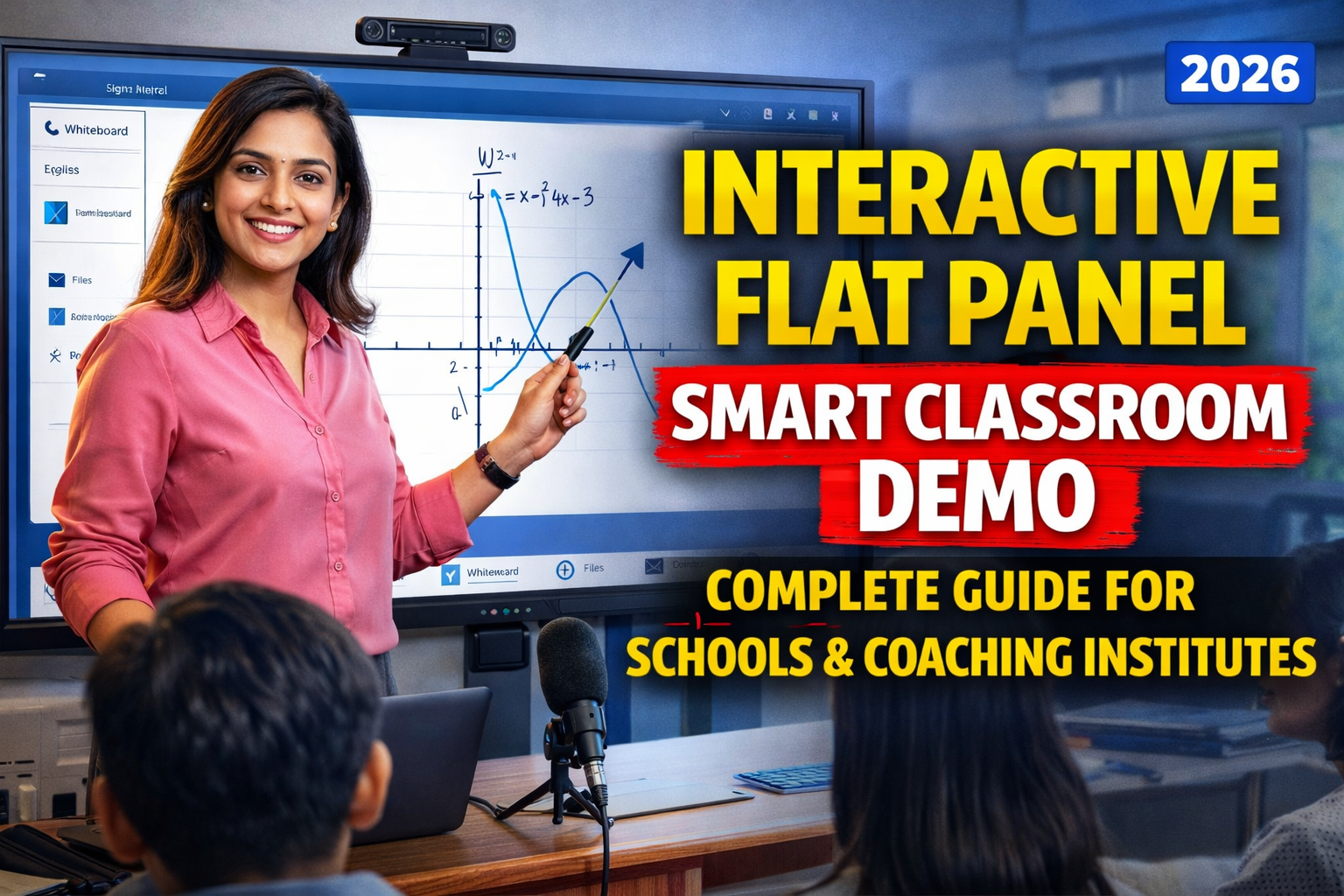
Smart Classroom Ka Future
Education sector rapidly digital transformation ki taraf move kar raha hai. Traditional chalkboard aur whiteboard teaching ab gradually replace ho rahi hai modern digital solutions se.
Aaj ke time me schools, coaching institutes aur training centers smart classroom technology adopt kar rahe hain jisme sabse important role play karta hai Interactive Flat Panel (IFP).
Interactive flat panel ek advanced digital board hota hai jo teaching ko interactive, engaging aur visually powerful bana deta hai. Is blog me hum detail me samjhenge ki interactive flat panel kya hota hai, iska demo kaise setup hota hai, aur kaise yeh classroom ko completely transform kar deta hai.
What is an Interactive Flat Panel?
Interactive Flat Panel ek large touchscreen display hota hai jo computer aur whiteboard ka combination hota hai.
Yeh ek all-in-one solution hai jisme:
- Display screen
- Touch functionality
- Built-in software
- Internet connectivity
sab kuch ek hi device me available hota hai.
Teachers directly screen par likh sakte hain, videos play kar sakte hain, presentations run kar sakte hain aur students ke saath interact kar sakte hain.
Why Schools Are Moving to Interactive Flat Panels
Traditional teaching methods me kuch limitations hoti hain:
- Limited visual explanation
- Static teaching
- No recording
- Low engagement
Interactive flat panel in sab problems ka solution deta hai.
Key Advantages
- Interactive Learning Experience
Students actively participate karte hain. - Visual Clarity
High-resolution display se content clear dikhta hai. - Time Saving
Digital notes instantly save aur share ho sakte hain. - Hybrid Learning Support
Online + offline classes dono possible hain. - Professional Teaching Environment
Classroom modern aur advanced dikhta hai.
Interactive Flat Panel Demo – Kya Hota Hai?
Demo ka matlab hota hai device ka practical live experience.
Jab kisi school ya institute me interactive flat panel install karne se pehle demo diya jata hai, to usme yeh dikhaya jata hai:
- Writing experience
- Touch response
- Software features
- Online class functionality
- Screen sharing
- Multimedia usage
Demo ka purpose hota hai teachers aur management ko yeh samjhana ki device real classroom me kaise kaam karega.
Components of Smart Classroom Demo Setup
Ek proper demo setup ke liye kuch essential components hote hain.
1. Interactive Flat Panel Display
Yeh main device hota hai.
Common Sizes
- 55 inch
- 65 inch
- 75 inch
- 86 inch
Recommended Size
75 inch classrooms ke liye most popular hai.
2. Built-in Android / Windows System
Modern panels me inbuilt operating system hota hai jisse:
- Apps run hote hain
- Browser use hota hai
- Files open hoti hain
3. Digital Pen / Stylus
Teacher stylus ka use karke directly screen par likh sakta hai.
4. Audio System
Built-in speakers ya external speakers use kiye ja sakte hain.
5. Internet Connectivity
Online content aur live classes ke liye internet zaruri hai.
6. Camera and Mic (Optional but Recommended)
Online teaching aur recording ke liye use hota hai.
How to Set Up Interactive Flat Panel Demo
Step-by-step process:
Step 1: Installation Location Choose Karein
- Panel ko wall par mount karein
- Proper height maintain karein
- Classroom ke center me install karein
Step 2: Power and Connectivity Setup
- Stable power connection
- Internet connection
Step 3: Software Setup
- Whiteboard app
- Browser
- Teaching apps
Step 4: Calibration
Touch accuracy ke liye calibration zaruri hota hai.
Step 5: Demo Session Conduct Karein
- Writing demo
- Video playback
- Live interaction
- Screen sharing
Key Features Demonstrated in Demo
1. Multi-Touch Writing
Multiple users ek saath board par likh sakte hain.
2. 4K Display Quality
High clarity se students ko clear visibility milti hai.
3. Screen Recording
Lecture record kiya ja sakta hai.
4. Screen Sharing
Laptop ya mobile screen connect ki ja sakti hai.
5. App Integration
YouTube, browser aur educational apps run hote hain.
Teaching Use Cases
Interactive flat panel multiple scenarios me use hota hai:
- School classrooms
- Coaching institutes
- Training centers
- Online classes
- Hybrid learning
Benefits for Teachers
- Easy explanation
- Digital notes
- Time saving
- Interactive teaching
- Recording facility
Benefits for Students
- Better understanding
- Visual learning
- Engagement increase
- Interactive participation
Comparison: Interactive Flat Panel vs Whiteboard
| Feature | Interactive Panel | Whiteboard |
|---|---|---|
| Writing | Digital | Manual |
| Content | Multimedia | Limited |
| Recording | Yes | No |
| Interaction | High | Low |
| Sharing | Easy | Difficult |
Common Mistakes During Demo
- Proper training na dena
- Features explain na karna
- Internet setup ignore karna
- Audio system check na karna
- Teachers ko hands-on practice na dena
How to Choose the Right Interactive Flat Panel
- Screen size
- Touch response
- Software support
- Warranty
- Service availability
Cost of Interactive Flat Panel in India
Approx price range:
- 65 inch: ₹1.2L – ₹1.8L
- 75 inch: ₹1.5L – ₹2.5L
- 86 inch: ₹2L+
Future of Smart Classrooms
- AI-based learning
- Digital content libraries
- Hybrid teaching
- Remote classrooms
FAQ – Frequently Asked Questions
Q1. Interactive flat panel kya hota hai?
Digital touchscreen board jo teaching ke liye use hota hai.
Q2. Demo ka kya benefit hai?
Real experience milta hai before purchase.
Q3. Kya online class possible hai?
Haan, easily.
Q4. Kya recording hoti hai?
Haan, screen recording available hoti hai.
Q5. Kaunsa size best hai?
75 inch most popular hai.
Conclusion
Interactive flat panel smart classroom ka core element hai jo teaching ko completely transform kar deta hai.
Ek proper demo teachers aur institutes ko yeh samajhne me help karta hai ki kaise yeh technology unke teaching method ko improve kar sakti hai.
Agar aap apne institute ko modern aur future-ready banana chahte hain, to interactive flat panel ek powerful investment hai.
Contact Details
+91 9560805022