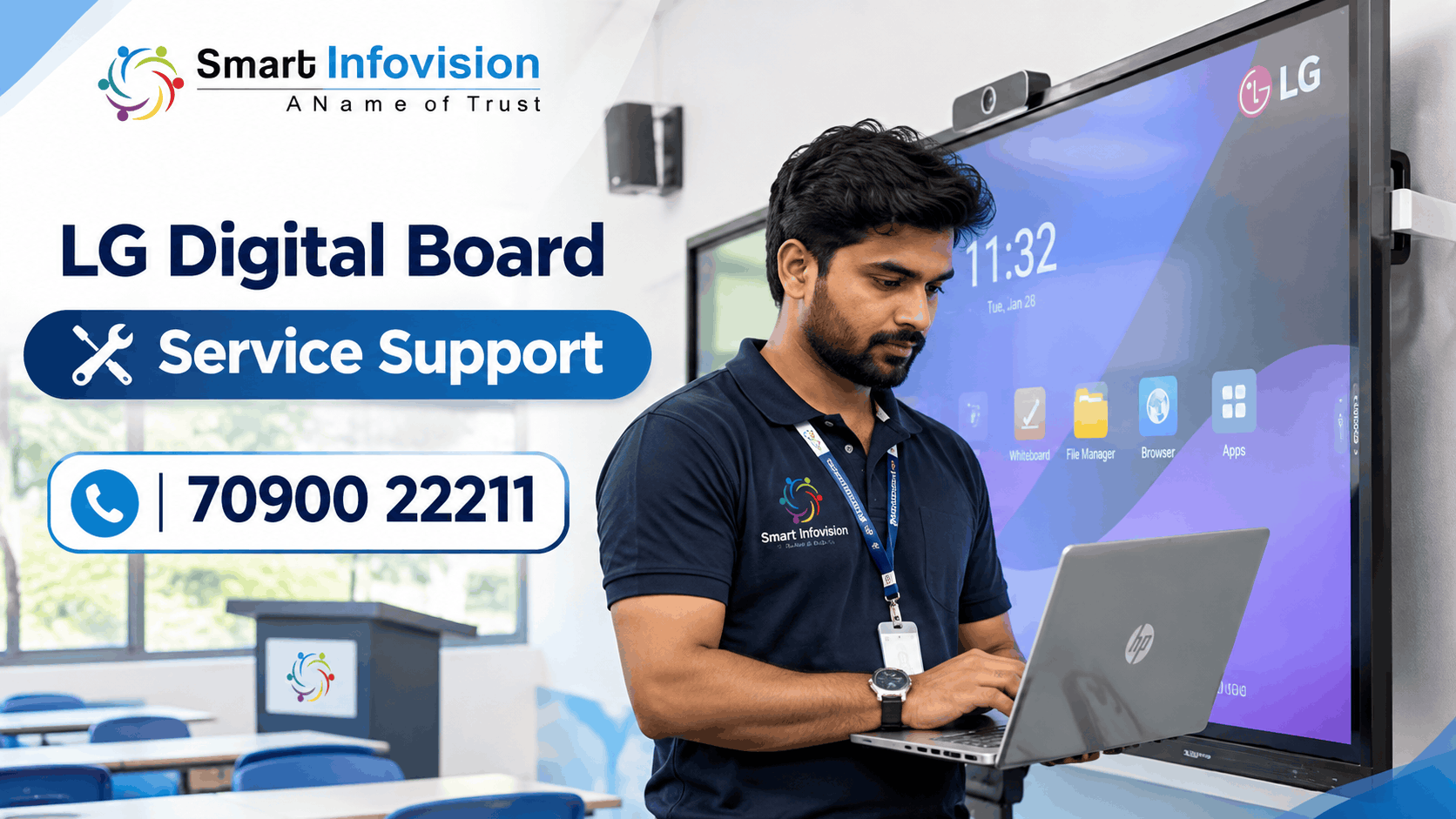
LG Digital Board की servicing, repairing, installation और technical support से संबंधित सहायता के लिए Smart Infovision के service support number 70900 22211 पर संपर्क कर सकते हैं। Service availability आपके product model, location और technical problem पर निर्भर करती है। Manufacturer warranty से संबंधित मामलों के लिए LG के official business support से संपर्क करना उचित है।
भारत में digital education, hybrid learning और technology-based classrooms के विस्तार के साथ Interactive Flat Panels का उपयोग लगातार महत्वपूर्ण होता जा रहा है। LG Digital Board और LG CreateBoard जैसे interactive displays शिक्षकों, विद्यार्थियों, corporate professionals और training institutions को एक ही platform पर presentation, digital writing और collaborative learning की सुविधा प्रदान करते हैं।
हालांकि, नियमित उपयोग के दौरान किसी भी electronic display में software, connectivity, touch response या hardware से संबंधित समस्याएं उत्पन्न हो सकती हैं। ऐसी स्थिति में सही technical guidance प्राप्त करना आवश्यक होता है, ताकि समस्या की पहचान की जा सके और अनावश्यक खर्च या classroom downtime को कम किया जा सके।
इस लेख में LG Digital Board Service Center Number, technical problems, repair enquiries, warranty conditions, model information और preventive maintenance से संबंधित महत्वपूर्ण जानकारी दी गई है।
LG Digital Board Service Support Information
Service Provider: Smart Infovision
Service Support Number: 70900 22211
Support: Digital board और interactive display technical support enquiries
Official Website: Smart InfovisionCall 70900 22211
यह Smart Infovision का service contact number है, LG Electronics का official customer care number नहीं है।Table of Contents
- LG Digital Board Service Center Number
- LG Digital Board क्या है?
- LG Interactive Flat Panel और CreateBoard
- Service की आवश्यकता कब पड़ती है?
- Common Technical Problems
- Troubleshooting Table
- Service Support कैसे प्राप्त करें?
- Repairing और Technical Support
- LG Digital Board Models
- Repair Cost in India
- Warranty और Out-of-Warranty Support
- Service Request के लिए जरूरी जानकारी
- Installation और Setup
- Digital Board Maintenance
- Digital Board की Life कैसे बढ़ाएं?
- Official LG और Smart Infovision Support
- About Smart Infovision
- Contact Information
- Read More
- Conclusion
- Frequently Asked Questions
LG Digital Board Service Center Number क्या है?
यदि आप LG Digital Board की repairing, installation या technical समस्या के समाधान के लिए service provider खोज रहे हैं, तो Smart Infovision के service department से 70900 22211 पर संपर्क कर सकते हैं। अपनी समस्या और product details साझा करके उपलब्ध technical assistance की जानकारी प्राप्त की जा सकती है।
LG Digital Board Service Center Number खोजते समय यह समझना जरूरी है कि manufacturer support और किसी अन्य technology solution provider की service अलग-अलग हो सकती है। Warranty claim, manufacturer-approved replacement और official product support के लिए LG Electronics के निर्धारित support channels का उपयोग किया जाना चाहिए।
| Service Information | Details |
|---|---|
| Service enquiry provider | Smart Infovision |
| Service support number | 70900 22211 |
| Product categories | Digital Boards, Interactive Flat Panels और classroom technology |
| Technical support availability | Model और problem assessment के अनुसार |
| Official LG Business Support | 1800-180-9898 |
| Manufacturer reference | LG India Business Contact Information |
| Service coverage | India में enquiries; location-specific availability की पुष्टि आवश्यक |
| Website | www.smartinfovision.com |
Service request दर्ज करने से पहले अपने LG Digital Board का model number, serial number और समस्या से संबंधित जानकारी तैयार रखें। इससे technical team को enquiry समझने में सहायता मिलती है।
LG Digital Board क्या है और यह कैसे काम करता है?
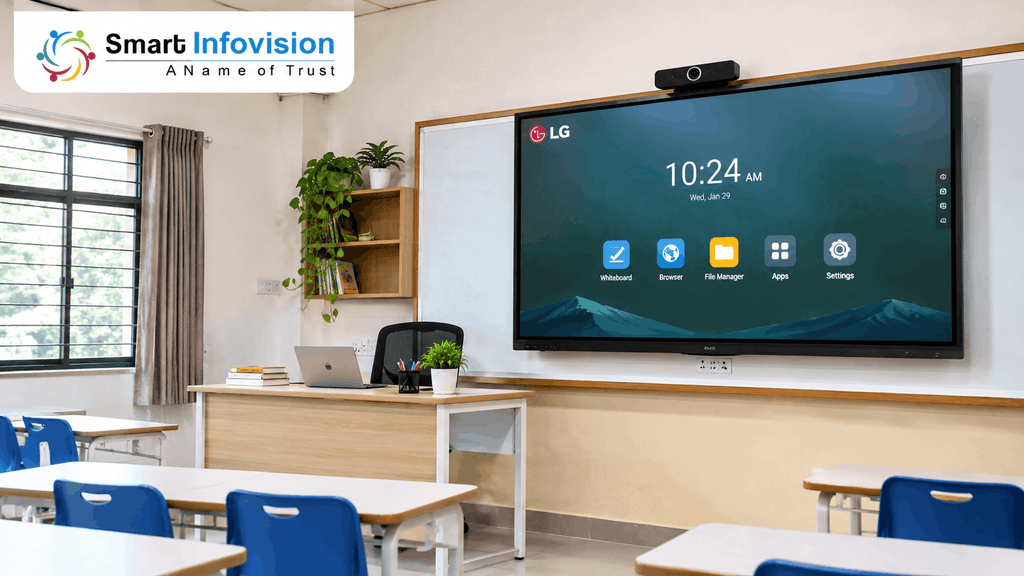
LG Digital Board एक interactive display technology है, जिसका उपयोग educational institutions, meeting rooms और training environments में digital content प्रदर्शित करने तथा उसके साथ interaction करने के लिए किया जाता है। इसे सामान्य रूप से Interactive Flat Panel, Interactive Digital Board या Smart Board भी कहा जाता है।
एक Interactive Flat Panel में display, touch input, processing system और connectivity interfaces एक साथ उपलब्ध होते हैं। शिक्षक screen पर सीधे लिख सकते हैं, diagrams बना सकते हैं और उपलब्ध applications के माध्यम से learning material प्रस्तुत कर सकते हैं। इन सुविधाओं की उपलब्धता संबंधित model पर निर्भर करती है।
Traditional projector-based classrooms की तुलना में interactive display एक integrated teaching environment उपलब्ध कराता है। Isme external laptop, supported USB devices aur network-based presentation tools connect kiye ja sakte hain. इससे अलग-अलग teaching resources को एक ही screen पर उपयोग करना आसान हो सकता है।
Interactive display और सामान्य television के बीच महत्वपूर्ण अंतर touch-based interaction का है। Television मुख्य रूप से content देखने के लिए बनाया जाता है, जबकि digital board में users presentation के साथ सीधे interaction भी कर सकते हैं।
Digital Board खरीदने या उसकी technology समझने के लिए Smart Infovision की digital classroom products catalogue भी देखी जा सकती है।
LG Interactive Flat Panel और CreateBoard का परिचय
LG CreateBoard, LG Electronics की interactive display product range है। इसे classroom learning, collaborative presentations और professional meeting environments जैसे applications के लिए विकसित किया गया है। LG की भारतीय business website पर TR3DK और TR3ER जैसे model references उपलब्ध हैं।
LG CreateBoard TR3DK range में 55-inch, 65-inch, 75-inch और 86-inch display models के product references देखे जा सकते हैं। Screen size का चयन classroom dimensions, audience size और viewing distance के आधार पर किया जाना चाहिए।
LG CreateBoard के अलग-अलग models में digital writing, content sharing, touch interaction और external device connectivity जैसी सुविधाएं उपलब्ध हो सकती हैं। Operating system version, supported applications, touch specifications और available ports model तथा regional configuration के अनुसार बदल सकते हैं।
Ek important technical point ye hai ki sabhi LG CreateBoard models ki software configuration ek jaisi nahi hoti. Kisi ek model ke software package ya accessories ko doosre model ke saath compatible maan lena sahi nahi hai. Exact product documentation check karna zaroori hai.
अधिक जानकारी के लिए LG India Interactive Digital Signage range और Smart Infovision की LG CreateBoard TR3ER Series product page देख सकते हैं।
LG Digital Board Service की आवश्यकता कब पड़ती है?
Digital Board की servicing की आवश्यकता केवल उस समय नहीं होती जब display पूरी तरह काम करना बंद कर दे। Touch response में कमी, बार-बार software बंद होना, external devices connect न होना और display quality में बदलाव जैसी समस्याएं भी technical assessment की जरूरत दर्शा सकती हैं।
Schools और coaching institutes में एक ही digital board का उपयोग दिनभर कई batches में किया जा सकता है। ऐसे environments में छोटी technical problem भी teaching schedule को प्रभावित कर सकती है। समय रहते समस्या की पहचान करने से classroom operations को व्यवस्थित रखने में सहायता मिलती है।
Agar digital board baar-baar restart ho raha hai, unusual heat generate kar raha hai, ya normal usage ke dauran screen freeze ho rahi hai, to problem ko ignore karne ke bajay qualified technical support lena chahiye.
Technical inspection की आवश्यकता device की स्थिति, समस्या की गंभीरता और manufacturer recommendations के आधार पर निर्धारित की जानी चाहिए। प्रत्येक software error का अर्थ hardware failure नहीं होता। इसलिए बिना diagnosis के किसी component को बदलने का निर्णय नहीं लेना चाहिए।
LG Digital Board में आने वाली Common Technical Problems
1. LG Digital Board Power On नहीं होना
Digital Board का चालू नहीं होना power availability, external connection या internal electronic fault से संबंधित हो सकता है। कुछ परिस्थितियों में display standby mode में भी हो सकता है, जिससे उपयोगकर्ता को लगता है कि panel खराब हो गया है।
School IT administrator को सुरक्षित रूप से उपलब्ध status indicator और manufacturer-approved operating controls की स्थिति देखनी चाहिए। यदि burning smell, unusual sound, visible damage या overheating दिखाई दे, तो equipment का उपयोग बंद करके qualified technician से सहायता लेनी चाहिए।
Internal power supply की जांच या display cabinet खोलने का प्रयास किसी अप्रशिक्षित व्यक्ति को नहीं करना चाहिए।
2. LG Digital Board Touch Screen Response Problem
Touch Screen Digital Board का सबसे महत्वपूर्ण interactive component है। यदि screen पर लिखने, menu select करने या presentation control करने में समस्या आ रही है, तो कारण software freeze, touch configuration या external computer connection से संबंधित हो सकता है।
Touch problem ko samajhne ke liye ye identify karna useful hai ki issue poori screen par aa raha hai ya sirf kisi particular application mein. Agar ek application mein problem hai aur baaki interface normal kaam kar raha hai, to software-related cause ki possibility ho sakti hai.
यदि touch response लगातार गलत स्थान पर register हो रहा है या screen के कुछ हिस्से प्रतिक्रिया नहीं दे रहे हैं, तो model-specific diagnostic support प्राप्त करना उचित है।
3. Display Flickering और Black Screen Problem
Display flickering का अर्थ screen brightness या दिखाई देने वाले content में बार-बार बदलाव आना है। Black screen की स्थिति में panel चालू दिखाई दे सकता है, लेकिन presentation या अन्य visual content नहीं दिखता।
इन समस्याओं के कारण input selection, connected computer, display configuration या hardware fault से संबंधित हो सकते हैं। केवल flickering देखकर यह निश्चित नहीं किया जा सकता कि display panel खराब है।
Technical team को यह जानकारी देना उपयोगी होता है कि problem built-in interface में भी दिखाई देती है या केवल external laptop connect करने के बाद उत्पन्न होती है। इससे diagnosis का scope सीमित किया जा सकता है।
4. Android या Operating System Problems
Interactive Flat Panels में उपलब्ध operating system presentation applications, whiteboard tools और अन्य digital resources को संचालित करता है। Software compatibility, application errors और insufficient storage जैसी परिस्थितियों में system performance प्रभावित हो सकती है।
Common software symptoms include application freezing, slow response, unexpected restart aur files open na hona. Har problem ke liye factory reset karna zaroori nahi hota, kyunki reset ke baad saved data aur configuration remove ho sakti hai.
School या संस्था के administrator को important teaching files का सुरक्षित backup रखना चाहिए। Persistent software error के लिए official documentation या professional technical assistance का उपयोग करना बेहतर है।
5. HDMI और USB Connectivity Issues
HDMI connection का उपयोग supported external devices से audio-video signal प्राप्त करने के लिए किया जाता है। USB interfaces का उपयोग model के अनुसार peripheral devices, storage और अन्य supported functions के लिए हो सकता है।
यदि laptop connect करने के बाद presentation दिखाई नहीं देती, तो संबंधित input source और connected device की output configuration जांचने की आवश्यकता हो सकती है। HDMI से picture आने का अर्थ यह नहीं है कि external computer का touch interaction भी स्वतः उपलब्ध होगा।
कुछ configurations में touch control के लिए अलग supported connection आवश्यक होता है। इसका सही तरीका संबंधित LG model के user manual से समझना चाहिए।
6. OPS Computer Connectivity Problem
OPS का पूरा नाम Open Pluggable Specification है। कुछ interactive display configurations में compatible OPS computer के माध्यम से अतिरिक्त computing capabilities उपलब्ध कराई जा सकती हैं।
OPS-related problems में computer interface दिखाई नहीं देना, startup failure या touch communication प्रभावित होना शामिल हो सकता है। समस्या connected computer, software या display interface में से किसी एक से संबंधित हो सकती है।
OPS hardware ko remove ya reinstall karne ka kaam trained service professional se karwana chahiye. Compatibility confirm kiye bina replacement computer purchase karna unnecessary expense create kar sakta hai.
7. Wi-Fi और Screen Mirroring Problems
Wireless screen sharing teachers और presenters को supported devices से content साझा करने की सुविधा प्रदान करती है। Network configuration, application compatibility और institutional network restrictions के कारण screen mirroring प्रभावित हो सकती है।
यदि किसी एक laptop या mobile device में mirroring problem है, लेकिन अन्य supported devices ठीक काम कर रहे हैं, तो source device की configuration भी जांच का विषय हो सकती है।
Institutional Wi-Fi network पर firewall और access policies लागू हो सकती हैं। Network security settings बदलने से पहले school या organisation के authorised IT administrator से संपर्क करना उचित है।
8. Software Update और Firmware Issues
Firmware किसी electronic device के internal operations को नियंत्रित करने वाले software का महत्वपूर्ण हिस्सा होता है। Display manufacturer द्वारा उपलब्ध कराए गए updates compatibility, performance या security से संबंधित बदलाव प्रदान कर सकते हैं।
Firmware package हमेशा exact model और regional variant के अनुसार होना चाहिए। Unverified firmware download, incompatible software installation या incomplete update से device functionality प्रभावित हो सकती है।
Available updates और installation requirements के लिए LG Product Support का संदर्भ लें। समस्या होने पर qualified service professional से सहायता प्राप्त करें।
9. Audio और Speaker Problems
Digital Board में sound output की समस्या audio settings, connected input device या speaker-related fault के कारण हो सकती है। कई बार external laptop किसी अन्य audio output device पर sound भेज रहा होता है, जबकि presentation display पर दिखाई देती रहती है।
Audio issue report karte samay ye mention karein ki problem built-in content ke saath hai, HDMI presentation ke saath hai ya kisi external audio system ke saath. Is information se technical assessment ko direction milti hai.
10. Display Panel और Hardware Faults
Screen पर स्थायी lines, visible cracks, discoloration या लगातार image distortion जैसी समस्याएं physical या electronic damage से संबंधित हो सकती हैं। हालांकि exact cause की पुष्टि professional inspection के बाद ही की जानी चाहिए।
Interactive display का आकार और वजन अधिक होने के कारण उसे अनधिकृत तरीके से खोलना, उठाना या relocate करना उचित नहीं है। Damaged display के उपयोग से पहले institutional administrator को professional safety assessment कराना चाहिए।
LG Digital Board Problems, Possible Causes and Solutions
नीचे दी गई troubleshooting table सामान्य symptoms समझने में सहायता करती है। यह professional diagnosis या manufacturer-specific service instructions का विकल्प नहीं है।
| Technical Problem | Possible Cause | Safe Initial Check | Recommended Action |
|---|---|---|---|
| Power On नहीं होना | Power availability या electronic fault | Status indicator observe करें | Qualified technical inspection |
| Touch काम नहीं करना | Software या touch communication issue | अन्य applications में response observe करें | Touch diagnostic support |
| Black Screen | Input source या display fault | Selected input source देखें | Display assessment |
| Screen Flickering | Source device या hardware issue | समस्या कब होती है, note करें | Professional diagnosis |
| HDMI Signal नहीं आना | Input configuration या compatibility | Selected source verify करें | Connectivity assistance |
| System Freeze | Application या operating system issue | Error message record करें | Software support |
| OPS Start नहीं होना | Computer या interface problem | Startup symptoms note करें | Compatible OPS assessment |
| Wi-Fi Problem | Network restrictions या configuration | IT administrator से network status जानें | Network support |
| Audio नहीं आना | Output selection या speaker issue | Volume और mute status देखें | Audio diagnostics |
| Physical Screen Damage | Impact या external damage | Equipment का उपयोग बंद करें | Professional inspection |
यह ध्यान रखना आवश्यक है कि समान symptom अलग-अलग कारणों से उत्पन्न हो सकता है। इसलिए repair quotation या replacement requirement निर्धारित करने से पहले technical assessment महत्वपूर्ण है।
Smart Infovision से LG Digital Board Service Support कैसे प्राप्त करें?
Smart Infovision की website पर digital boards, interactive flat panels, installation और technical assistance से संबंधित contact information उपलब्ध है। LG Digital Board से संबंधित enquiry के लिए service support number 70900 22211 पर संपर्क किया जा सकता है।
Service enquiry करते समय अपना शहर, institution का नाम, product model और technical problem स्पष्ट रूप से बताएं। यदि board किसी दूसरे supplier से खरीदा गया है, तो खरीदारी और warranty की जानकारी भी साझा करें। इससे उपलब्ध support options समझने में सहायता मिल सकती है।
Ek structured service enquiry mein problem ka short description, issue start hone ka samay aur device par dikhne wala error message include karna useful hota hai. Agar ek hi school mein multiple digital boards installed hain, to affected unit ko clearly identify karein.
Smart Infovision से remote guidance, onsite visit, inspection charges और संबंधित model की service eligibility की पुष्टि enquiry के दौरान करनी चाहिए। इन सभी सुविधाओं की उपलब्धता प्रत्येक location या model के लिए समान होना आवश्यक नहीं है।
LG Digital Board Repairing और Technical Support Services
Interactive display technical support में केवल खराब components की repairing ही शामिल नहीं होती। इसमें device behaviour समझना, configuration problems की पहचान करना, classroom connectivity का assessment और system operation से संबंधित guidance भी महत्वपूर्ण होती है।
Smart Infovision से digital display diagnostics, touchscreen problems, software-related issues, connectivity assistance, installation और maintenance enquiries के संबंध में संपर्क किया जा सकता है। किसी विशेष LG model की component-level repairing और replacement parts की उपलब्धता अलग से confirm करना आवश्यक है।
Professional assessment का उद्देश्य समस्या के वास्तविक कारण को समझना है। उदाहरण के लिए, यदि digital board पर presentation नहीं दिखाई दे रही है, तो समस्या display panel के बजाय connected computer या selected input source से भी संबंधित हो सकती है।
Repair approve karne se pehle customer ko proposed service ka scope, estimated cost, applicable charges aur replacement component ki details written format mein samajhni chahiye. इससे बाद में service से संबंधित गलतफहमी कम हो सकती है।
LG Digital Board के कौन-कौन से Models के लिए Service Enquiry कर सकते हैं?
LG CreateBoard series के विभिन्न interactive display models भारतीय business product catalogue में उपलब्ध हैं। नीचे दिए गए model references LG की official product listings पर आधारित हैं। यह table model identification में सहायता करने के लिए है, न कि प्रत्येक model की guaranteed repair eligibility घोषित करने के लिए।
| Product Series | Screen Size | Model Reference | Support Enquiry |
|---|---|---|---|
| LG CreateBoard TR3DK | 55 Inch | 55TR3DK-I | Model-specific confirmation required |
| LG CreateBoard TR3DK | 65 Inch | 65TR3DK-I | Technical enquiry |
| LG CreateBoard TR3DK | 75 Inch | 75TR3DK-I | Technical enquiry |
| LG CreateBoard TR3DK | 86 Inch | 86TR3DK-I | Inspection availability confirmation |
| LG CreateBoard TR3ER | 86 Inch | 86TR3ER-I | Model-specific support enquiry |
Model number के अंत में मौजूद letters या regional suffix भी महत्वपूर्ण हो सकते हैं। दो समान screen size वाले displays की internal configuration अलग हो सकती है। इसी कारण service request में पूरा model number देना जरूरी है।
LG Digital Board Repair Cost in India
LG Digital Board की repairing cost पूरे भारत में एक जैसी निर्धारित नहीं होती है। Repair charges मुख्य रूप से product model, समस्या की प्रकृति, warranty status, required inspection और replacement components की उपलब्धता पर निर्भर करते हैं।
Software configuration से संबंधित समस्या और physically damaged display की repair requirements अलग होती हैं। इसी तरह onsite technical visit और workshop-based inspection की लागत में अंतर हो सकता है।
| Cost Factor | Repair Cost पर प्रभाव |
|---|---|
| Screen Size | Handling और replacement requirements |
| Product Model | Compatible components और technical complexity |
| Nature of Fault | Software, connectivity या hardware assessment |
| Warranty Status | Manufacturer coverage की eligibility |
| Installation Location | Travel और onsite visit requirements |
| Spare Parts | Component availability और actual price |
| Inspection | Diagnosis और applicable service charges |
Accurate repair quotation ke liye problem assessment zaroori hai. Customer ko inspection fee, labour charges, transportation aur applicable taxes ke baare mein advance confirmation lena chahiye.
बड़े hardware replacement की स्थिति में repair estimate की तुलना नए compatible display की कीमत और उपलब्ध warranty से करना भी उपयोगी हो सकता है। इससे institution बेहतर procurement decision ले सकता है।
LG Digital Board Warranty और Out-of-Warranty Support
Manufacturer warranty एक निर्धारित policy के अंतर्गत eligible product defects के लिए support उपलब्ध करा सकती है। वास्तविक warranty coverage खरीदारी की तारीख, product category, applicable terms, installation conditions और service documentation पर निर्भर करती है।
LG Digital Board warranty के अंदर है या नहीं, इसकी पुष्टि invoice, serial number और LG के business support के माध्यम से करनी चाहिए। प्रत्येक interactive display के लिए एक समान warranty duration मान लेना उचित नहीं है।
Physical damage, unauthorised modification और अन्य excluded conditions manufacturer warranty के अंतर्गत covered हों, यह आवश्यक नहीं है। संबंधित product की वास्तविक warranty terms समझने के लिए LG Business Warranty Terms देखें।
Out-of-warranty digital board ke liye bhi manufacturer support ya independent technical assessment ki enquiry ki ja sakti hai. Service approve karne se pehle component availability, quotation aur repair warranty ki conditions clear karna important hai.
यदि आपका product अभी manufacturer warranty में है, तो किसी independent repair को approve करने से पहले official LG support से सलाह लें। इससे warranty eligibility पर संभावित प्रभाव समझने में सहायता मिलेगी।
LG Digital Board Service Request से पहले कौन-सी जानकारी तैयार रखें?
एक complete service request technical team को product और समस्या की सही जानकारी उपलब्ध कराने में सहायता करती है। इससे बार-बार विवरण मांगने की आवश्यकता कम हो सकती है और enquiry अधिक व्यवस्थित तरीके से आगे बढ़ सकती है।
- LG Digital Board का पूरा model number
- Product serial number
- Purchase invoice और खरीदारी की तारीख
- Available warranty documents
- Installation city और complete service location
- Problem का स्पष्ट description
- Relevant error messages या सुरक्षित दूरी से ली गई photographs
- Connected laptop, computer या OPS की जानकारी
- Software version, यदि सामान्य settings में उपलब्ध हो
यदि school में कई digital boards installed हैं, तो प्रत्येक display के लिए एक asset identification record बनाना उपयोगी है। इसमें classroom number, purchase date और service history शामिल की जा सकती है।
Customer ko passwords, confidential student records aur unnecessary personal information service enquiry ke saath share nahi karni chahiye. Technical support ke liye sirf relevant device information provide karein.
LG Digital Board Installation और Setup Support
Digital Board installation में display placement, mounting compatibility, electrical readiness, network access और teaching requirements का assessment शामिल होता है। एक व्यवस्थित installation classroom usability और equipment safety के लिए महत्वपूर्ण है।
Interactive display को ऐसे स्थान पर स्थापित किया जाना चाहिए जहां विद्यार्थियों को content स्पष्ट रूप से दिखाई दे और शिक्षक आराम से screen का उपयोग कर सकें। Glare, surrounding light और classroom seating arrangement भी installation planning का हिस्सा होना चाहिए।
Wall mounting, structural assessment और electrical installation qualified professionals द्वारा manufacturer recommendations के अनुसार किया जाना चाहिए। बड़े digital displays को सामान्य household television की तरह install करना सुरक्षित मान लेना उचित नहीं है।
Installation complete hone ke baad teachers ko supported whiteboard application, presentation tools, input selection aur content sharing features ka basic orientation milna useful hota hai. इससे रोजमर्रा की teaching के दौरान technical dependency कम हो सकती है।
Educational institutions Smart Infovision की Smart Classroom Setup information और digital education products का संदर्भ ले सकते हैं।
Schools और Coaching Institutes के लिए Digital Board Maintenance
Digital Classroom में preventive maintenance का मुख्य उद्देश्य equipment को व्यवस्थित operational condition में रखना और unexpected technical interruptions को कम करना है। इसके लिए institution को केवल emergency repair पर निर्भर रहने के बजाय नियमित equipment management process विकसित करना चाहिए।
School IT administrator को digital boards की basic working condition, software issues, external accessories और connectivity problems का record रखना चाहिए। यदि किसी particular classroom में बार-बार समस्या आती है, तो उसका consolidated service history diagnosis में उपयोगी हो सकता है।
Teachers ke liye short operating guidelines prepare karna bhi beneficial hai. Isme approved applications, classroom presentation process, data storage practices aur normal shutdown procedure ki information include ki ja sakti hai.
Recommended Maintenance Management Schedule
| Frequency | Maintenance Activity |
|---|---|
| Daily | Visible damage और operational symptoms का observation |
| Weekly | Teaching applications और connectivity performance का review |
| Monthly | Service history और reported technical issues की समीक्षा |
| Quarterly | IT administrator द्वारा equipment management review |
| As Required | Manufacturer guidance के अनुसार professional inspection |
यह एक suggested institutional management schedule है, LG की अनिवार्य manufacturer maintenance policy नहीं। Actual maintenance requirements के लिए संबंधित product documentation को प्राथमिकता दी जानी चाहिए।
LG Digital Board की Life कैसे बढ़ाएं?
Interactive Flat Panel की operational life उपयोग की परिस्थितियों, environmental conditions, installation quality और product design से प्रभावित होती है। Responsible equipment management अनावश्यक damage की संभावना कम करने में सहायता कर सकता है।
Digital Board के आसपास पर्याप्त ventilation होनी चाहिए। Manufacturer द्वारा निर्धारित installation clearances का पालन करना आवश्यक है। Panel को ऐसे environment में नहीं रखना चाहिए जहां लगातार moisture, excessive heat या physical impact का जोखिम हो।
Screen cleaning ke liye manufacturer-approved instructions follow karein. Har cleaning chemical display surface ke liye suitable nahi hota. Liquid ko directly electronic equipment par spray karne se bachna chahiye.
Software management भी preventive maintenance का हिस्सा है। केवल compatible applications और manufacturer-approved updates का उपयोग करें। Important educational files का नियमित backup रखें, ताकि device-related problem के कारण teaching material उपलब्ध न होने की स्थिति कम हो सके।
यदि कोई technical symptom लगातार दिखाई दे रहा है, तो उसे सामान्य मानकर लंबे समय तक equipment का उपयोग करने के बजाय professional assessment प्राप्त करें।
Official LG Service Support और Smart Infovision Support में क्या अंतर है?
LG Electronics अपने products के लिए official manufacturer support channels संचालित करता है। Smart Infovision digital education technology और interactive display solutions से संबंधित service enquiries के लिए अपना contact number उपलब्ध कराता है। दोनों की भूमिकाओं और service authority को अलग-अलग समझना आवश्यक है।
| Comparison | Official LG Support | Smart Infovision |
|---|---|---|
| Organisation | LG Electronics | Digital classroom solution provider |
| Contact Number | 1800-180-9898 (Business Solutions) | 70900 22211 |
| Manufacturer Warranty | Applicable LG policy के अनुसार | Warranty responsibility की अलग पुष्टि आवश्यक |
| Technical Assistance | Official product support channels | Available technical support enquiries |
| Repair Eligibility | LG service assessment के अनुसार | Model और location confirmation आवश्यक |
| Spare Parts | Manufacturer service process के अनुसार | Availability की पुष्टि आवश्यक |
Smart Infovision को इस लेख में LG-authorised service centre के रूप में प्रस्तुत नहीं किया गया है। किसी भी authorised service relationship या warranty arrangement की पुष्टि संबंधित company documentation से की जानी चाहिए।
About Smart Infovision
Smart Infovision भारत में digital education और classroom technology से संबंधित products तथा solutions उपलब्ध कराने वाली company है। इसकी website पर Interactive Flat Panels, Digital Boards, PTZ Cameras, microphones और online teaching studio solutions जैसी product categories उपलब्ध हैं।
Company की product catalogue में classroom presentation, hybrid learning और digital content creation से संबंधित equipment शामिल हैं। LG CreateBoard से संबंधित product information भी इसकी website पर उपलब्ध है।
Smart Infovision ka digital education ecosystem teachers, educational institutions aur technology-based training environments ki requirements ko address karta hai. Customers available products, installation options aur service-related enquiries ke liye company ke respective departments se contact kar sakte hain.
Digital classroom की planning करने वाले institutions digital board solutions in India और company की installation and classroom technology website का संदर्भ ले सकते हैं।
Smart Infovision को Contact कैसे करें?
यदि आपके LG Digital Board में touch response, display, connectivity, software या installation से संबंधित कोई समस्या है, तो Smart Infovision के service support department से उपलब्ध assistance की जानकारी प्राप्त कर सकते हैं।
Digital Board Service Support Enquiry
Company: Smart Infovision
Service Support Number: 70900 22211
Service Email: service@smartinfovision.com
Contact Page: Contact Smart InfovisionContact Service Support
Call karte samay complete product details share karein aur applicable service charges, location coverage, inspection process aur warranty-related conditions confirm karein.
Read More – Related Digital Board Resources
Digital Board technology, service support और smart classroom solutions को अधिक विस्तार से समझने के लिए निम्नलिखित resources उपयोगी हो सकते हैं:
- Smart Board Repairing Number और Technical Support Guide
- MAXHUB Interactive Flat Panel Service Center Number
- School के लिए सही Digital Board कैसे चुनें?
- Smart Board Technology और Available Solutions
Conclusion
LG Digital Board और LG CreateBoard modern teaching, professional presentations और collaborative learning के लिए महत्वपूर्ण interactive display technologies हैं। इनका प्रभावी उपयोग बनाए रखने के लिए सही installation, compatible software, responsible equipment management और समय पर technical assessment आवश्यक हैं।
Digital Board में उत्पन्न होने वाली प्रत्येक समस्या hardware failure से संबंधित नहीं होती। इसलिए किसी component replacement या बड़ी repairing से पहले समस्या के वास्तविक कारण की पहचान करना महत्वपूर्ण है।
यदि आप LG Digital Board Service Center Number, LG Interactive Flat Panel Repairing या CreateBoard Technical Support से संबंधित जानकारी खोज रहे हैं, तो Smart Infovision के service number 70900 22211 पर enquiry कर सकते हैं। Official manufacturer warranty और LG-specific authorised support के लिए LG Electronics के business support channels का उपयोग करें।
Frequently Asked Questions – LG Digital Board Service Support
1. LG Digital Board Service Center Number क्या है?
LG Digital Board servicing और technical support enquiries के लिए Smart Infovision से 70900 22211 पर संपर्क कर सकते हैं। LG Electronics का official Business Solutions support number 1800-180-9898 है। दोनों अलग-अलग organisations के contact numbers हैं। Service eligibility की पुष्टि संबंधित provider से करें।
2. Smart Infovision का service support number क्या है?
Smart Infovision का service support number 70900 22211 है। इस नंबर पर Digital Boards, Interactive Flat Panels और संबंधित classroom technology support के लिए enquiry की जा सकती है। अपने product का पूरा model number और समस्या की जानकारी साझा करना उपयोगी होता है।
3. LG Digital Board की repairing कैसे करवाएं?
Repairing enquiry के लिए product model, serial number, purchase invoice और technical problem की जानकारी तैयार रखें। Warranty में मौजूद product के लिए पहले LG के official support से संपर्क करें। अन्य service options की जानकारी Smart Infovision से प्राप्त की जा सकती है।
4. LG Digital Board का touch काम क्यों नहीं करता?
Touch response की समस्या software error, application freeze, touch communication या hardware-related कारणों से हो सकती है। केवल एक symptom के आधार पर exact fault निर्धारित नहीं किया जा सकता। लगातार समस्या आने पर model-specific technical diagnosis प्राप्त करना उचित है।
5. LG Interactive Flat Panel चालू नहीं हो रहा है तो क्या करें?
Device का status indicator और दिखाई देने वाले error symptoms note करें। यदि unusual heat, visible damage या burning smell महसूस हो, तो उपयोग बंद करें। Internal electronic components को खोलने के बजाय qualified technical professional से assistance प्राप्त करें।
6. LG CreateBoard के लिए technical support कैसे प्राप्त करें?
LG CreateBoard के official product support के लिए LG India Business Support का उपयोग करें। Smart Infovision से भी संबंधित technical support enquiry की जा सकती है। Model number और installation location के आधार पर उपलब्ध assistance options की पुष्टि करें।
7. LG Digital Board की repairing cost कितनी होती है?
Repair cost product model, nature of fault, warranty status, inspection charges और spare parts availability पर निर्भर करती है। बिना technical assessment के निश्चित repairing price बताना उचित नहीं है। Customer को service approve करने से पहले written quotation प्राप्त करना चाहिए।
8. क्या warranty समाप्त होने के बाद digital board की servicing हो सकती है?
Warranty समाप्त होने के बाद manufacturer या independent service provider से paid service enquiry की जा सकती है। Repair availability संबंधित model, component requirements और technical condition पर निर्भर करती है। Service charges और replacement conditions की पुष्टि पहले करें।
9. क्या LG Digital Board की onsite servicing हो सकती है?
Onsite servicing की उपलब्धता installation location, product condition और technical team की coverage पर निर्भर करती है। Smart Infovision से 70900 22211 पर संपर्क करके अपने शहर और product model के लिए onsite inspection की उपलब्धता पूछ सकते हैं।
10. LG Digital Board में HDMI problem क्यों आती है?
HDMI problem selected input source, connected device configuration या connection compatibility से संबंधित हो सकती है। समस्या किसी एक external device में है या सभी supported devices में, इसकी जानकारी technical support team को देने से assessment में सहायता मिल सकती है।
11. LG Digital Board की screen flickering क्यों होती है?
Screen flickering external video source, display configuration या electronic hardware problem से संबंधित हो सकती है। Problem कब और किस input source के साथ दिखाई देती है, इसका record रखें। Persistent flickering के लिए professional display assessment की आवश्यकता हो सकती है।
12. क्या LG Digital Board का software update किया जा सकता है?
Software update की उपलब्धता exact product model और LG की support policy पर निर्भर करती है। केवल manufacturer-approved और model-compatible software का उपयोग किया जाना चाहिए। Unverified firmware package से device functionality प्रभावित हो सकती है।
13. Digital Board की maintenance कितनी जरूरी है?
Regular equipment management से reported problems को समय पर पहचानने, teaching interruptions कम करने और digital classroom operations व्यवस्थित रखने में सहायता मिलती है। Maintenance schedule institution की usage conditions और manufacturer recommendations के आधार पर तैयार किया जाना चाहिए।
14. क्या Smart Infovision LG का official authorised service center है?
Smart Infovision को इस लेख में LG-authorised service center के रूप में प्रस्तुत नहीं किया गया है। ऐसी authorisation की स्वतंत्र पुष्टि उपलब्ध नहीं है। Manufacturer warranty या authorised repair के लिए LG Electronics के official support से संपर्क करें।
15. LG के official customer care से कैसे संपर्क करें?
Commercial displays और business solutions से संबंधित official enquiries के लिए LG Business Solutions support number 1800-180-9898 उपलब्ध है। Current support timings, email और अन्य contact options LG India की official support website पर देखे जा सकते हैं।
16. Schools के लिए Digital Board Technical Support कैसे प्राप्त करें?
School administrator को installed boards की model information, classroom identification और reported problems का record तैयार करना चाहिए। Smart Infovision या संबंधित manufacturer से संपर्क करके available technical assistance और inspection options की जानकारी प्राप्त की जा सकती है।
17. LG Digital Board का model number कैसे पता करें?
Model number सामान्यतः product documentation, purchase invoice, device information settings या manufacturer identification label पर उपलब्ध होता है। केवल model number देखने के लिए भारी display को दीवार से हटाने या उसका cabinet खोलने की आवश्यकता नहीं होनी चाहिए।
18. Digital Board Service Request के लिए कौन-से documents चाहिए?
Purchase invoice, warranty document, complete model number, serial number और installation details service enquiry के लिए उपयोगी होते हैं। इसके अतिरिक्त error message और problem description साझा कर सकते हैं। केवल आवश्यक device-related information ही service provider को दें।
Editorial note: Product information और service policies समय के साथ बदल सकती हैं। Service eligibility, warranty coverage और repair availability की पुष्टि संबंधित provider से करें। यह जानकारी technical awareness के लिए है और professional equipment inspection का विकल्प नहीं है।