If you are teaching from home, a coaching classroom or a school, you do not necessarily need an expensive professional camera. The right cheapest camera for teaching should simply give your students a clear view of you, your teaching area and, where required, your digital board.
The challenge is knowing where to spend your money. A basic webcam can be enough for a teacher sitting at a desk, while a classroom instructor may need a PTZ camera to cover a larger teaching area. Spending more does not automatically mean getting a better solution for your particular setup.
This guide explains what teachers and institutes should look for in a budget teaching camera in India, how webcams compare with PTZ cameras, when 4K actually matters, and how to choose a camera according to classroom size and teaching style.
Quick Answer
The cheapest camera for teaching depends on how you teach. For a teacher sitting close to a computer, a good webcam can be a practical low-cost option. For classrooms, digital-board teaching, recording and hybrid classes, a PTZ camera provides more flexible positioning and coverage. Smart Infovision currently lists a Benchmark Technomate 4K webcam at ₹12,500, while its camera collection also includes 4K PTZ options starting at ₹70,000.
Key Takeaways
- A webcam is usually sufficient for teachers conducting desk-based online classes.
- A PTZ camera becomes more useful when the teacher moves around a classroom or needs to show a digital board.
- 4K is useful when image detail, cropping or large-screen classroom content matters, but it is not essential for every teacher.
- Classroom size, camera-to-teacher distance and required coverage are more important than simply choosing the highest resolution.
- Check connectivity, mounting, audio, lighting and software compatibility before buying.
- Smart Infovision’s current camera collection includes webcams and multiple PTZ camera options for different teaching and recording requirements.
What Should Teachers Look for in a Camera?
The right teaching camera should match the way you teach rather than simply having the highest specification.
A teacher conducting one-to-one tuition from a desk has very different requirements from a coaching institute recording a lecture in a 30-seat classroom. Before comparing cameras, consider:
- How far will you sit or stand from the camera?
- Do you need to show your face only or the entire teaching area?
- Will you teach in front of a digital board?
- Do you need live streaming?
- Will you record lectures?
- Do you need remote camera control?
- Will the camera remain fixed or need to move?
- What computer or streaming equipment will you connect it to?
A budget camera for teaching should solve the actual problem without adding unnecessary cost.
How Much Does a Teaching Camera Cost?
There is no single price range that defines a teaching camera because webcams and PTZ cameras serve different purposes.
At the time of writing, Smart Infovision’s camera collection lists a Benchmark Technomate BMTC18 4K Webcam at ₹12,500, while its listed PTZ cameras include options at ₹70,000, ₹75,000 and ₹90,000, depending on the model. Prices and availability can change, so buyers should verify the current product page before purchasing.
| Camera Type | Typical Use | Budget Consideration |
|---|---|---|
| Basic webcam | Desk-based online teaching | Lower-cost option |
| 4K webcam | Online teaching and content creation | Higher than basic webcams |
| PTZ camera | Classroom teaching and recording | Higher investment |
| 4K PTZ camera | Professional classroom/hybrid setups | Higher investment |
| Multi-camera setup | Large classrooms/studios | Depends on configuration |
For example, if you teach from a home desk, spending on a PTZ camera may not provide much practical benefit. But if you need to capture a teacher moving between a digital board and classroom area, PTZ functionality can become considerably more useful.
Webcam vs PTZ Camera for Teachers
The biggest difference is not simply image quality. It is how much control and coverage you need.
A webcam is generally designed for close-range computer-based video communication. A PTZ camera is designed to provide controllable pan, tilt and zoom, making it more suitable for classrooms, lecture halls, studios and situations where the teacher is not always sitting directly in front of the camera.
| Feature | Basic Webcam | PTZ Camera | 4K PTZ Camera |
|---|---|---|---|
| Resolution | Depends on model | Depends on model | Up to 4K on supported models |
| Pan/Tilt | Usually limited or absent | Yes | Yes |
| Optical Zoom | Usually not available | Depends on model | Depends on model |
| Classroom Coverage | Small/close area | Medium to large, depending on model | Depends on model and lens |
| Live Teaching | Yes | Yes | Yes |
| Recording | Yes | Yes | Yes |
| Digital Board Teaching | Limited by positioning | Suitable | Suitable |
| Remote Camera Control | Depends on model | Common feature | Depends on model |
| Best For | Desk teaching | Classrooms/studios | Professional teaching setups |
Which camera is best for online classes?
For a teacher sitting at a desk and teaching directly into a laptop or monitor, a webcam can be the simplest solution.
If your online class involves standing, writing on a board, moving around the room or switching between the teacher and teaching area, a PTZ camera may be more appropriate.
Best Budget Camera Features
When looking for an affordable camera for online classes, focus on features that actually improve the teaching experience.
Resolution
1080p can be sufficient for many online teaching situations. 4K can provide additional detail and flexibility, particularly for recording or showing fine content on a digital board.
However, a higher resolution does not automatically compensate for poor lighting, incorrect framing or weak audio.
Autofocus
Autofocus can be useful when the teacher moves closer to or farther from the camera.
For a stationary desk setup, it may be less critical.
Field of View
A wider field of view can help capture more of a classroom, while a narrower view can be preferable when you want to focus primarily on the teacher.
Zoom
Zoom becomes important when the camera is positioned far away from the teacher or digital board.
For classrooms, check optical zoom separately from digital zoom. Optical zoom uses the lens to magnify the subject, while digital zoom enlarges the image electronically and can reduce usable image detail.
Connectivity
Before purchasing, check how the camera connects to your computer or classroom system.
Depending on the model, this can include USB, HDMI, network connectivity or other interfaces. Always confirm the exact ports and supported modes on the manufacturer’s specification sheet.
Is 4K Necessary for Online Teaching?
No, not every teacher needs 4K.
A teacher conducting regular Zoom or similar online lessons from a small home studio may be perfectly comfortable with a good 1080p camera.
4K becomes more valuable when you:
- Record high-resolution lectures.
- Need to crop footage during editing.
- Teach in front of a large digital board.
- Want greater image detail.
- Produce YouTube or educational content.
- Need a more professional classroom recording setup.
Smart Infovision’s Benchmark Technomate 4K PTZ listing, for example, specifies a maximum camera resolution of 3840 × 2160 and an 8 MP camera.
The important point is to evaluate the complete setup. A 4K camera in a poorly lit classroom may produce a less useful result than a properly positioned camera with good lighting.
Best Camera for Small Classrooms
A small classroom does not automatically require a PTZ camera.
For a teacher who remains close to the camera, a good webcam can be a practical choice. It keeps the setup simple and can reduce installation requirements.
A PTZ camera becomes more useful when:
- The teacher moves around the classroom.
- The camera is mounted at a distance.
- Students need to see a digital board.
- Lectures are regularly recorded.
- The institute wants a more permanent teaching system.
For a small classroom, avoid paying for features you will rarely use.
Best Camera for Digital Board Teaching
Digital-board teaching creates a different camera requirement.
The camera needs to capture both the teacher and the teaching area clearly. Depending on the room layout, you may also need enough zoom to frame the board from a distance.
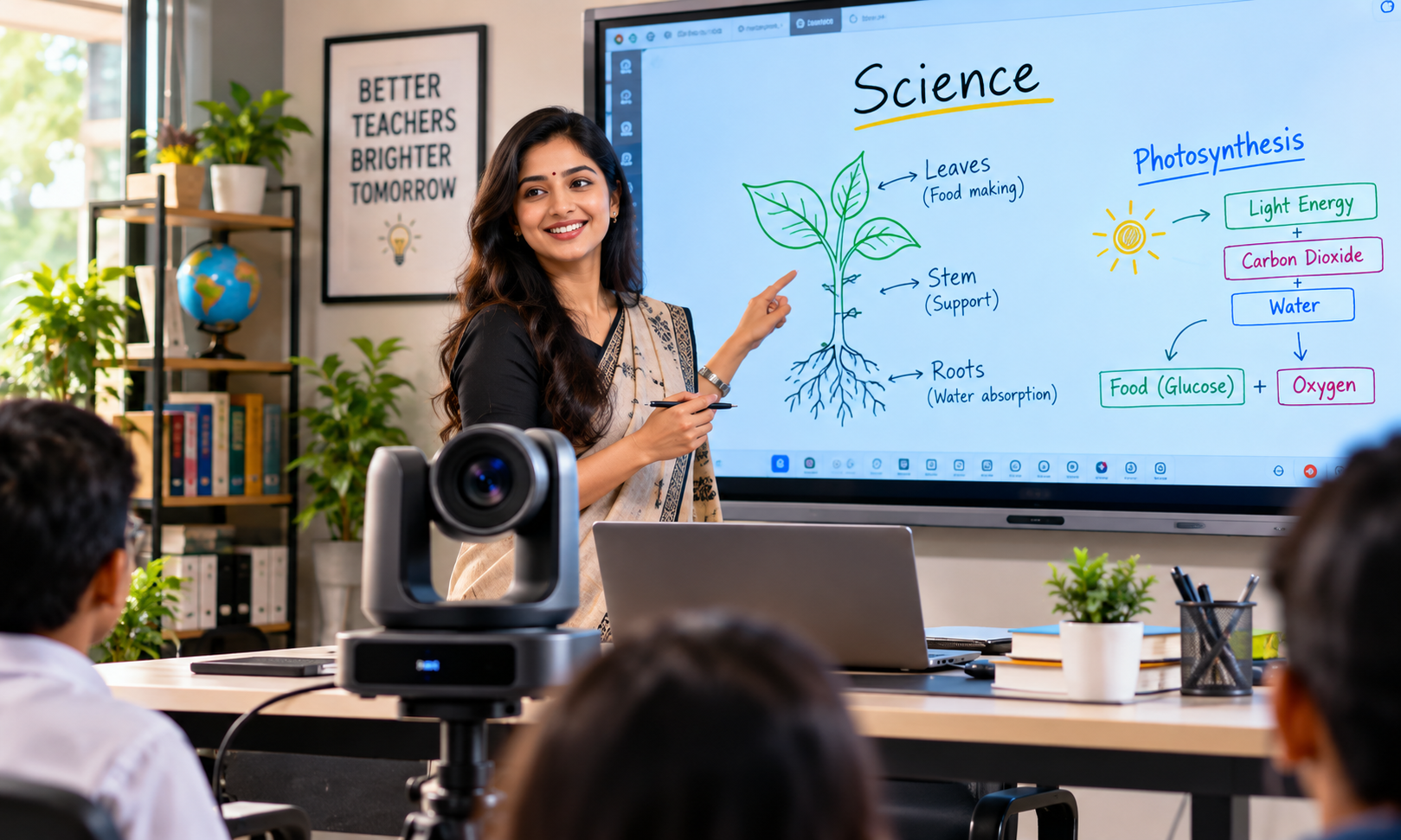
A PTZ camera can be particularly useful because its pan, tilt and zoom functions allow the camera to be repositioned without physically moving the unit.
For example, an instructor could use one camera position for a full classroom view and adjust the framing when explaining a specific section of the digital board.
The exact zoom requirement depends on the distance between the camera and board, the board size and the camera’s lens specifications.
Best Budget PTZ Camera
There is no universal “best” PTZ camera for every teacher. The appropriate model depends on the required coverage, resolution, zoom, connectivity and budget.
Smart Infovision’s current camera collection includes several options, including Benchmark Technomate, EVOTA and MAXHUB models. The collection currently lists the Benchmark Technomate 4K webcam at ₹12,500 and 4K PTZ options from ₹70,000, with prices subject to change.
For example, the MAXHUB UC P25 listing specifies 4K video and 12x optical zoom, along with 16x digital zoom.
That illustrates why buyers should compare individual specifications rather than choosing a camera based only on the words “4K” or “PTZ.”
How to Choose a Camera Based on Classroom Size
Classroom size is one of the most practical factors when choosing a camera.
| Teaching Environment | Camera Type to Consider | Why |
|---|---|---|
| Home desk teaching | Webcam | Simple and cost-effective |
| Small tuition room | Webcam / PTZ | Depends on teacher movement |
| Small classroom | Webcam / PTZ | Depends on camera distance |
| Medium classroom | PTZ | Better framing flexibility |
| Large classroom | PTZ with suitable zoom | Better coverage from distance |
| Hybrid classroom | PTZ | Useful for remote participants |
| Lecture recording room | PTZ / 4K PTZ | Better control and framing |
| Teaching studio | Webcam / PTZ / multi-camera | Depends on production requirements |
These are starting points rather than strict rules. A 10-seat classroom with a camera mounted 10 metres away may require a different camera from a 30-seat classroom where the camera is positioned close to the teacher.
What optical zoom is suitable for a classroom?
There is no single optical-zoom number that works for every classroom.
The required zoom depends on the distance between the camera and teacher or board, the camera’s sensor and lens, and the framing you want.
For a small room, little or no optical zoom may be necessary. For a larger classroom or lecture hall, optical zoom can be considerably more useful.
What Camera Is Best for Classroom Recording?
For basic lecture recording, a webcam can work when the teacher remains relatively close to the camera.
For professional classroom recording, a PTZ camera provides more flexibility because the camera can be positioned away from the teaching area and adjusted for different framing requirements.
If your goal is to record the teacher, digital board and classroom activity, consider the entire recording setup rather than the camera alone. Lighting, microphone quality, computer performance, storage and room acoustics all influence the final result.
What Camera Is Suitable for Live Teaching?
A suitable live-teaching camera should provide:
- Stable video.
- Appropriate framing.
- Reliable connectivity.
- Adequate resolution.
- Good performance under your classroom lighting.
- Compatibility with your teaching or streaming software.
The cheapest camera that meets these requirements may be a webcam. A more advanced classroom environment may justify a PTZ camera.
Can a PTZ Camera Work With Zoom?
Many modern teaching and conference cameras are designed to work with common video-conferencing workflows, but compatibility depends on the specific camera, connection method and operating system.
Before purchasing, verify that the exact camera model supports the connection and video mode required by your computer and software.
Do not assume that every PTZ camera will behave identically simply because both products are described as “PTZ.”
Can a PTZ Camera Work With OBS?
PTZ cameras can be used in OBS-based teaching and streaming setups when the camera provides a video connection supported by the computer and OBS workflow.
The exact setup depends on whether you are using USB, HDMI through a capture device, or network-based video.
If OBS is an essential part of your workflow, check the camera’s supported outputs and your computer’s available ports before buying.
What Should Buyers Avoid?
Buying the cheapest product available is not always the same as buying the lowest-cost solution.
Avoid cameras where:
- The actual resolution is unclear.
- Connectivity is unsuitable for your computer.
- The lens does not cover your teaching area.
- The camera cannot be positioned correctly.
- Lighting is ignored.
- Audio requirements are overlooked.
- The seller does not provide sufficient specifications.
- Warranty or support information is unclear.
Also avoid paying for 4K, advanced zoom or PTZ functionality if your teaching style does not require those features.
Why Choose Smart Infovision for Your Teaching Camera Setup?
Smart Infovision provides education technology solutions for teachers, schools, coaching institutes, colleges, universities and online educators.
Its product range includes cameras alongside digital boards, interactive flat panels and other classroom technology, allowing educators to plan a teaching environment rather than purchasing a camera in isolation.
The current camera collection includes a 4K webcam and several PTZ camera options. Smart Infovision also lists experience centres across locations including Noida, Lucknow, Patna, Ahmedabad, Bhagalpur, Pune, Indore, Jaipur, Varanasi, Mumbai and Ranchi.
For institutions developing a smart or hybrid classroom, the camera may be only one part of the solution. Digital-board integration, microphones, display equipment, lighting, installation and streaming requirements should be considered together.
Need Help Choosing the Right Camera?
The right teaching camera depends on your actual classroom and workflow.
Before purchasing, consider:
- Classroom size
- Teaching style
- Distance from camera to teacher
- Distance from camera to digital board
- Live streaming requirements
- Lecture recording requirements
- Required optical zoom
- Existing digital board
- Computer and connectivity
- Budget
- Installation requirements
If you are unsure whether you need a webcam, PTZ camera or complete teaching setup, talk to Smart Infovision to find a teaching-camera setup suited to your classroom.
You can explore the current camera range here:
Smart Infovision Camera Collection – Teaching & PTZ Cameras
Frequently Asked Questions
What is the cheapest camera for teaching?
The cheapest suitable camera depends on the teaching environment. For desk-based online teaching, a webcam can be a cost-effective choice. Smart Infovision currently lists the Benchmark Technomate BMTC18 4K Webcam at ₹12,500. PTZ cameras are positioned for more demanding classroom and recording applications and currently start at higher prices on the collection page.
Which camera is best for online classes?
For teachers sitting at a desk, a good webcam may be enough. For teachers who stand, move around, teach from a digital board or need wider classroom coverage, a PTZ camera can provide greater flexibility. The appropriate choice depends on the room, camera distance, teaching style and recording requirements.
Is a PTZ camera better than a webcam?
A PTZ camera is not automatically better for every teacher. A webcam can be more practical for close-range desk teaching. PTZ cameras become useful when you need pan, tilt, zoom and greater control over classroom framing. The better option is the one that matches your actual teaching environment.
Do teachers need a 4K camera?
Not necessarily. A good 1080p camera can be adequate for many online teaching applications. 4K becomes more useful for high-resolution lecture recording, digital-board teaching, content creation and situations where additional image detail or cropping flexibility is valuable.
What camera is best for classroom recording?
For simple recordings in a small teaching area, a webcam can be sufficient. For larger classrooms, a PTZ camera can offer better positioning and framing flexibility. The final recording quality also depends on lighting, audio, camera placement and the recording software.
What camera is best for a digital board?
A camera suitable for digital-board teaching should be able to frame both the teacher and board according to the classroom layout. A PTZ camera can be useful because its pan, tilt and zoom controls allow framing adjustments without physically moving the camera.
How much does a PTZ camera cost in India?
PTZ camera prices vary considerably depending on resolution, optical zoom, connectivity, tracking features and other specifications. Smart Infovision’s current camera collection lists 4K PTZ options at ₹70,000, ₹75,000 and ₹90,000, while exact pricing and availability should be checked on the current product page.
What optical zoom is suitable for a classroom?
The required optical zoom depends on the distance between the camera and the teacher or digital board. A small classroom may need little zoom, while a larger room may benefit from greater optical zoom. Measure the camera-to-subject distance before selecting a model.
Can a PTZ camera work with Zoom and OBS?
A PTZ camera can be used in many Zoom and OBS teaching workflows, provided the particular model offers a compatible video connection and is supported by the computer and software configuration. Always verify the camera’s output interfaces and supported modes before purchase.
Conclusion
Choosing the cheapest camera for teaching is not simply about finding the lowest price. The right choice depends on where you teach, how far the camera is from you, whether you use a digital board, whether you record lectures, and how much camera control you need.
For desk-based online classes, a webcam may provide everything you need. For classrooms, digital-board teaching, hybrid learning and professional lecture recording, a PTZ or 4K PTZ camera may make more sense.
Before purchasing, compare the camera’s resolution, lens, optical zoom, field of view, connectivity, mounting options and compatibility with your existing teaching setup.
If you need help selecting a camera or planning a complete classroom video setup, Smart Infovision can help you explore a solution based on your teaching environment and budget.